
5 Best AI Photo Editing Tools in 2026: ChatGPT vs Gemini vs Midjourney vs Adobe Firefly vs Movcl
A full comparison — pricing, editing power, portrait accuracy, and a quick-start tutorial for each — plus which one actually fits what you're trying to do.

Key Takeaways
- ChatGPT (Images 2.5) and Gemini (Nano Banana 2 / Pro) are the two best all-round conversational editors — both free to start, both strong at "change one thing, keep everything else" edits.
- Midjourney (V8.2) has no free tier at all (plans start at $10/month) and, until August 2026, couldn't really edit photos — its new Edit Model closes that gap, but its real strength is still generating striking images from scratch, not precision portrait retouching.
- Adobe Firefly isn't really "one model" anymore — it's a hub that lets you run GPT Image, Nano Banana, FLUX, and its own Firefly model from a single subscription, which makes it the strongest pick if you're already in the Photoshop ecosystem.
- Movcl is the outlier on purpose: instead of an open-ended prompt box, it's built around fixed templates for one job — face swap, outfit change, style redraw, AI short video — from a single uploaded photo.
- For quick, casual portrait edits: Gemini or ChatGPT. For polished from-scratch art: Midjourney. For professional retouching workflows: Firefly. For fast, predictable results with zero prompt-writing: Movcl.
Every one of these tools can technically "edit a photo" in 2026. What differs is how much control you have, how much it costs, how reliable the result is when you just want your own face to look right, and how steep the learning curve is. Here's how they actually compare, followed by a quick-start tutorial for each.
Quick Comparison Table
| ChatGPT (Images 2.5) | Gemini (Nano Banana 2/Pro) | Midjourney (V8.2) | Adobe Firefly (Image 5 + partners) | Movcl | |
|---|---|---|---|---|---|
| Current version | Images 2.5 (Sep 2026) | Nano Banana 2 / Pro / 2 Lite | V8.2 + Edit Model (Aug 2026) | Image Model 5 (GA Mar 2026) | — |
| Free to use | Yes (limited) | Yes (Nano Banana 2, usage-based) | No | Yes (limited credits) | Free trial / freemium |
| Entry paid plan | Plus $20/mo | AI Plus $4.99/mo | Basic $10/mo | Standard $9.99/mo | See app |
| Editing style | Conversational + select + comments + @Sketch | Conversational, multi-image blend | Text-instruction edit + inpaint/outpaint, up to 4 reference images | Generative fill/remove/expand + Prompt to Edit + Photoshop | Fixed templates |
| Portrait fidelity | Strong | Strong, up to 5 consistent characters | Moderate — more artistic than precise | Strong, especially via Photoshop | Built specifically for this |
| Official API | Yes | Yes | No official API | Yes (enterprise) | — |
| Max resolution | Up to 4K (API) | Up to 4K | Native 2K (2048px) | Native 4MP (~2240×1792) | — |
| Learning curve | Low | Low | Moderate–high (many parameters) | Moderate–high (pro tool) | Lowest (template-based) |
| Best for | General-purpose generation + editing | Daily edits, generous free access | Artistic/concept work | Designers, commercial, deep retouching | Face swap, outfit change, ID-style portraits |
ChatGPT (Images 2.5)
ChatGPT's native image tool, now on version 2.5, is one of the strongest general-purpose editors — conversational, fast, and genuinely good at leaving everything alone except the part you asked to change.
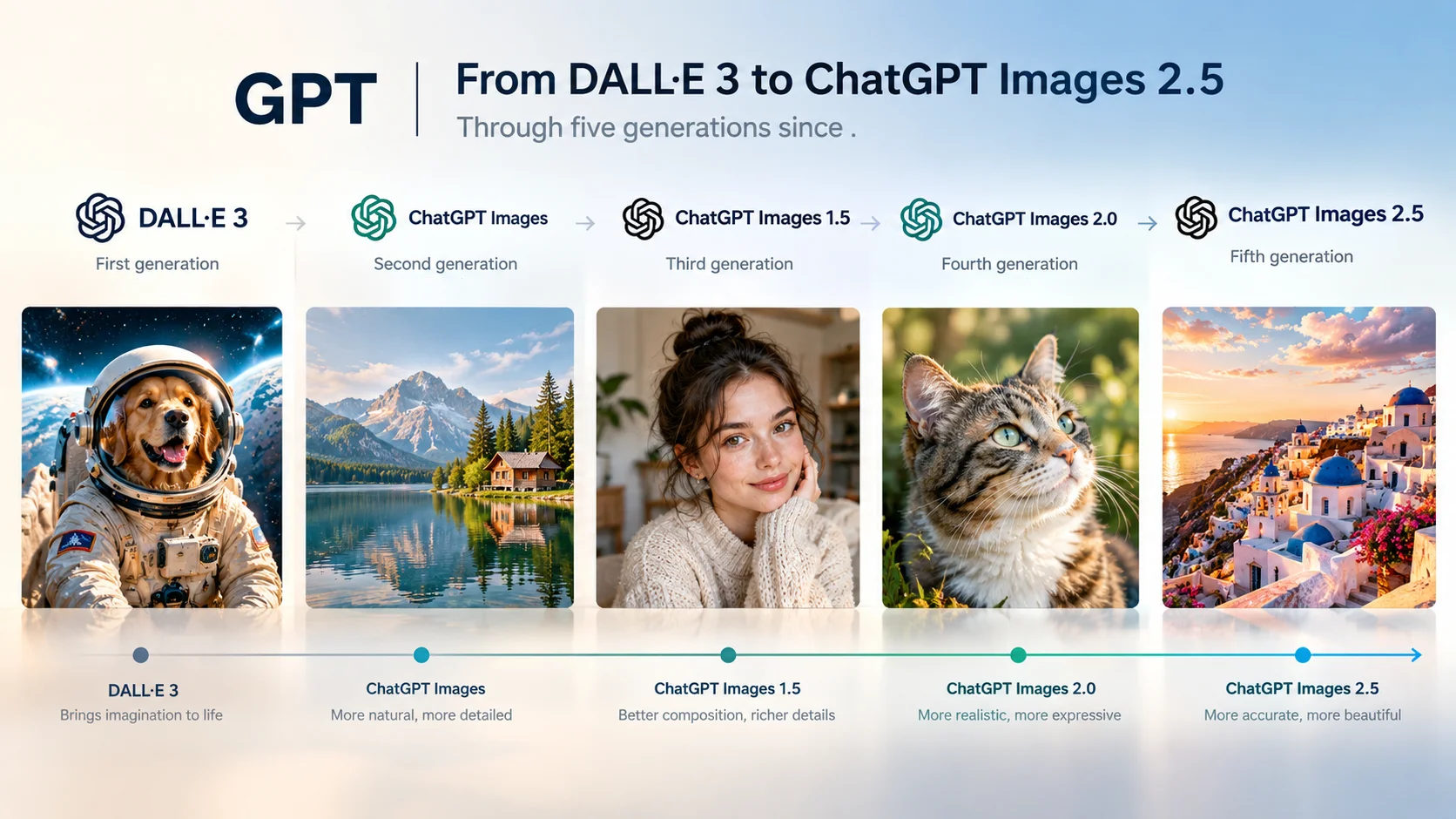
We cover it in full depth in our dedicated ChatGPT image generation guide; the short version relevant to this comparison:
Strengths
- Strong text rendering, good for posters and infographics
- Multi-round edits that don't degrade
- Free tier available, generous Plus tier
Weaknesses
- Blocks or alters most real-person / ID-style edits
- Portraits can look over-smoothed
- Occasional factual errors in dense infographics
Gemini (Nano Banana 2 / Pro)
Google's Gemini image models are collectively nicknamed "Nano Banana." The naming gets confusing fast, so here's the current lineup: Nano Banana (original, now retired from everyday use) = Gemini 2.5 Flash Image; Nano Banana Pro = Gemini 3 Pro Image, the high-fidelity paid tier; Nano Banana 2 = Gemini 3.1 Flash Image, now the default across the Gemini app; Nano Banana 2 Lite = the fastest, cheapest API option.
As of September 2026, Nano Banana 2 is the default image model across the entire Gemini app (Fast, Thinking, and Pro modes), Google Search's AI Mode, Lens, and Flow. It's also the model behind editing your own photo library if you've linked Google Photos to Gemini.
Strengths
- Strong free tier — no separate subscription needed to start
- Multi-image blending and up to 5 consistent characters
- More reliable text and factual accuracy than most competitors
Weaknesses
- Colors can run oversaturated compared to ChatGPT's more photorealistic look
- Long edit chains can still drift on skin tone and lighting
- Free-tier quota now refreshes on a usage-based, rolling schedule rather than a simple daily count — harder to predict
How to Edit a Photo in Gemini
Go to gemini.google.com or open the Gemini app.
Upload your photo and describe the change:
Keep refining conversationally — "blur the background a bit more," etc.
Paid subscribers can tap the "⋮" menu and choose "Redo with Nano Banana Pro" for a higher-fidelity version of the same edit.
Midjourney (V8.2)
Midjourney has spent most of its existence as a pure generation tool — you typed a prompt, it made something beautiful from scratch, and editing an existing photo precisely was never really its job. That changed somewhat in August 2026 with the V8 Edit Model, which finally added text-instruction editing, inpainting, outpainting, and up to 4 reference images, similar in spirit to how ChatGPT or Gemini handle edits.
What hasn't changed: Midjourney has no free tier — plans start at $10/month, and free trials were discontinued back in 2023. There's also still no official API; anything advertised online as a "Midjourney API" is an unofficial third-party wrapper that risks violating Midjourney's terms of service.
Strengths
- Best-in-class aesthetic quality for stylized, artistic images
- Edit Model now supports real instruction-based editing
- Video generation (V1) for short 5–21 second clips
Weaknesses
- No free tier at all, minimum $10/month
- No official API
- Not built for precise "keep the face exactly the same" portrait edits
- Generated images are public by default unless you pay for a Pro/Mega Stealth plan — worth knowing before uploading a real portrait
How to Use Midjourney's Editor
Log in at midjourney.com (a paid plan is required — there's no way to try it free).
Open the Edit tab, or upload an image directly in the prompt bar.
Type an edit instruction, or use the brush tool to select a region for inpainting/outpainting.
Add up to 4 reference images if you want to guide style or clothing.
Discord users can run --edit [image URL] [prompt] instead.
Can You Make a Video in Midjourney?
Yes — Midjourney's Video V1 turns an image into a short animated clip, roughly 5 seconds per segment, extendable to about 21 seconds. It's a newer, more limited feature than dedicated video models, best thought of as an extension of a still image rather than a full video generation tool.
Adobe Firefly
Firefly has quietly stopped being "one Adobe model" and become something closer to a model marketplace layered on top of Adobe's editing tools. As of September 2026, a single Firefly subscription lets you run Firefly's own Image Model 5 alongside GPT Image (including 2.5 Flare/Sunburst, added September 8), Nano Banana 2 and Pro, several FLUX models, and more — without creating separate OpenAI or Google accounts.
Image Model 5 itself (GA since March 2026) is specifically tuned for portraits: Adobe describes it as producing "anatomically accurate, realistic portraits," with better hands, proportions, and lighting than earlier Firefly versions. Its Prompt to Edit feature works like the other tools here — describe a change in plain language and the rest of the image stays untouched.
Strengths
- One subscription, many models — including GPT Image and Nano Banana, without separate accounts
- Deep Photoshop/Lightroom integration for professional retouching
- Firefly's own model is marketed as commercially safe, trained on licensed content
Weaknesses
- Credit system is genuinely complex — partner models cost far more credits than Firefly's own (GPT Image can run 60 credits per generation vs. 1 for Firefly's native model)
- Steeper learning curve than a chat-based tool
- The "commercially safe" guarantee only covers Firefly's own model — not GPT Image, Gemini, or FLUX run through it
- Free tier credits are limited
How to Edit a Portrait in Firefly
Go to firefly.adobe.com → Edit Image.
Upload your photo. Use Generative Remove to clean up a background, or Generative Fill to select an area (like an outfit) and describe the replacement.
Switch models from the dropdown if you want — Firefly Image 5, GPT Image 2.5, or Nano Banana 2 are all selectable (watch the credit cost, they're not equal).
Use Generative Upscale if you need a larger final export, or continue refining in Photoshop.
Movcl
Every tool above shares the same basic shape: an open text box where you describe what you want, and the model does its best to interpret you. That flexibility is powerful, but it's also why prompt-writing, trial-and-error, and inconsistent results are common threads across all four reviews above.
Movcl takes a narrower approach on purpose. Instead of an open prompt, it offers a fixed set of templates — face swap, outfit change, AI style redraw, and short-video generation — built around a single photo you upload. You're choosing from a defined set of outcomes rather than describing one from scratch, which trades some flexibility for consistency: the same input reliably produces the same category of result, without needing to iterate on wording to stop the model from changing something you didn't ask about.
Which One Should You Actually Use?
| If you want to... | Use |
|---|---|
| Generate a striking, artistic image from a text description | Midjourney |
| Do quick, casual edits to your own photos, for free | Gemini |
| Make a poster, infographic, or something with lots of text | ChatGPT |
| Do professional retouching inside an existing Photoshop workflow | Adobe Firefly |
| Get a reliable face swap, outfit change, or portrait style redo without writing prompts | Movcl |
Just want your portrait edited, not a prompt-writing project?
If what you actually need is a face swap, an outfit change, or a consistent style redo from one photo — not an open-ended AI art session — Movcl gets there with a template instead of a prompt.
Try MovclCopyright and Privacy Notes Worth Knowing
- Midjourney is currently facing active copyright litigation from Disney, Universal, and Warner Bros. Discovery over character and IP reproduction, plus an ongoing artists' class action over training data. And by default, images you generate on Basic/Standard plans are public — private generation requires a Pro or Mega "Stealth" plan, which matters if you're uploading a real photo of yourself.
- ChatGPT, Gemini, and Adobe Firefly all now embed C2PA content credentials and/or invisible watermarking (Google's SynthID, used across both Gemini and licensed into other products) on AI-generated images, for provenance tracking.
- Adobe's "commercially safe" claim applies only to Firefly's own model — not to GPT Image, Gemini, or FLUX models run through the Firefly interface, which carry their own respective terms.
Glossary
- Nano Banana / Nano Banana Pro / Nano Banana 2
- Nicknames for Google's Gemini image models — respectively Gemini 2.5 Flash Image (original, now largely retired from everyday use), Gemini 3 Pro Image (high-fidelity paid tier), and Gemini 3.1 Flash Image (current default).
- Inpainting / Outpainting
- Inpainting edits a selected region within an image; outpainting extends the image beyond its original borders. Both are core Midjourney Edit Model and Adobe Firefly features.
- Generative credits
- Adobe Firefly's usage currency — different models (Firefly's own vs. GPT Image vs. Nano Banana) consume credits at very different rates.
Frequently Asked Questions
What is Midjourney?
Midjourney is an AI image generation tool known for highly stylized, artistic output, primarily used through its website (formerly Discord-only). Its current version, V8.2, added real photo-editing capability in August 2026 via its Edit Model.
Is Midjourney free?
No. Midjourney has no free tier and discontinued free trials back in 2023. Plans start at $10/month (Basic).
How much is Midjourney?
Plans run from $10/month (Basic) up to $120/month (Mega), with roughly a 20% discount for paying annually.
How do you use Midjourney?
Log into midjourney.com with a paid plan, then either type a prompt to generate an image from scratch or use the Edit tab / upload-and-edit flow to modify an existing photo with text instructions, inpainting, or outpainting.
What is Adobe Firefly?
Adobe's AI image and video platform — it includes Adobe's own Firefly model plus access to third-party models like GPT Image and Gemini's Nano Banana, all through one subscription, with deep integration into Photoshop, Lightroom, and Express.
What is Google Gemini (for image editing)?
Gemini is Google's AI assistant, and its built-in image generation/editing feature — nicknamed Nano Banana — lets you upload a photo and edit it with plain-language instructions directly inside a Gemini conversation.
Sources: Midjourney official updates page, Wikipedia, Adobe official blog and help pages, Google official subscription/pricing/help pages, TechCrunch, 9to5Google, PCWorld, 9to5Mac, Google Cloud blog, CNBC, and third-party pricing trackers. This article reflects publicly reported information as of September 2026; pricing, free-tier limits, and model lineups across all four platforms change frequently — verify current numbers on each provider's official page before relying on them.