


Christmas Pet Photo Effects Are Too Cute (Plus 10 Captions to Post With Them)
Key takeaways
- You don't need a costume or a cooperative pet. AI outfit and scene templates add the Santa hat, scarf, or snowfall to a regular photo of your dog or cat.
- The four Christmas pet looks that work best are a festive outfit, a snowy scene, an illustrated holiday-card style, and a short animated clip for Stories or Reels.
- A good caption doubles the charm. Ten ready-to-post Christmas pet captions are at the end of this article.
Every December I try to get the perfect Christmas photo of my pets, and every December it goes the same way. The Santa hat lasts about half a second. The dog sneezes. The cat gives me a look that says she will remember this. I end up with forty blurry photos of a tail leaving the frame.
This year I skipped the wrestling match. I took one decent photo of each of them on the couch, ran it through AI Christmas templates, and got the holiday portraits I'd been chasing for years. Nobody had to wear anything, and nobody got bribed with cheese.
Here's what worked, what didn't, and the captions I used when I posted them.
Why AI pet effects beat the costume struggle
Pets are terrible models, and that's part of why we love them. Traditional holiday pet photos ask you to get a hat on, get the animal still, get the lighting right, and press the shutter at the exact moment all three happen. AI flips that around: you only need one good moment, and the festive part gets added afterward.
The other thing I didn't expect is how many variations you get out of one photo. The same picture of my dog became a Santa portrait, a snow-globe scene, and a little looping video, and each one suited a different place to post.
Four Christmas pet looks worth trying
The Santa outfit
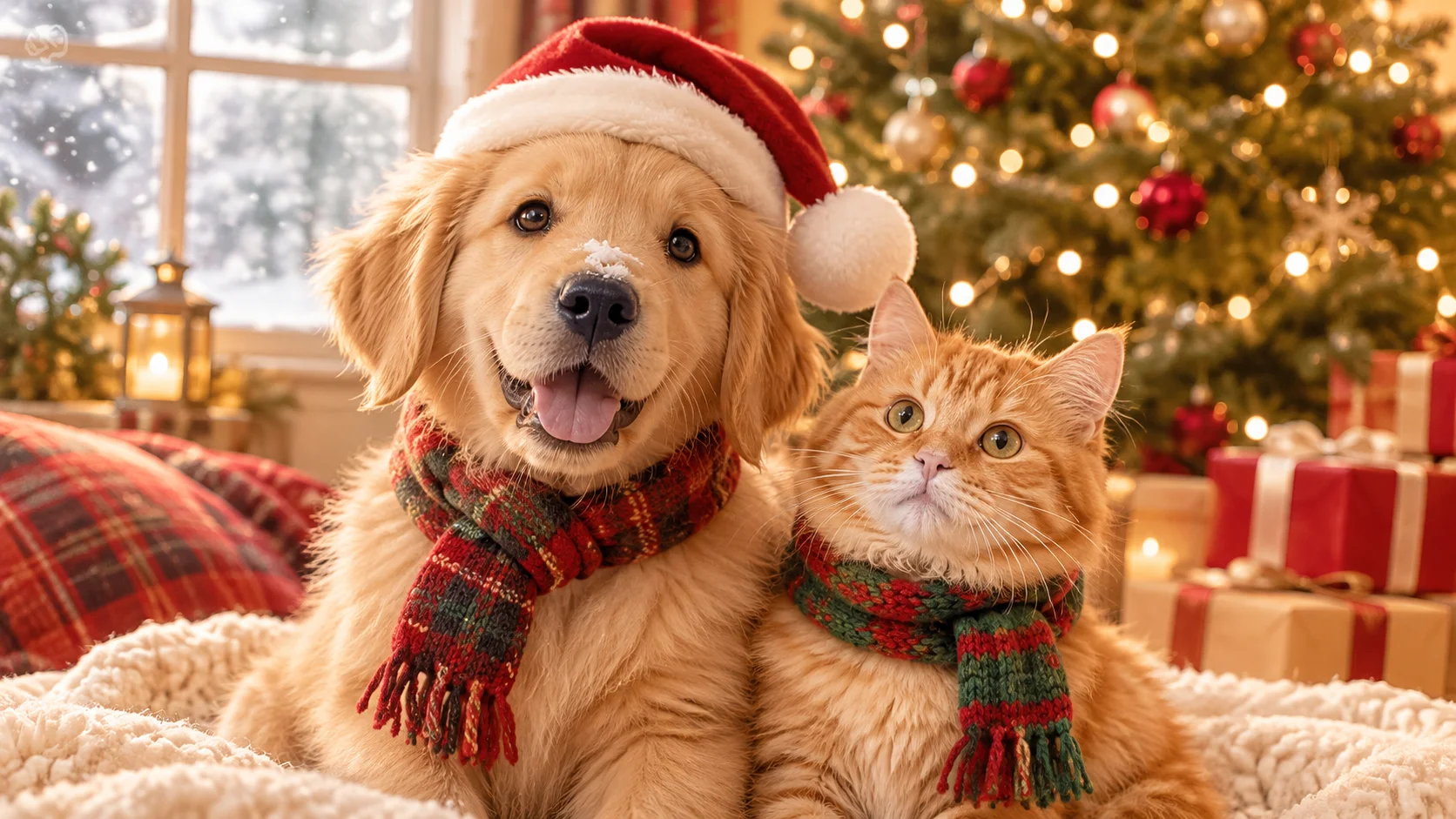
The classic. A red hat, a fluffy collar, maybe a tiny scarf, fitted to your pet's head and fur. Outfit-change templates are good at following the shape of ears and the angle of the head, which is exactly where real hats fail. This is the one that got the most reactions from my family.
The snowy scene
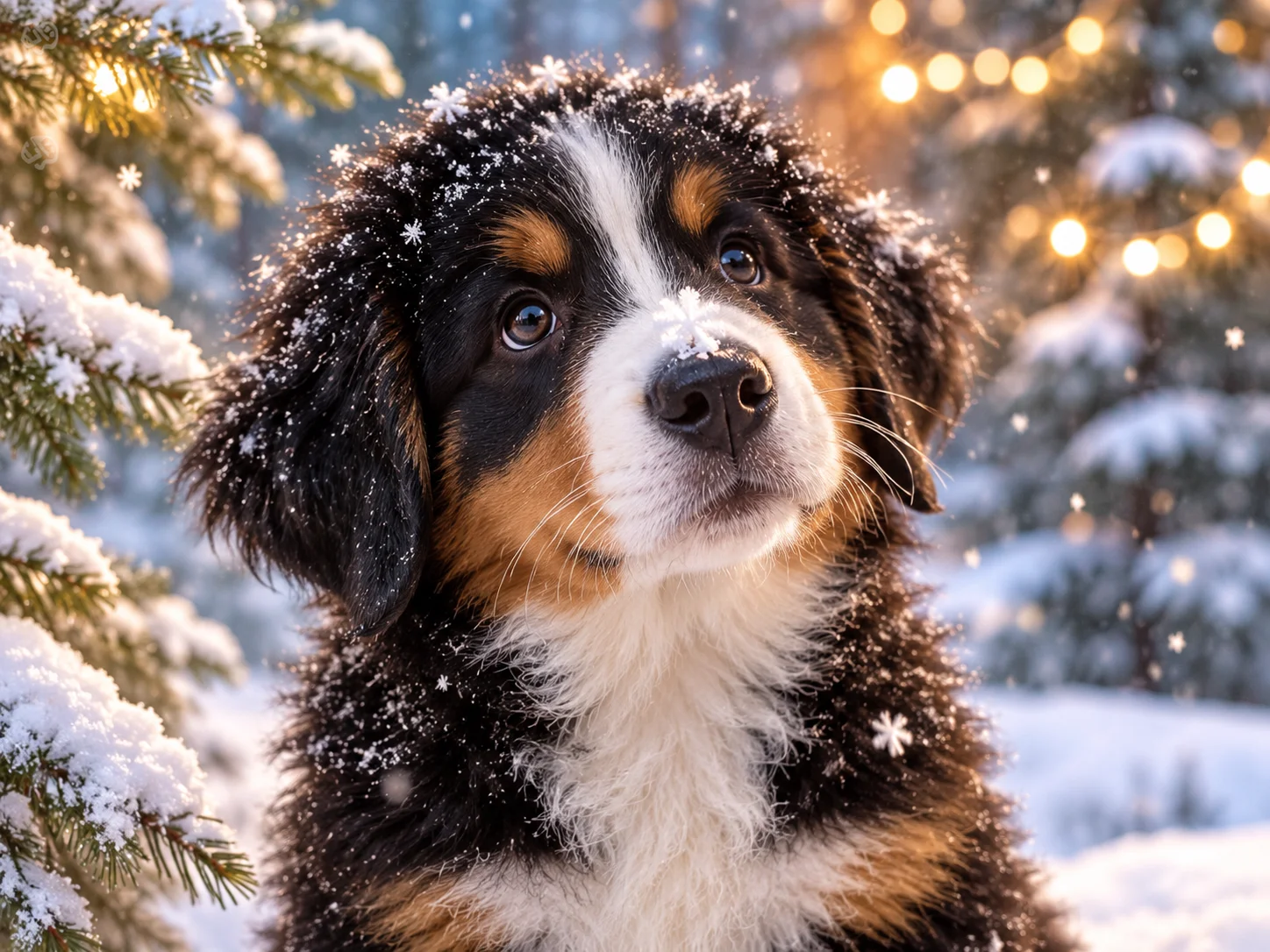
Your pet stays the same, but the living room turns into a snowy pine forest or a window full of falling flakes. This works especially well for dogs with darker coats, which pop against white snow. Close-up shots with snow landing near the nose look almost cinematic.
The illustrated holiday card
AI redraw templates can turn a photo into a painted or cartoon-style illustration. Holiday-themed styles give you something that looks like a custom greeting card, which is great if you want to print it or send it to people who aren't on social media (hi, Grandma).
The short holiday video
This was my favorite. An AI short-video template animates a single still photo into a few seconds of motion: a head tilt, a blink, snow drifting past. It's perfect for Instagram Stories, Reels, or a "Merry Christmas" text to friends, and it gets a much bigger reaction than a still image.
How I made mine in Movcl
- Pick one clear photo. Your pet's face should be in focus, facing the camera or at a slight angle, with nothing covering the eyes.
- Choose a Christmas template. Start with whatever's seasonal in the app: an outfit, a scene, an art style, or a short video.
- Generate and compare. Try two or three templates on the same photo. Some looks suit a fluffy cat better, others suit a short-haired dog.
- Save the ones you love. Download the image or clip and pair it with a caption from the list below.
Movcl offers a free trial to start, so you can see how your pet looks before deciding whether to keep going.
What makes a good source photo
The template does a lot of work, but the photo you feed it still matters most. Here's what I learned after a few rounds of trial and error.
| Factor | Works well | Causes problems |
|---|---|---|
| Lighting | Daylight from a window, soft and even | Dim lamps, strong backlight, flash glare in the eyes |
| Focus | Sharp eyes and nose | Motion blur from a wagging head |
| Angle | Face toward the camera or a slight three-quarter turn | Back of the head, extreme side profile |
| Framing | Head and shoulders fill a good part of the frame | Pet tiny in the corner of a wide shot |
| Obstructions | Clear view of the face | Toys, hands, or blankets covering eyes or ears |
| Number of animals | One pet per photo | Two pets overlapping, which can confuse the template |
My tip for restless pets: get down to their eye level, hold a treat right above the phone, and take a burst of shots. One of them will be the keeper.
10 Christmas pet captions to post with your photos
Copy any of these for Instagram, Facebook, or your holiday text thread.
- Christmas NPC side quest unlocked: sprinkle a little happiness in every corner of the world.Best for: a group shot or your pet's most heroic pose
- Christmas is winter's love letter, and you're the surprise tucked inside.Best for: a cozy snowy scene
- Santa's swamped this year, so it's my turn to surprise you. 🎅
- Ding-dong! Your Christmas kitty has been delivered. 🎄🔔🧣🎅🏻
- Human. The cat cordially invites you to spend Christmas together.Best for: a cat staring straight into the camera
- Jingle bells are ringing 🔔 and here comes a pup running your way with a pocket full of Merry Christmas.
- My Christmas wish list this year: cat snuggles and lots of presents. 🎁
- The sleigh isn't here yet, but my pup is already wagging out the holiday wishes. ❄️
- A snowflake lands on the puppy's nose ❄️ and suddenly winter romance is real.Best for: a close-up snow effect or short video
- My best Christmas partner of the year 🎄 is this little fluffball!
Frequently asked questions
- Do I need a professional photo of my pet?
- No. A clear phone photo with good daylight works great. One sharp shot beats ten blurry ones.
- Does my pet have to wear anything?
- No. The hat, scarf, or sweater is added by the template, so your pet never has to put up with a costume.
- Can I make a video from a single pet photo?
- Yes. AI short-video templates animate one still photo into a few seconds of motion, which is ideal for Stories and Reels.
- Are my pet photos used to train AI?
- It depends on the app, so always check the privacy policy. Movcl doesn't use uploaded photos to train its models.
Your pet's Christmas portrait is one photo away.
Pick your favorite snapshot, try a holiday template, and steal a caption from the list above.
Try Movcl free