


Try 100 Careers in Video: Runway Debut, Piano Ovation, Jet Takeoff & More
Key takeaways
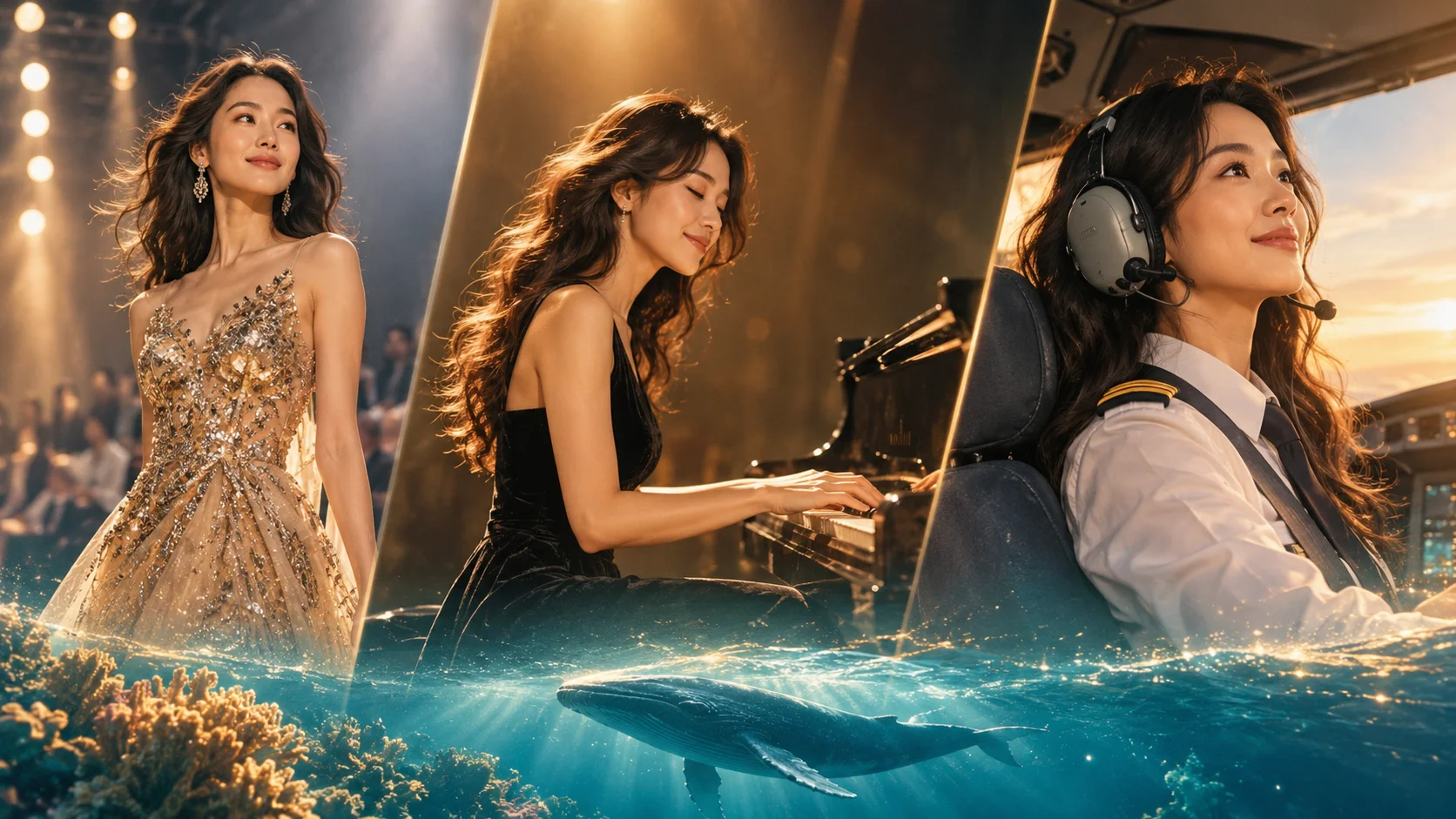
- You can try a career on video from one photo. Movcl’s AI video templates turn a still photo into a short clip, so you can see yourself walking a runway, hitting a concert high note or taking off in a jet without the training, the gear or the nerve.
- Most videos take about a minute to generate. The gem cost is shown in the app before you confirm, and new accounts get starter gems with no credit card.
- Treat it as play, not a résumé. These clips are for fun, sharing and curiosity. They are not proof of skill or a credential, and you should only use photos of people who have agreed to it.
Almost everyone has a job they quietly wondered about. The one on stage. The one in the cockpit. The one where a crowd stands up at the end. Most of us never tried, because the first step looks impossible: no audition, no flight hours, no idea where to begin.
A short video won’t make you a pilot, but it can answer a smaller and surprisingly useful question: what would that moment look like with me in it? That is the idea behind this guide. One photo in, one cinematic clip out, nine roles to start with, and room to go looking for the hundred-and-first.
Why try a career in video, not just a photo?
A still image can show you in a costume. A video shows you in the moment: the turn at the end of the runway, the held note, the bow, the lift-off. Those motion beats are what make a role feel like a role, and they are why career clips tend to get rewatched and shared in a way a dress-up photo rarely does.
It also lowers the stakes. Trying an idea on screen is a gentle way to find out what excites you before you spend time or money on the real thing. If your Piano Ovation clip makes you grin for a week, that’s worth knowing.
The spotlight roles
Four careers built on one thing: a room full of eyes on you.
Runway Debut
You step through the light at the end of the catwalk, turn, and hold the pose while the flashes go off. It’s the career fantasy that needs the most confidence in real life and the least in a video.
- Best source photo:
- Full-length or three-quarter, standing straight, simple background.
- Post it as:
- A “new season, new me” reveal.
Concert High Note
The band drops out, the lights narrow, and you land the note everyone came for. If you have ever sung loudly in the shower, this is the dressed-up version.
- Best source photo:
- Head and shoulders with a relaxed, open expression.
- Post it as:
- A lip-sync-style share with your favorite song in the background.
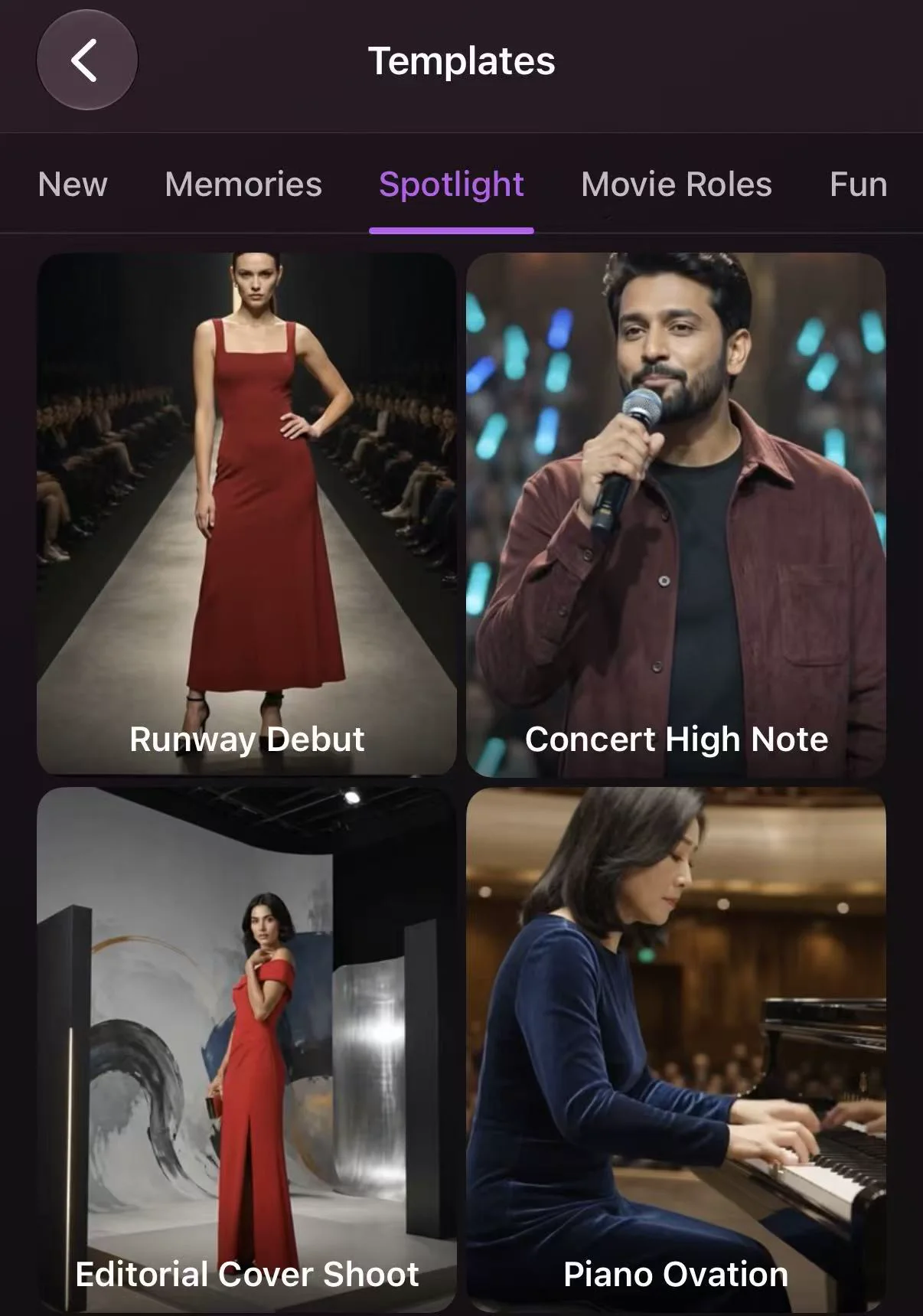
Editorial Cover Shoot
Magazine-cover energy: confident framing, dramatic light, a look that says you were expecting the camera. It suits anyone who wants a polished portrait that moves.
- Best source photo:
- Sharp, soft-lit portrait with your hair and shoulders clearly visible.
- Post it as:
- A profile photo refresh or a birthday “cover story.”
Piano Ovation
The last chord fades, the hall holds its breath, then the applause arrives. It’s quieter than a rock concert and just as dramatic, and it works well for anyone who always wanted to play.
- Best source photo:
- A calm, slightly formal portrait with a neutral expression.
- Post it as:
- A “never took lessons, still got the standing ovation” caption.
The adrenaline roles
Three careers where the camera moves as fast as you do.
The Missing Gold
Inspired by heist and stage-magic films like Now You See Me: a vault, a sleight of hand, and a very pleased look when the gold turns up somewhere it shouldn’t be. It’s the most playful role on the list and the one friends will ask about first.
- Best source photo:
- A confident or knowing expression. A slight smirk helps.
- Post it as:
- A “you didn’t see that coming” reveal.
Jet Takeoff
Hands steady, runway lights streaking past, nose lifting into the sky. For many people it’s the dream job that never quite felt reachable, which makes it a satisfying one to see on screen.
- Best source photo:
- Front-facing with good light on your face, ideally no sunglasses or hat.
- Post it as:
- A “cleared for takeoff” announcement for a trip or a new chapter.
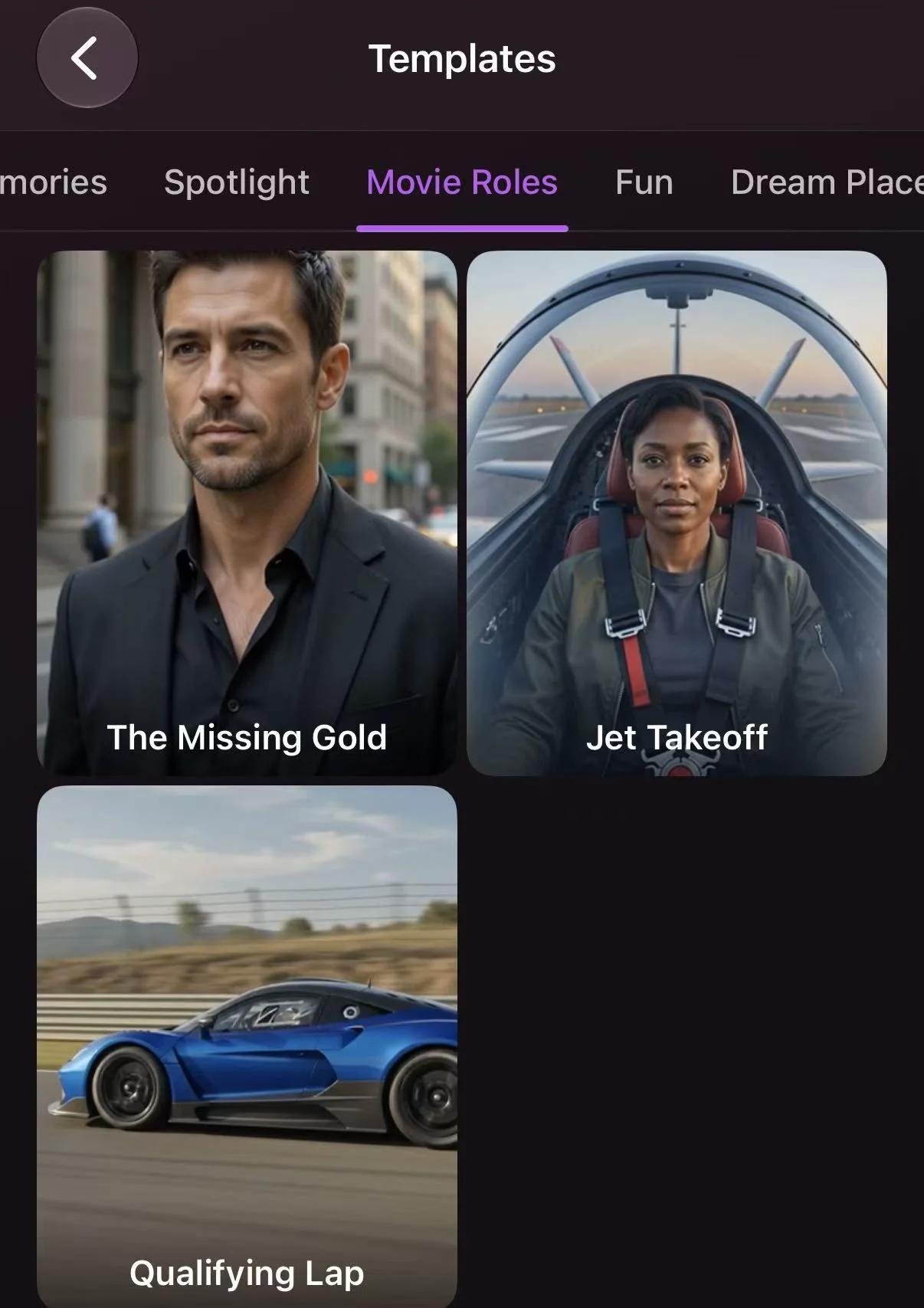
Qualifying Lap
One lap, everything on the line. Helmet on, engine screaming, a corner taken at the limit. It’s the role for people who like the idea of speed but would prefer not to test it on an actual track.
- Best source photo:
- Clear face, minimal shadows, no glasses glare.
- Post it as:
- A “pole position” flex for any small win.
Or maybe you want to go further than land
Not every dream job has a job title. These two are for anyone who ever wanted to leave the surface.
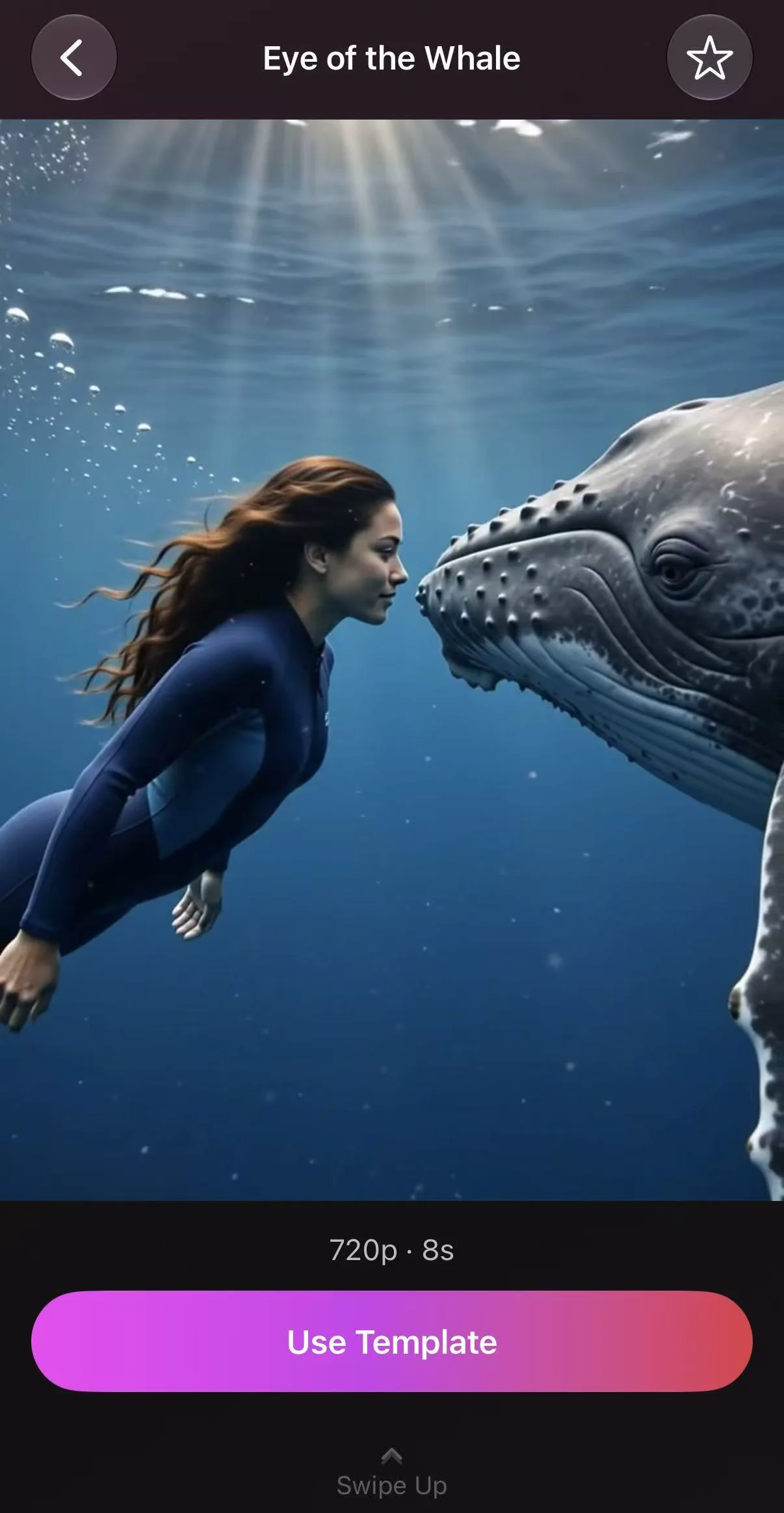
Eye of the Whale
Drift through open blue water beside a whale, close enough to see its eye. It’s a quiet, wide-open scene that suits anyone who has ever dreamed of being a marine explorer or simply swimming somewhere very big and very calm.
- Best source photo:
- Bright, natural light with your face centered and unobstructed.
- Post it as:
- A “bucket list, ticked” moment, or a calm break-from-everything post.
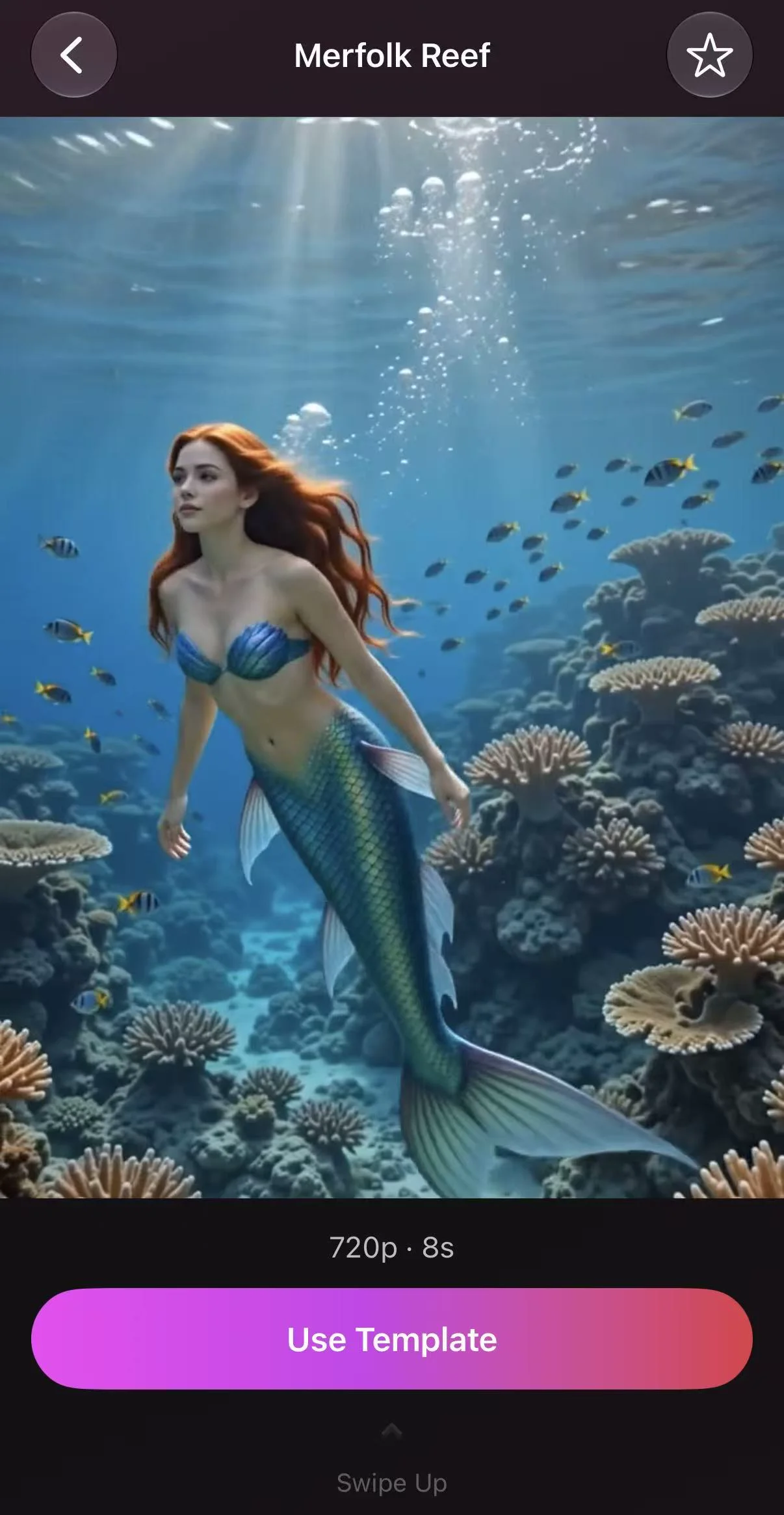
Merfolk Reef
Become a mermaid in a glowing coral reef, with shimmering light overhead and fish drifting past. It’s the most fantastical pick here, and often the one people laugh about, then replay six times.
- Best source photo:
- Face-forward with your hair visible, since the water scene often plays with it.
- Post it as:
- A “found my true habitat” caption.
Quick pick: which role first?
| If you want… | Start with | Photo to use |
|---|---|---|
| A confident glow-up | Runway Debut or Editorial Cover Shoot | Full-length or sharp portrait |
| Something emotional and dramatic | Concert High Note or Piano Ovation | Calm, open expression |
| A reaction-getting clip for friends | The Missing Gold | Knowing smile |
| Speed and adventure | Jet Takeoff or Qualifying Lap | Clear face, no glare |
| Something calm and fantastical | Eye of the Whale or Merfolk Reef | Bright, natural light |
How to make your career video
- Pick one clear photo. Choose a recent shot where your face is sharp, evenly lit and facing the camera. Skip sunglasses, heavy filters and group photos.
- Open the video templates in Movcl. Browse the AI video section and choose a role. The gem cost is shown before you confirm.
- Generate and wait about a minute. Most videos finish in around a minute, and heavier styles can take a little longer.
- Try the same photo in a second role. You will quickly learn which expressions and angles suit which scenes, and the second try is usually better than the first.
- Save, caption and share. Pick the version you like best and post it with a line from the section below.
Captions you can copy
One short line per role, ready to paste under your clip.
What about a career that isn’t on this list?
The nine above are a starting set. Movcl lists hundreds of templates across its features and adds new ones regularly, so the real fun is browsing for the one you have been too nervous to try in real life. Any job you were curious about but never knew how to approach is fair game for a short clip.
Not sure where to start? Ask yourself three questions
- What did I want to be at ten? That answer is usually the strongest pick, and the most fun to see.
- What job do I admire but would never try? The fear is the reason to start there.
- What moment do I want to see, not the whole career? The best clips capture one moment: the bow, the takeoff, the last turn.
What to keep in mind
AI video is great for play and for sharing, but it has limits. Results depend heavily on your source photo, and a photo with a hidden face, extreme angle or heavy filter can give a less accurate likeness. Try a second photo before you give up on a role.
Use your own photos, or those of people who have said yes. If you post a clip where the scene is clearly fantasy, such as a whale or a reef, you don’t need to explain much. For realistic roles like pilot or race driver, it’s good practice to say it’s AI-generated so nobody mistakes it for real footage. And remember that none of this is a qualification: it’s a way to explore an idea, not to claim a profession.
Frequently asked questions
- Can I try different careers in video with just one photo?
- Yes. Movcl’s AI video templates turn a single still photo into a short clip, so you can try several roles in a row with the same source photo.
- What kind of photo works best for career videos?
- A sharp, well-lit, front-facing photo with your face and shoulders clearly visible and nothing covering your face. Plain backgrounds and natural expressions give the template the most to work with.
- How long does a career video take to generate?
- Most videos take about a minute. Heavier styles can take a little longer, and the gem cost is shown in the app before you confirm.
- Is it free to try?
- New accounts get starter gems with no credit card. Results made entirely with free gems carry a small Movcl watermark, while generations paid for with a subscription or a gem pack are watermark-free.
- Can I try a career that is not on the list?
- Browse the video templates in the app for the role you have in mind. New templates are added regularly, so think of the roles in this guide as a starting set, not the full catalogue.
Which career are you trying first?
Pick one photo, pick one role you have always wondered about, and watch it play out in about a minute. Available on iOS and Android.
Try MovclSources
- Movcl, “Everything Movcl Can Do” (features, watermark policy and generation times), movcl.com/features
- Movcl, AI Video feature page, movcl.com/ai-video