
ChatGPT Image Generation Guide (2026): From DALL·E 3 to ChatGPT Images 2.5
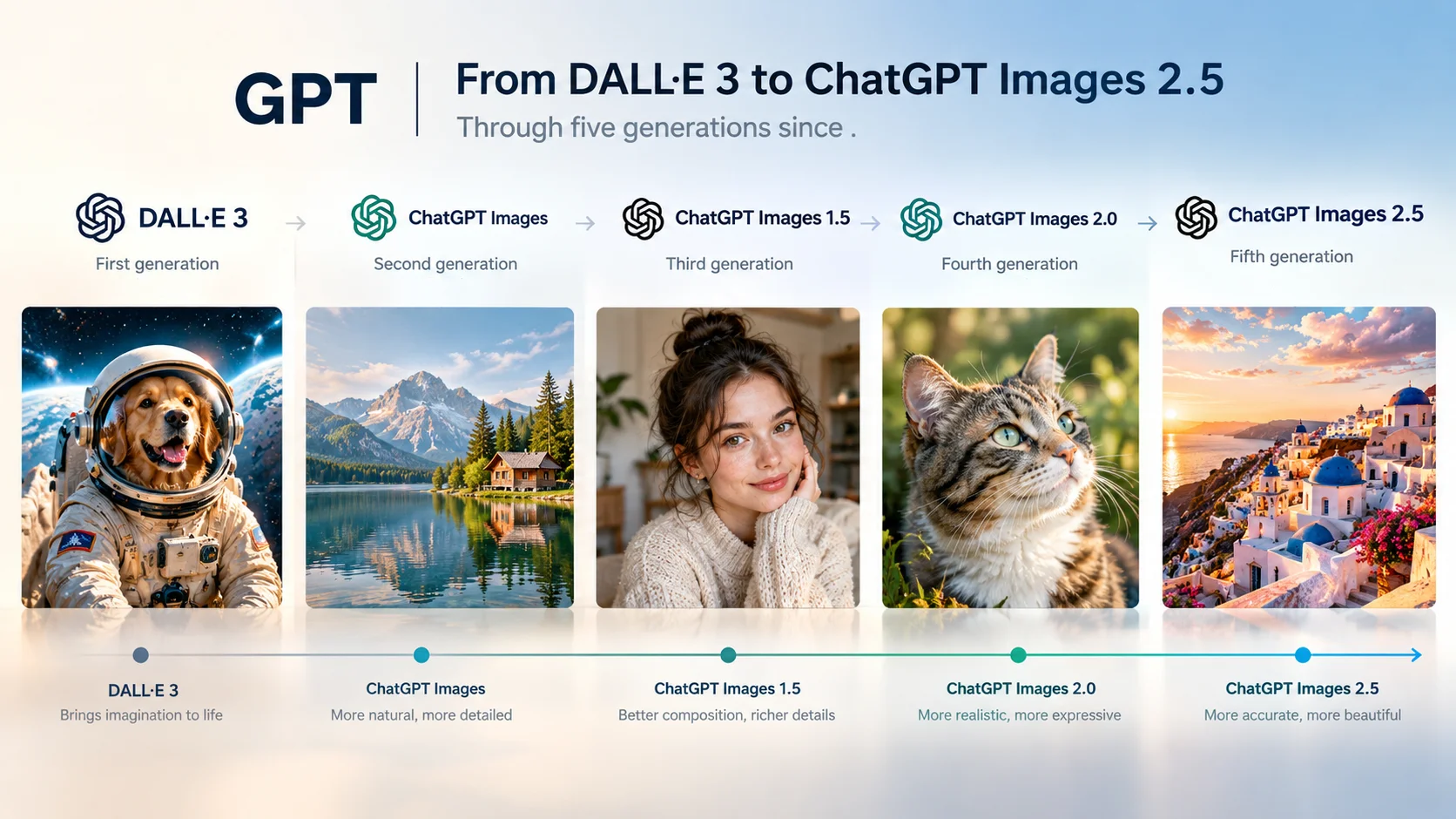
Yes, ChatGPT can generate images — DALL·E is gone, and the tool has been through five generations since. Here's how the current version, ChatGPT Images 2.5, actually works, how to use it, and what's still off-limits.
Key Takeaways
- Yes, ChatGPT can generate and edit images — for free, with limits, and on every paid tier. DALL·E, however, is fully retired: its API shut down May 12, 2026, and the in-app DALL·E GPT was removed August 30, 2026.
- The current model is ChatGPT Images 2.5, released September 8, 2026 — five generations past the DALL·E 3 most people still remember.
- Free-tier limit: roughly 2–3 images per rolling 24-hour window (OpenAI doesn't publish a fixed number, so this fluctuates with server load); Plus ($20/mo) gets roughly 40–50 per 3-hour window.
- Generation time: typically seconds to under a minute in Instant mode; Thinking mode (Plus and up) can take up to ~2 minutes on complex prompts since it reasons, searches, and self-checks before finishing.
- Images 2.5's headline upgrades: better reference-photo fidelity (faces, pets, products), more precise non-destructive edits, multi-round edits that don't degrade, plus new @Sketch, templates, and comment-based editing tools.
- Real-person editing — ID photos, face swaps of other people — routinely gets blocked or altered by ChatGPT's policy layer, which is where a purpose-built portrait tool becomes the more reliable option.
Can ChatGPT Generate Images?
Yes. Every ChatGPT tier — including free — can generate and edit images directly inside a normal chat. What's changed is how: for two years, "ChatGPT generates an image" actually meant ChatGPT quietly handing your prompt to a separate model, DALL·E. That's no longer true. DALL·E has been fully retired from OpenAI's lineup, and image generation is now a native capability of the ChatGPT model itself, currently running on ChatGPT Images 2.5.
The Full Evolution: DALL·E 3 to Images 2.5
If you last used ChatGPT's image tool around the DALL·E 3 era, the gap is bigger than a version bump — five distinct generations have shipped since:
| Date | Model / Product | What changed |
|---|---|---|
| Oct 2023 | DALL·E 3 in ChatGPT | First in-chat image generation. ChatGPT silently rewrote your prompt before handing it to DALL·E 3. Weak text rendering, poor editing. |
| Mar 25, 2025 | GPT-4o native image generation | Architecture shift: GPT-4o generates images itself instead of calling an outside model. Much better text rendering; sparked the viral "Studio Ghibli filter" trend. |
| Apr 2025 | GPT Image 1 (API) | API version of GPT-4o's image capability. Fixed sizes: 1024×1024, 1536×1024, 1024×1536. |
| Oct 2025 | GPT Image 1 Mini | ~80% cheaper API tier, built for high-volume use. |
| Dec 16, 2025 | ChatGPT Images / GPT Image 1.5 | Up to 4x faster, precise local edits (background/lighting/face preserved), became ChatGPT's new default model, replacing DALL·E 3. |
| Apr 21–22, 2026 | ChatGPT Images 2.0 (gpt-image-2) | First "thinking" image model — reasons and can search the web before generating. Major text-rendering jump, including non-Latin scripts. Up to 8 consistent images in one generation. |
| May 12, 2026 | DALL·E 2/3 API shutdown | DALL·E fully removed from the API. |
| Aug 30, 2026 | DALL·E GPT removed from ChatGPT | DALL·E's last presence in the ChatGPT interface is gone. |
| Sep 8, 2026 | ChatGPT Images 2.5 (current) | Sharper detail, stronger reference-photo fidelity, non-degrading multi-round edits, up to 50% faster than 2.0, plus @Sketch, templates, and comment-based editing. |
The Generations, Side by Side
| DALL·E 3 | GPT-4o / Image 1 | Images 1.5 | Images 2.0 | Images 2.5 | |
|---|---|---|---|---|---|
| Architecture | Separate model, called by ChatGPT | Native, autoregressive | Native, faster | Native, "thinks" before generating | Native, refined |
| Text rendering | Poor | Much improved | Sharper, smaller text | Strong, multi-language | Strongest yet |
| Editing | Whole image redrawn | Whole-image tendency remained | Precise local edits | Precise + self-checking | Precise, non-degrading over multiple rounds |
| Max resolution | 1792×1024 | 1536×1024 | ~same | ~2K | up to 4K (API) |
| Speed | 10–30 sec | 30 sec–1 min | up to 4x faster than prior | secs–tens of secs (Instant) | up to 50% faster than 2.0 |
What's New in ChatGPT Images 2.5
Released September 8, 2026, Images 2.5 is the version currently live across ChatGPT, ChatGPT Work, and Codex, on every tier including free. OpenAI's stated improvements:
- Reference-photo fidelity — upload a face, pet, or product and it holds its distinguishing features far more reliably when placed in a new scene or style.
- More precise edits — asking to change one product, one background element, or one line of text no longer risks shifting the subject, composition, or brand elements.
- Multi-round edits that don't degrade — each new edit builds on the last without the image getting progressively blurrier or drifting, a known weak point in earlier generations.
- Up to 50% faster than Images 2.0.
- Better handling of complex subjects and backgrounds, transparent-background support, and more consistent style across long conversations.
Four New Tools Worth Knowing
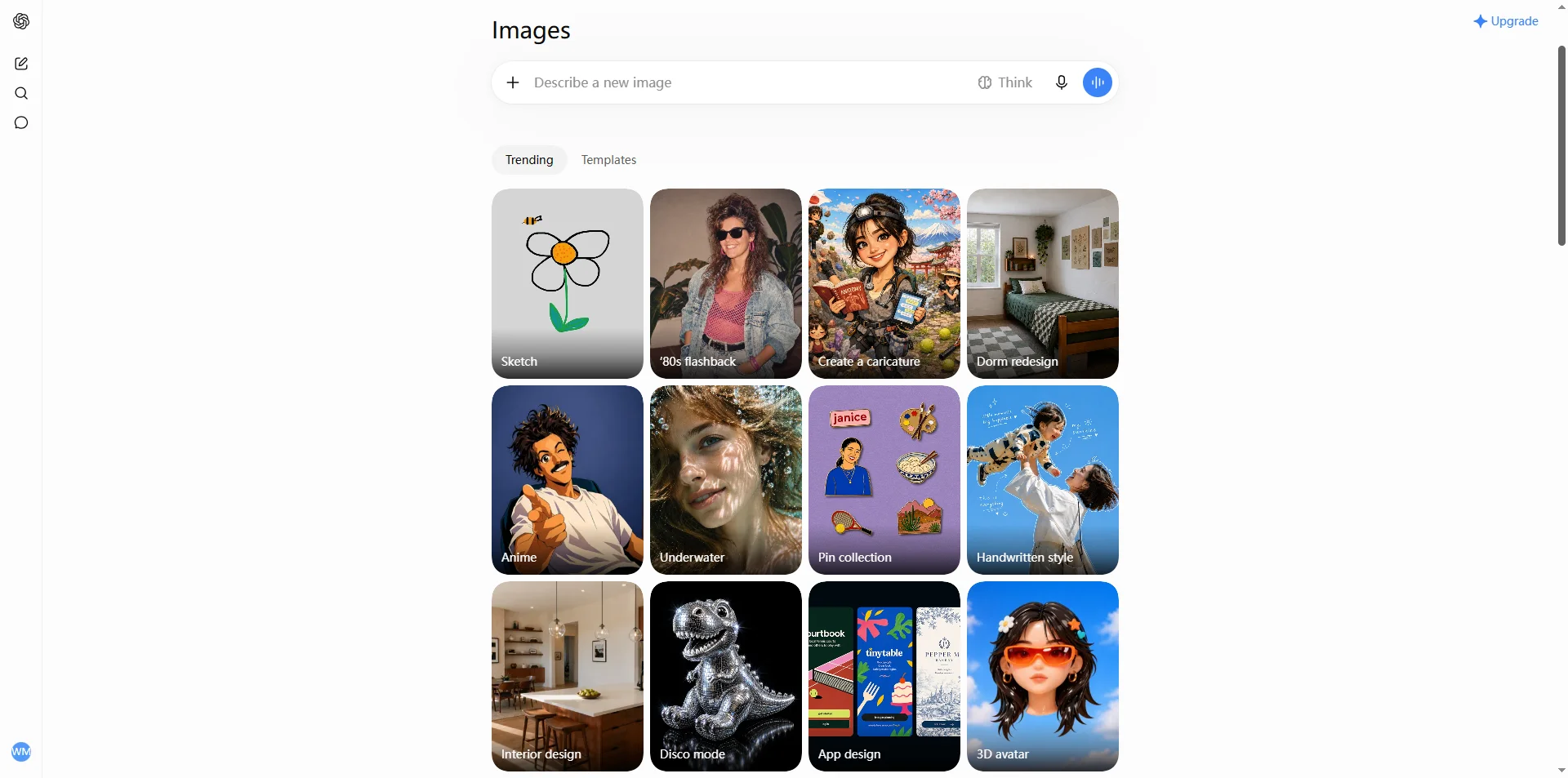
- @Sketch — type @Sketch to draw a rough layout directly in ChatGPT; the model follows your composition, positioning, and proportions.
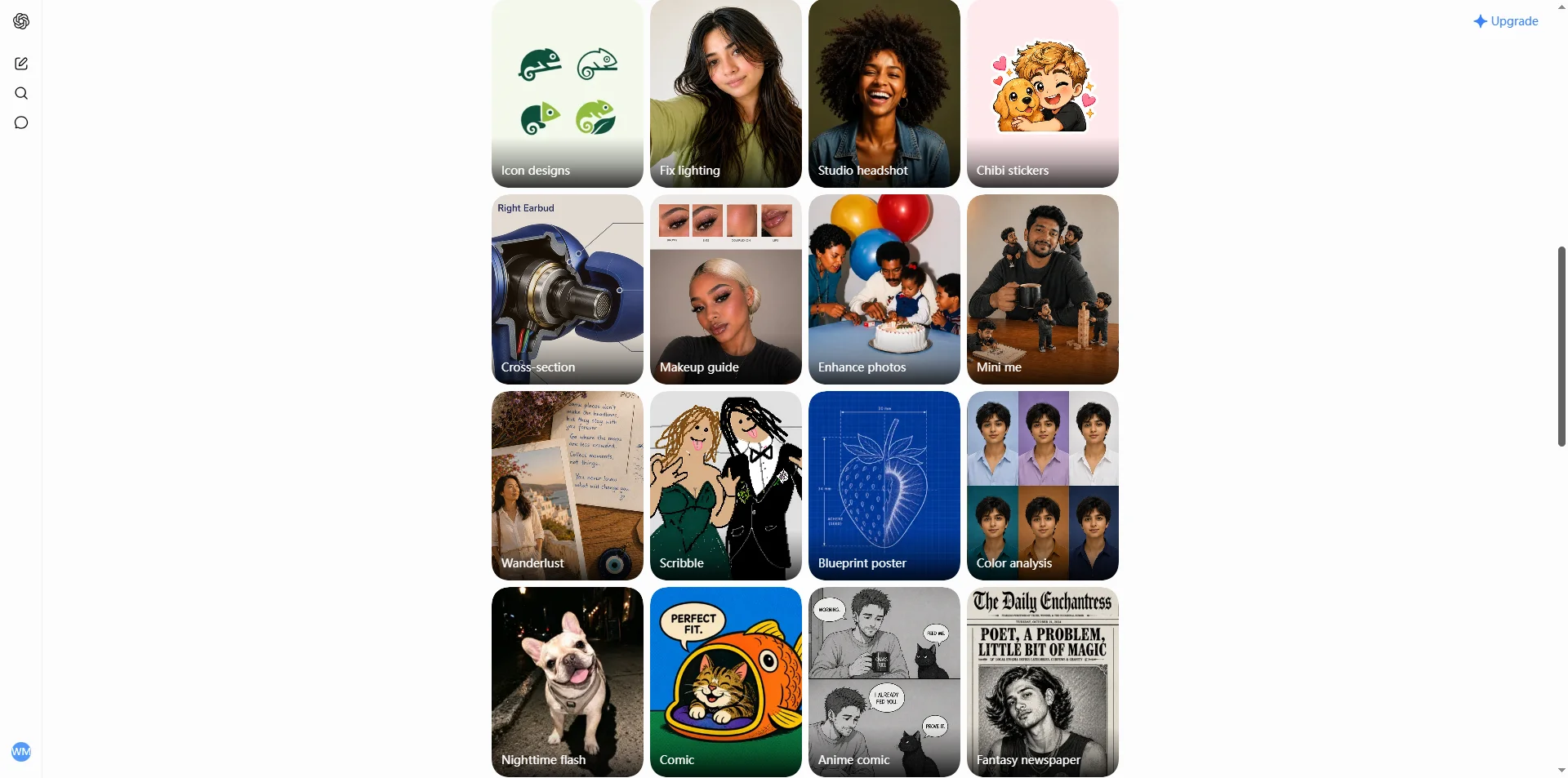
- Templates — preset formats for flyers, product shots, posters, and merchandise.
- Comments — annotate directly on an image to point at exactly what should change ("make this red").
- Shared prompts — share a finished image along with its prompt so someone else can rerun it with their own reference material.
How to Generate an Image in ChatGPT
Open ChatGPT (web or app) and just type a request — "generate an image of..." — or tap + / More → Images, or open the Images tab in the sidebar.
Plus and above can switch to Thinking mode for complex posters, infographics, or multi-image consistency — it takes longer but reasons through the request and can pull in live web references.
Upload a reference image (a portrait, product, pet, or sketch) if you want the output built around something specific rather than generated from scratch.
How to Edit an Image in ChatGPT
Select tool — open the image, choose Select, and paint over just the region you want changed (brush size adjustable, with undo/redo), then describe the change.
Conversational editing — just say it in plain language: "change the background to a beach," "remove the person on the left," "make it watercolor style."
Comments (new in 2.5) — drop a comment pin directly on the image at the exact spot you want changed.
@Sketch (new in 2.5) — rough out the composition by hand first, then let the model render it.
Every image you generate is saved automatically in the sidebar's Images library for later reuse.
Prompt-Writing Tips (Straight From OpenAI's Own Guidance)
OpenAI's Cookbook prompting guide recommends a consistent order: scene/setting → subject → key visual details → constraints. Start with a clean base prompt, then change one thing at a time rather than rewriting the whole request. Explicitly state what should stay the same — it matters more than most people expect.
Generate from scratch
Swap a background
Change an outfit
Style transfer
Poster with text
Restore an old photo
How Many Images Does ChatGPT Allow?
OpenAI doesn't publish a fixed number — your limit fluctuates with server load, and the in-app interface will tell you your actual remaining count. Based on third-party tracking, here's roughly where things stand:
| Plan | Price | Approx. image limit | Modes |
|---|---|---|---|
| Free | $0 | ~2–3 images / rolling 24 hrs | Instant only |
| Go | Varies by region | More than Free, less than Plus | Instant only |
| Plus | $20/mo | ~40–50 / rolling 3 hrs (roughly up to ~200/day in theory) | Instant + Thinking |
| Pro | $200/mo | Unpublished — practically hard to exhaust | Instant + Thinking |
| Business / Enterprise | Per seat | Contract-based | Instant + Thinking |
In practice: free users get a handful of images a day, fewer during peak hours; Plus users get dozens every few hours. If you're doing anything with real volume — batch product shots, a content calendar, repeated portrait edits — those free-tier numbers run out fast.
How Long Does ChatGPT Take to Make an Image?
It's dropped a lot since the DALL·E era, but it still varies by mode and complexity:
- DALL·E 3 era: ~10–30 seconds
- GPT-4o / GPT Image 1: ~30 seconds to a minute, longer at peak times
- Images 1.5: up to 4x faster than the prior generation
- Images 2.0: Instant mode — roughly 10–60 seconds; Thinking mode — can take several minutes on complex prompts, since it reasons, searches, and self-checks
- Images 2.5 (current): up to 50% faster than 2.0, though a genuinely complex prompt can still take around 2 minutes
What actually determines your wait: Instant vs. Thinking mode, image quality tier, resolution, how many images you're requesting at once, server load, and whether you've uploaded a reference image.
Where ChatGPT's Image Tools Hit a Wall
A few limitations are worth knowing before you build a workflow around ChatGPT's image tools:
- Dense small text still slips up — tight paragraphs, apostrophes, and fine typography remain error-prone.
- Multi-image consistency drifts — characters and brand elements can shift slightly across separately generated images.
- Pixel-precise layout is still hard — placing an element at an exact position reliably isn't there yet.
- Factual details in infographics can be wrong — one third-party test caught it mislabeling a well-known regulatory approval date.
- Portraits can come out over-smoothed.
Want portrait editing without hitting policy walls or prompt trial-and-error?
Movcl runs face swap, outfit change, and style redraw from one uploaded photo of yourself, through fixed templates built specifically for that job — no rewriting prompts to stop the model from changing things you didn't ask about, and no ambiguity about whether it's allowed to touch your own photo.
Try MovclChatGPT Images 2.5 vs. Gemini Nano Banana vs. Midjourney
| ChatGPT Images 2.5 | Gemini Nano Banana / Pro | Midjourney v8 | |
|---|---|---|---|
| Strengths | Conversational multi-round editing, strong context memory, atmospheric composition, @Sketch | Speed, up to 4K, stronger factual/text accuracy, lower cost with a free tier | Aesthetic quality, distinctive art styles |
| Weaknesses | Occasional factual errors, dense small text, portraits can look over-smoothed | Colors can run oversaturated, editing sometimes requires re-uploading | No public API, weak editing tools, poor text rendering |
One head-to-head from Digital Today scored Images 2.5 against Nano Banana 2 at a 3–3 split: ChatGPT edged ahead on complex scene atmosphere, illustration polish, and visualizing abstract concepts; Nano Banana 2 edged ahead on text accuracy and factual infographics, with portraits coming out roughly even.
Glossary
- ChatGPT Images
- OpenAI's umbrella name for ChatGPT's native image generation and editing feature, currently on version 2.5.
- GPT-4o native image generation
- The March 2025 shift where GPT-4o began generating images itself rather than calling an external model like DALL·E.
- Instant vs. Thinking mode
- Instant is fast and available to everyone; Thinking mode reasons through the request, can search the web, and self-checks output — available on Plus and above.
- C2PA / SynthID watermarking
- Since May 2026, all ChatGPT- and API-generated images carry both visible metadata (C2PA) and an invisible watermark (Google DeepMind's SynthID) for provenance tracking.
Frequently Asked Questions
Can ChatGPT generate images?
Yes — on every plan, including free, directly inside a normal chat. DALL·E has been fully retired; the current engine is ChatGPT Images 2.5.
Can ChatGPT create images from a photo I upload?
Yes. Upload a reference photo and ask for an edit, a style change, or a new scene built around it — this is one of the areas Images 2.5 specifically improved (reference-photo fidelity for faces, pets, and products).
Can ChatGPT make images with text in them, like posters?
Yes, and text rendering is one of the biggest improvements since the DALL·E era — though very dense or small text can still come out slightly wrong.
How many images does ChatGPT allow per day?
OpenAI doesn't publish a fixed cap. Free users get roughly 2–3 images per rolling 24-hour window; Plus subscribers get roughly 40–50 per rolling 3-hour window. Both fluctuate with demand — check the in-app count for your actual limit.
How long does ChatGPT take to make an image?
Usually somewhere between a few seconds and about a minute in Instant mode. Thinking mode, available on Plus and up, can take up to roughly two minutes on complex prompts since it reasons and self-checks before finishing.
Bottom Line
ChatGPT's image tools have moved a long way past the DALL·E 3 most people remember — Images 2.5 is a genuinely capable, fast, conversational editor with real strengths in text rendering, reference-photo fidelity, and multi-round editing. Where it still runs into trouble is exactly the territory a lot of people actually want it for: editing photos of real people, especially for anything ID-related, where policy restrictions and consistency limits make a purpose-built portrait tool a more predictable choice.
Sources: OpenAI official announcements and Help Center, OpenAI Developer Community, OpenAI Cookbook, Wikipedia (GPT Image), TechCrunch, Axios, Unite.AI, Morphic, CellCog, Digital Today, XDA, DataCamp, Build Fast with AI. This guide reflects publicly reported information as of September 2026; pricing, limits, and capabilities change frequently — verify current numbers on OpenAI's official pages before relying on them.