


Pet Photo Editing Is Hard for AI. These 5 Art Redraw Styles Get It Right
Key takeaways
- Pet photo editing is one of the toughest jobs in AI image generation. Markings, fur and breed proportions are easy to get subtly wrong, and owners spot the mistakes instantly.It gets harder when you are in the photo too.
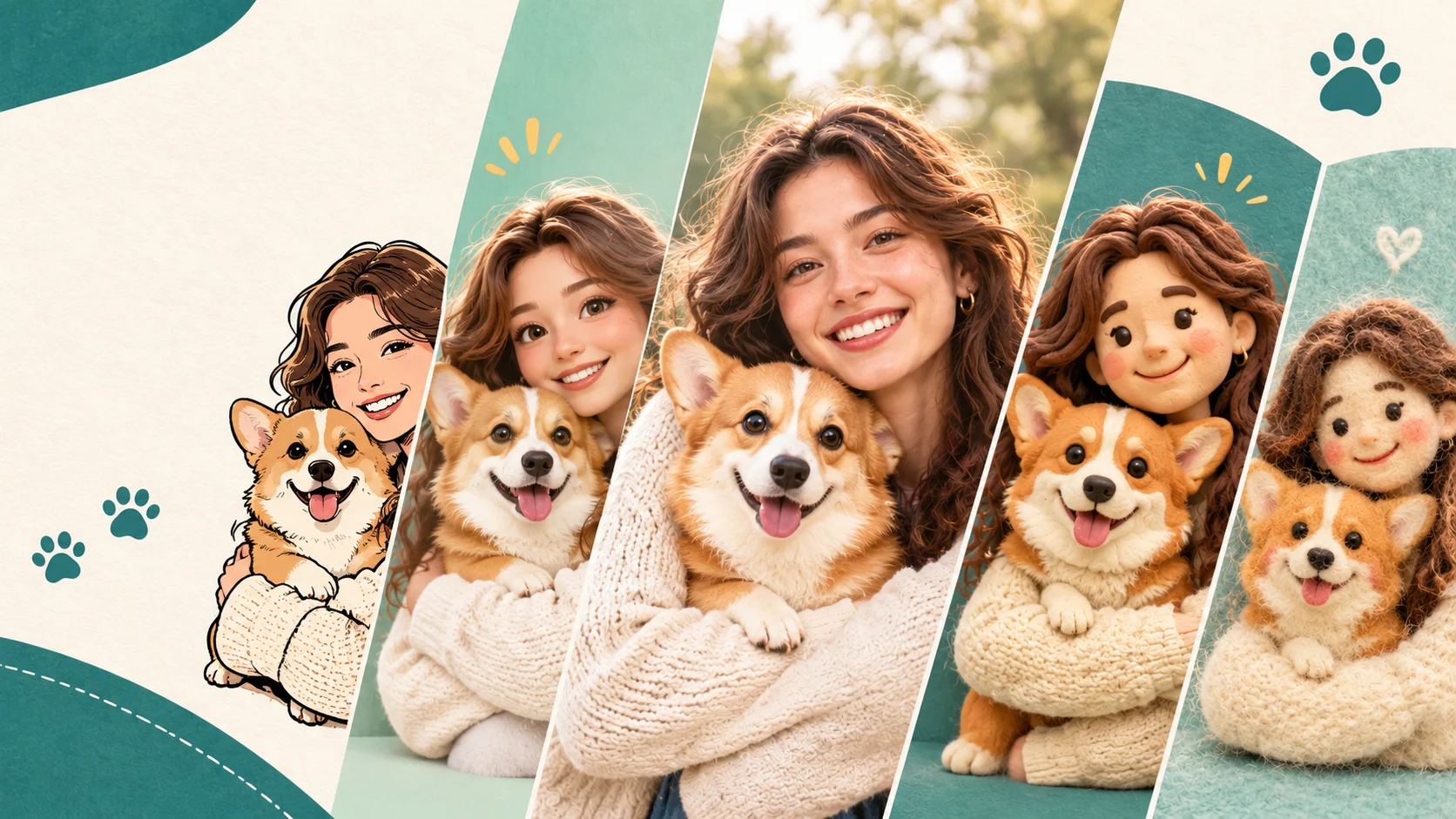
- Stylized redraws are more forgiving than realistic edits. In our Art Redraw tests, five looks worked best for owner-and-pet photos: bold cartoon, 3D doll, magazine illustration, clay figurine and felt miniature.
Ask an AI image tool for a flattering portrait of you and you will usually get something passable. Ask it to edit a photo of your dog and the cracks show fast. The freckle on the muzzle drifts. One ear flops the wrong way. The dog you know by heart turns into a generic “good boy” from a stock photo site.
Pet photo editing is one of the hardest problems in AI image generation right now, and it gets harder when you want to be in the picture with your pet. The good news is that you do not have to fight it with ever-longer prompts.
We ran owner-and-pet photos through Art Redraw, the Movcl feature that redraws your photo in a chosen art style. Five looks kept coming out right. Below: why pet photo editing trips AI up, why stylized redraws sidestep most of the trouble, and how to get the best result from your own photos.
Why pet photo editing trips up AI image tools
Pets look easy, because they are just fur and a face. In practice they combine several things image models struggle with at once.
| Problem | What it looks like | Why it tends to happen |
|---|---|---|
| Lost markings | A tuxedo cat’s bib shifts, a white blaze disappears, tabby stripes rearrange | Markings are a pet’s identity, but a model often treats them as texture it can approximate |
| Fur gone wrong | A plastic-smooth coat, or fur that melts into the background | Fine edges and dark coats leave little detail for the model to hold on to |
| Average-pet drift | A flat-faced or long-snouted breed slides toward a generic dog or cat | Models lean on the typical shapes they have seen most |
| Blended subjects | A hand turns pawlike, or eye color and fur swap between you and your pet | Two subjects overlap, and the model has to keep two identities apart |
There is also a human factor. We forgive a stranger’s portrait for being a little off. We do not forgive our own cat for having the wrong face.
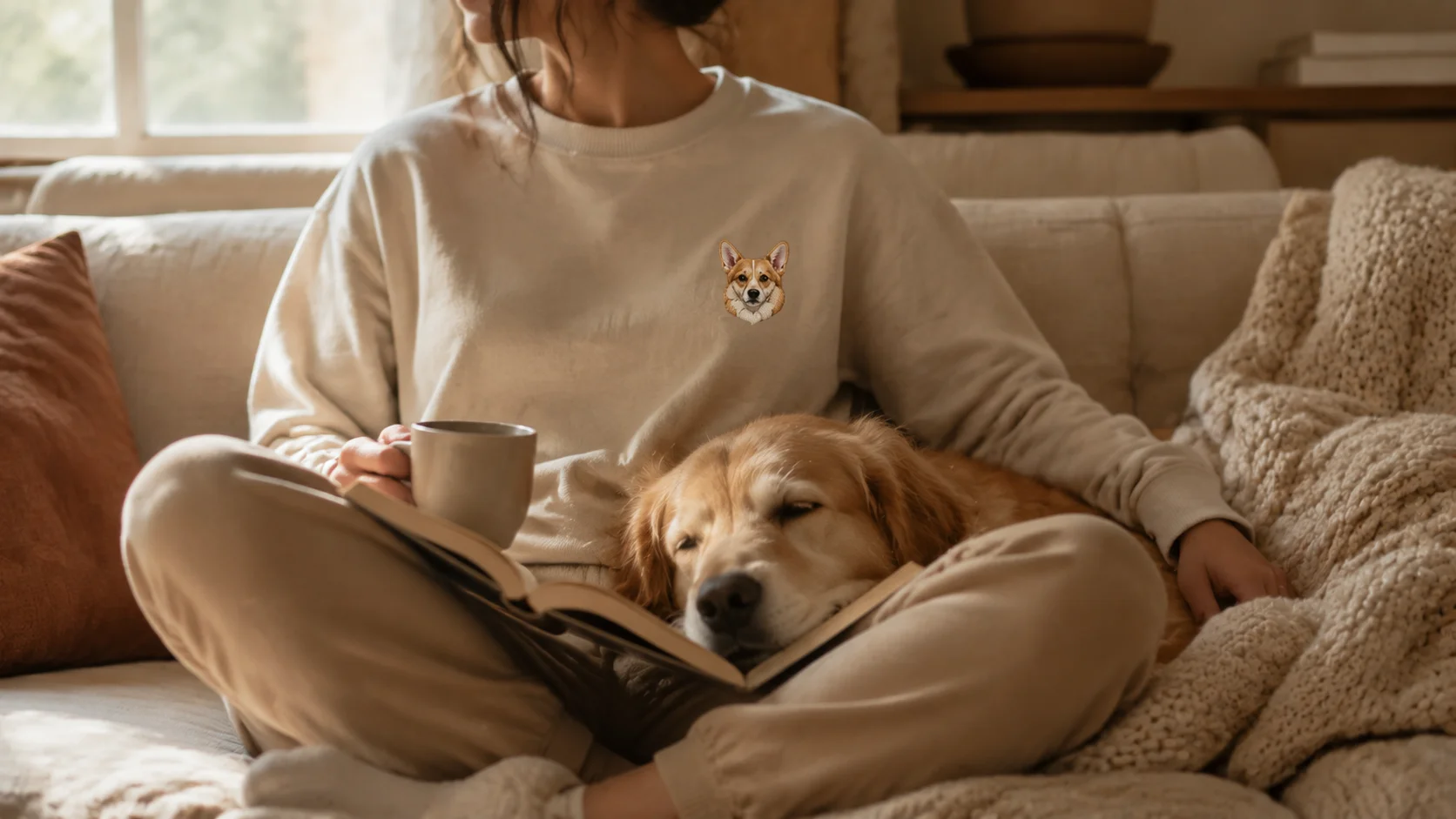
When the subject is your own pet, “close enough” is not close enough.
Why Art Redraw suits owner-and-pet photos
A realistic edit invites a side-by-side check against reality, and every small deviation reads as wrong. A stylized redraw changes the question. When the whole picture is simplified into bold outlines, sculpted clay or wool fibers, viewers judge by silhouette, color blocking and markings. Those are the things a template can hold steady.
Because you pick a template instead of writing a prompt, the look is also consistent from one photo to the next. That is the same reason we think templates beat open prompts for your own photos.
The 5 Art Redraw styles that work best with you and your pet
These are the five that gave us the most reliable results on photos with a person and a pet together.
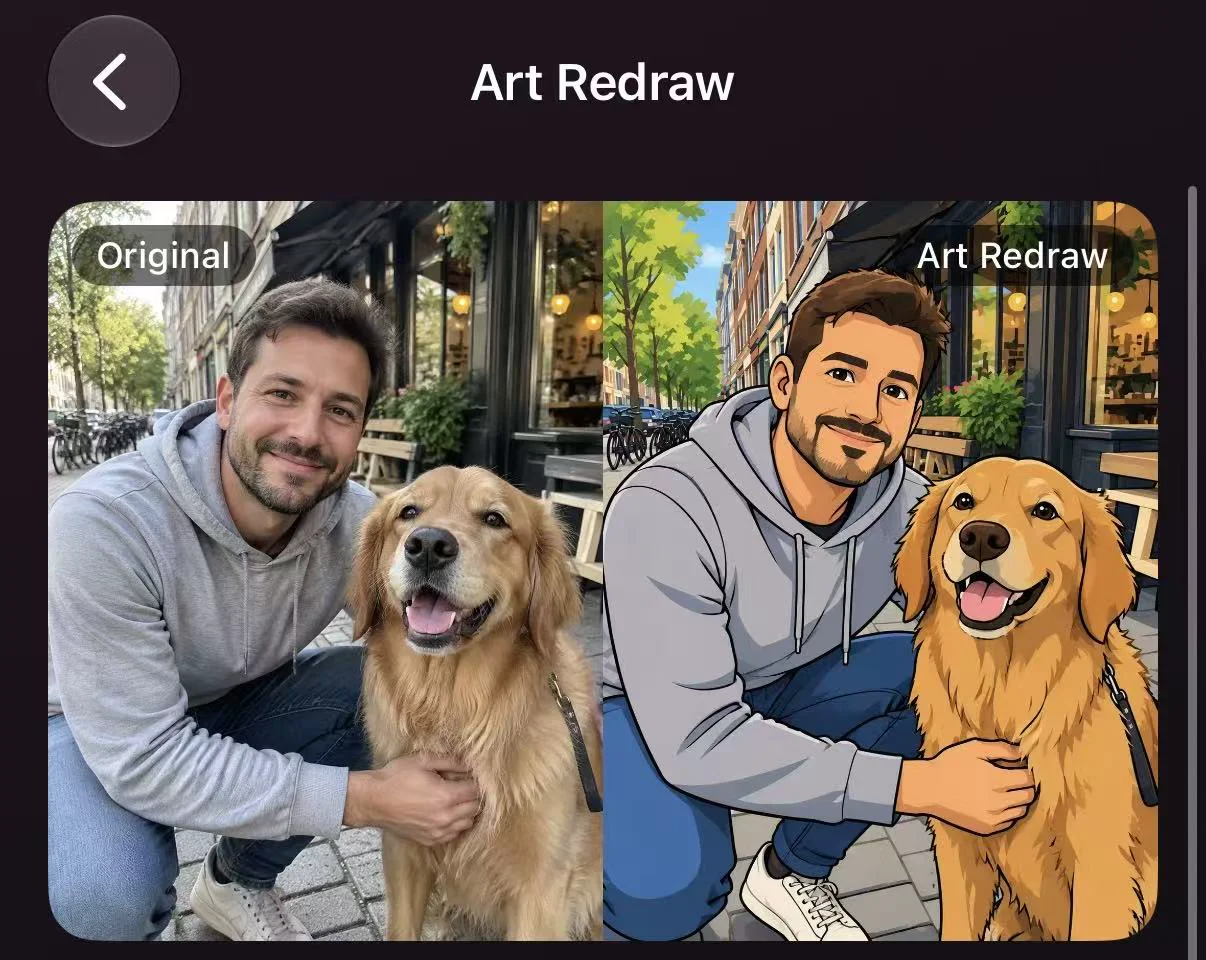
Bold cartoon
Thick outlines, flat saturated color, big expressions.
- Why it works
- Markings become graphic shapes, so a patch or a stripe is easy to keep in the right place. Outlines also help dark-coated pets, whose faces can disappear in other styles.
- Best for
- Profile pictures, sticker-style posts and photos where you and your pet are mid-laugh.
- Watch for
- Very subtle coat colors, such as cream versus white, can flatten into one tone.
3D doll
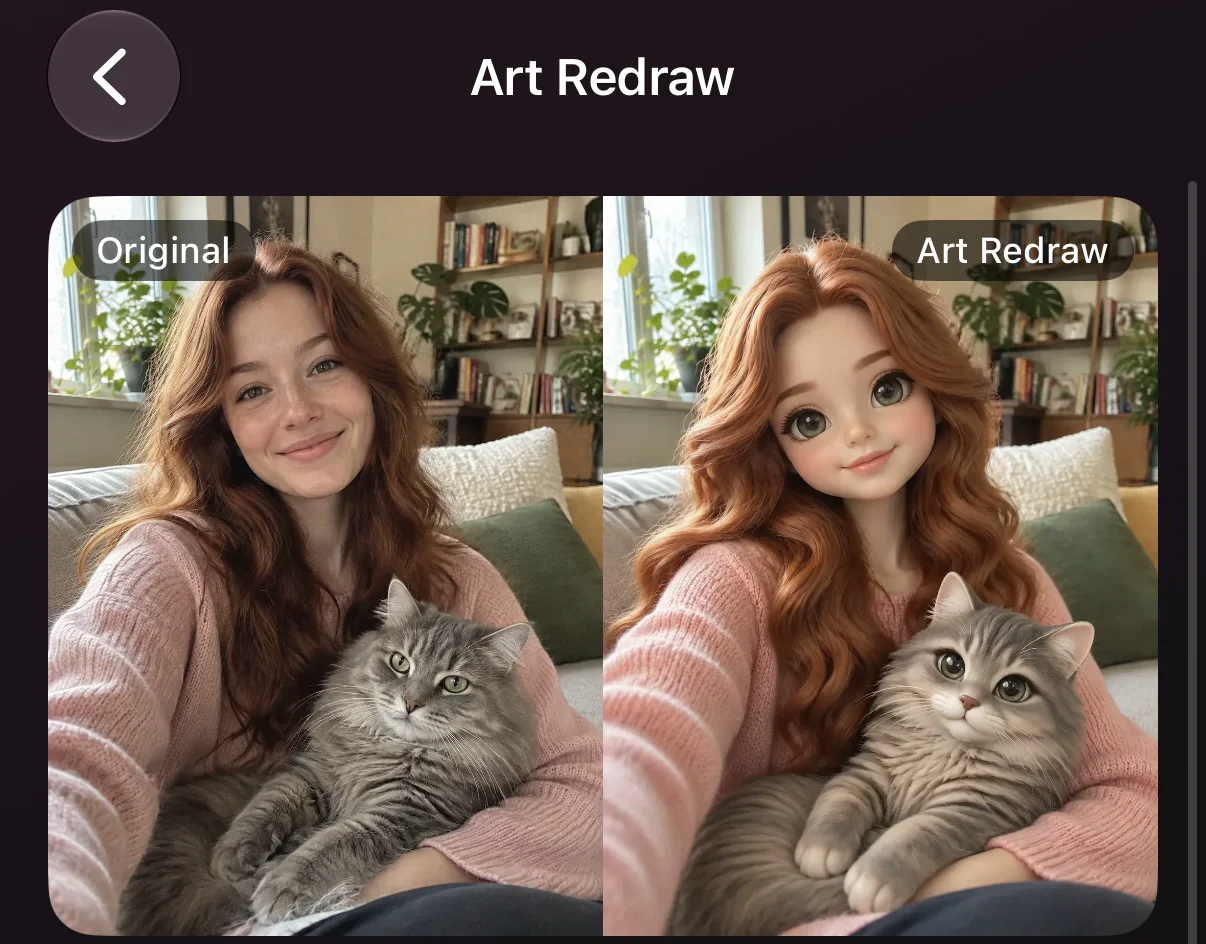
Rounded, glossy, collectible-toy proportions.
- Why it works
- You and your pet become a matching pair of figures with the same finish, which keeps the two of you looking like they belong in the same world instead of two edits stitched together.
- Best for
- Gifts, “me and my dog” side-by-sides and anything you would put on a mug or a phone case.
- Watch for
- Small details such as collar tags and fine whiskers get simplified.
Magazine illustration
Editorial, graphic, a limited palette and confident composition.
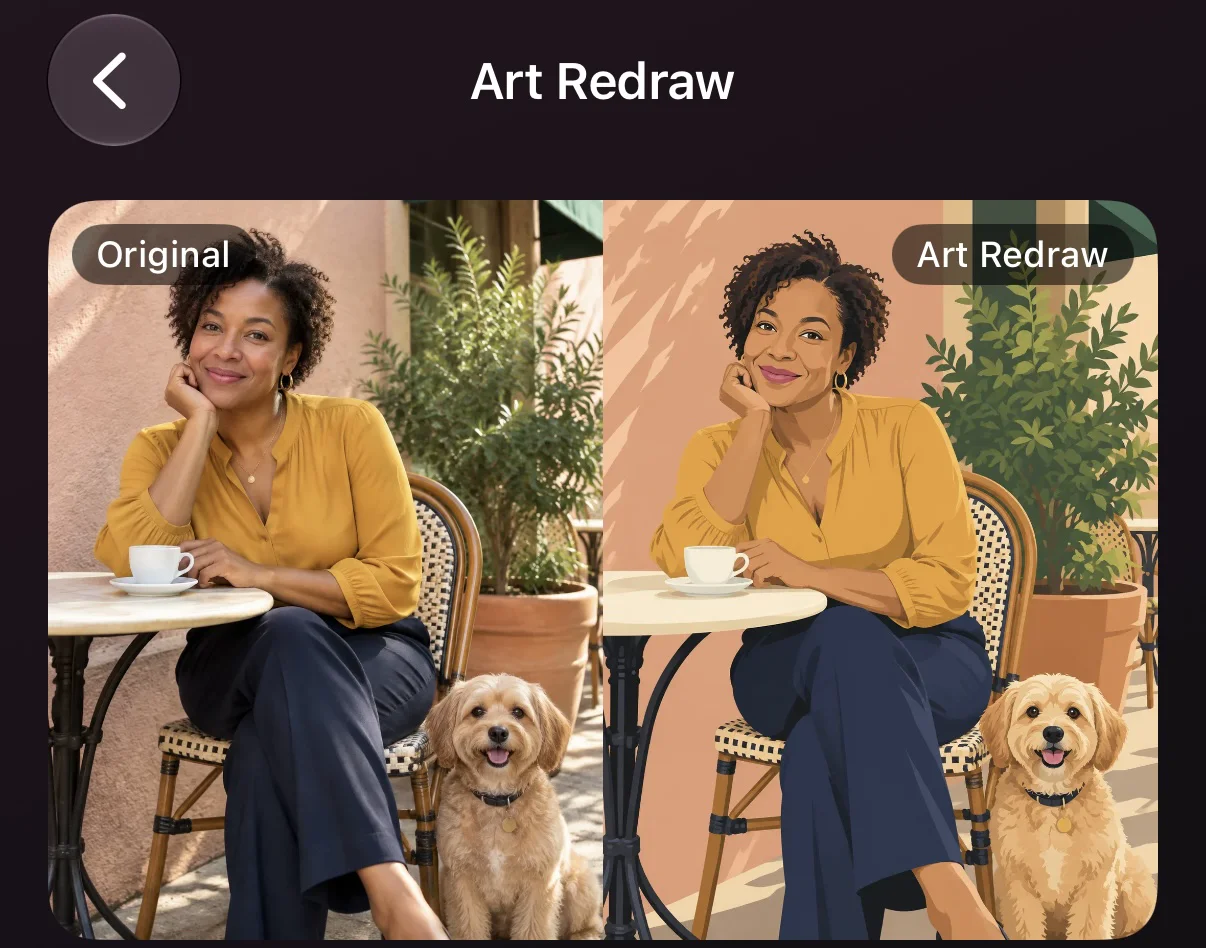
- Why it works
- It treats the two of you like cover subjects. The restrained palette keeps coat colors believable, and the layout feels intentional rather than cute-for-cute’s-sake.
- Best for
- A framed print, a pinned post, or a calm portrait where your pet sits still next to you.
- Watch for
- Busy backgrounds. Start from a photo with a plain wall or a simple couch.
Clay figurine
Handmade, a little lumpy, with stop-motion warmth.
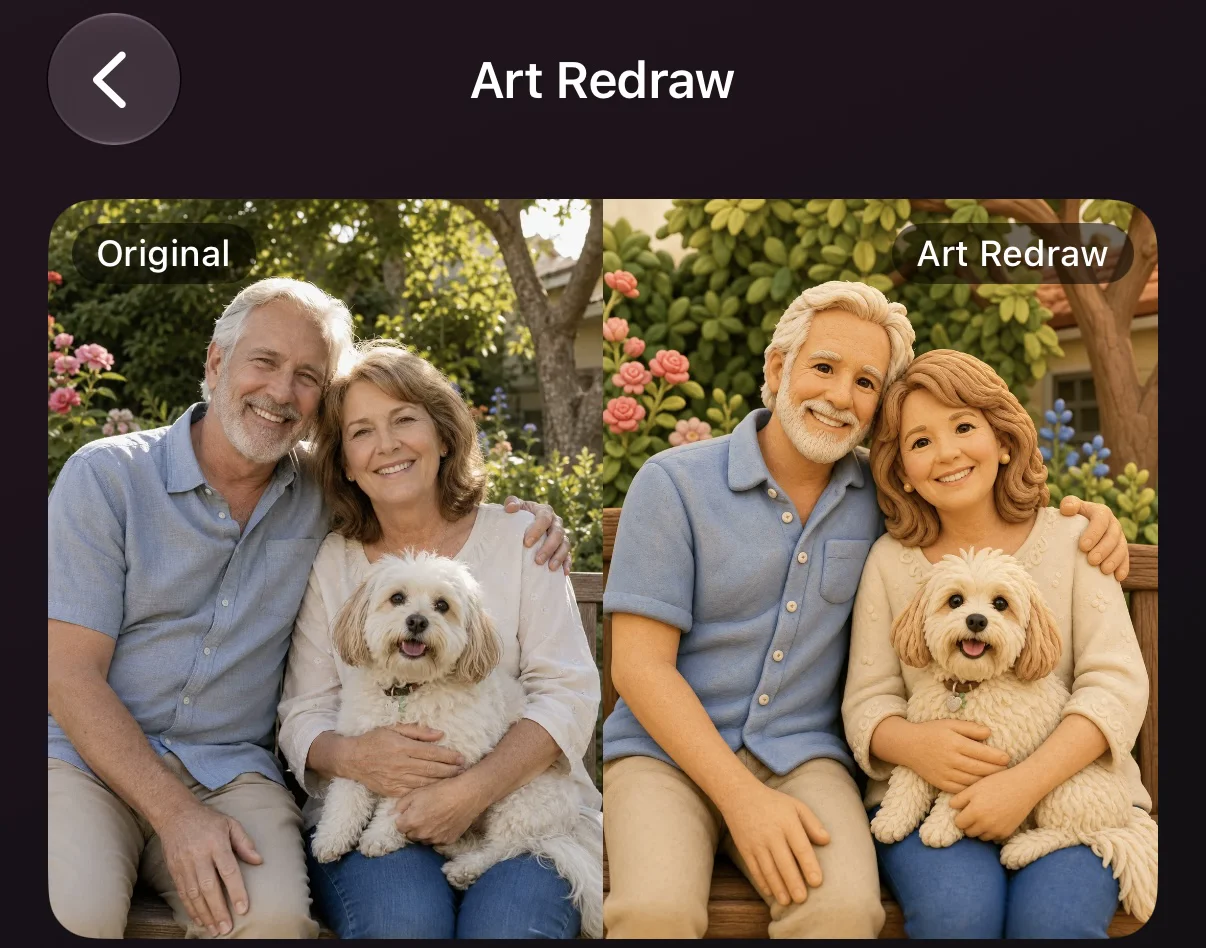
- Why it works
- Fur turns into soft sculpted ridges, which sidesteps the “plastic or melted coat” problem entirely. The slight imperfection is part of the charm.
- Best for
- Sleepy pets, cozy couch photos and cuddles where you are touching.
- Watch for
- Very dark coats lose face detail, so use a bright, evenly lit source photo.
Felt miniature
Needle-felted wool, tiny stitched details, a craft-table world.
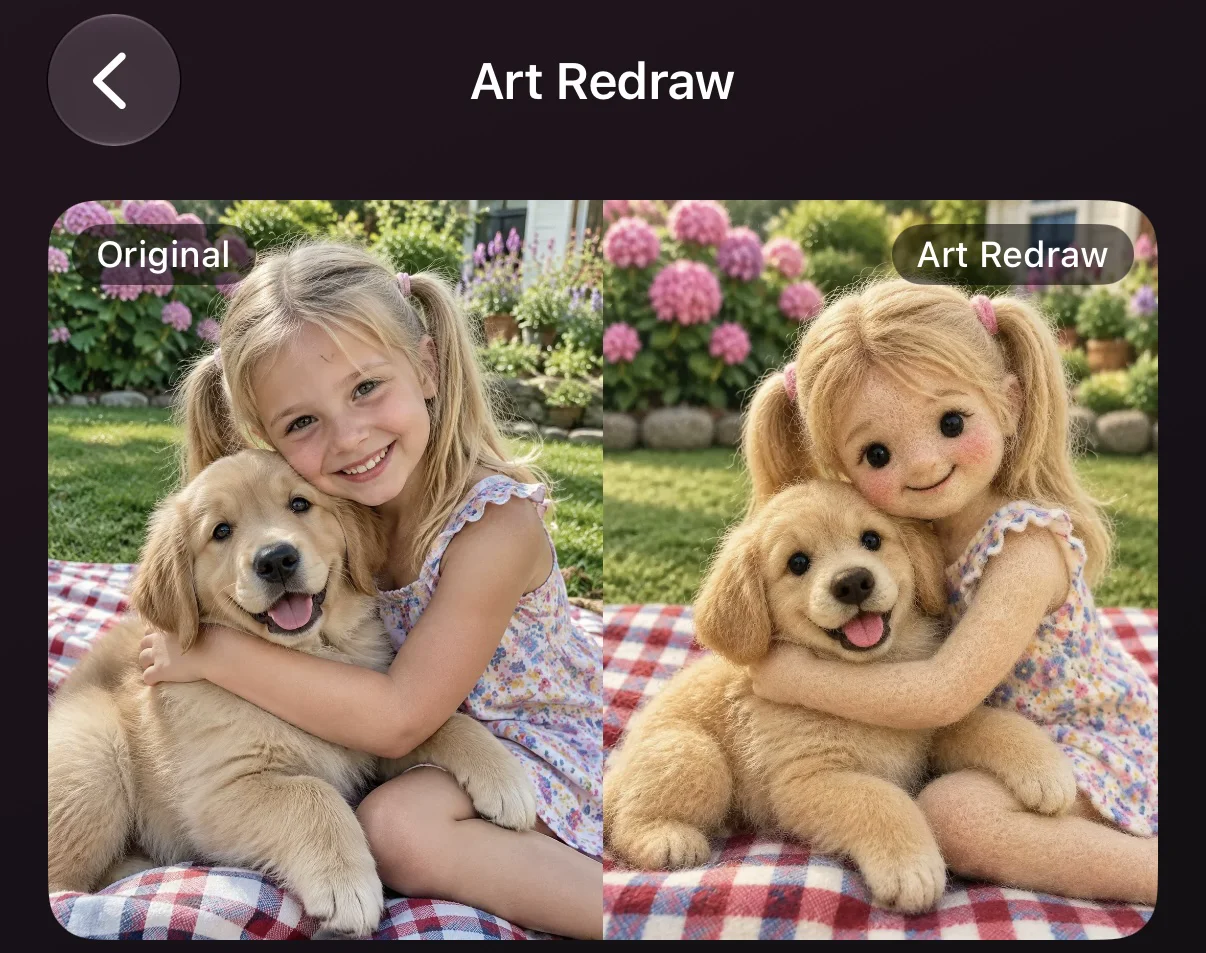
- Why it works
- Wool is built for fluff. Long-haired cats and curly-coated dogs look like they were made for it, and the soft texture hides small errors well.
- Best for
- Fluffy breeds, holiday cards and handmade-style gifts.
- Watch for
- Thin whiskers and fine fur patterns tend to soften, so do not expect every hair to survive.
These five are not the whole story. Anything with simplified shapes and a strong material feel tends to be forgiving of pet details.
How to edit a pet photo with Art Redraw
- Choose a photo where you and your pet are both easy to read. Faces turned toward the camera, close together and at similar height.
- Open Art Redraw and pick a template. Start with one of the five styles above.
- Generate two or three looks from the same photo. The best style for a black Labrador is not always the best one for a fluffy ragdoll.
- Check the markings before you check the cuteness. Look at ear shape, eye color and any patches or stripes. If those are right, your pet will recognize themselves, or at least you will.
- Save your favorite and share it. A cartoon makes a good avatar, a clay or felt look suits a gift, and a magazine illustration suits a print.
What makes a good source photo
| Factor | Works well | Causes problems |
|---|---|---|
| Framing | You and your pet close together, faces at a similar height | Pet far behind you, or only half in the frame |
| Faces | Both faces turned toward the camera or in a slight three-quarter angle | Pet looking away, face hidden by your arm |
| Light | Soft daylight from a window | Strong backlight, or dim rooms that crush dark fur |
| Sharpness | Crisp eyes and nose | Motion blur from a wagging head |
| Contact | Pet resting against you with clear outlines | A tangle of limbs, or a leash across the frame |
| Subjects | You and one pet | Several people and pets in one shot |
Three fixes when your pet doesn’t look like your pet
1. Change the photo, not just the style.Re-shoot closer, in daylight, with both faces toward the camera. A better source beats any template.
2. Change the style, not the photo.If clay is swallowing a dark coat, try bold cartoon, where outlines define the face. If cartoon flattens a fluffy coat, try felt.
3. Generate again.Results vary between runs, and a second or third try can land the ear or the patch you were missing.
Where AI pet photo editing still falls short
Even in a forgiving style, a few things remain hard. Very small pets in wide shots may lose their identity entirely, and animals with rare or intricate markings are the most likely to be reinterpreted. Photos with several people and several pets give the model more to mix up, so you will usually get better results by editing one owner-and-pet pair at a time.
And an illustration is not a record. If you need a faithful photo for a vet visit or a lost-pet poster, use the original.
Frequently asked questions
- Can AI edit pet photos?
- Yes, but pet photo editing is harder for AI than portrait editing. Markings, fur texture and breed proportions are easy to get subtly wrong. Stylized redraws such as cartoon, clay or felt looks are more forgiving than realistic edits.
- What is the best AI style for a photo of me and my dog?
- In our Art Redraw tests, bold cartoon, 3D doll, magazine illustration, clay figurine and felt miniature were the most reliable. Pick bold cartoon for avatars, 3D doll or felt miniature for gifts, and magazine illustration for a framed portrait.
- Does AI pet photo editing work on black or dark-coated pets?
- It can, but dark fur hides detail. Shoot in soft daylight, keep the face close to the camera, and try a style with strong outlines, such as bold cartoon.
- Can I include more than one pet in the photo?
- You can try, but more subjects mean more chances for features to blend together. Start with you and one pet, then add more once you have found a style you like.
- Are my pet photos used to train AI?
- It depends on the app, so always check the privacy policy. Movcl does not use uploaded photos to train its models.
Your pet deserves better than a filter.
Pick a photo of the two of you, try a few Art Redraw styles, and see which one looks like your pet. Start with a free trial, right from your phone.
Try Movcl