
AI Headshot Prompts: Get a Professional Headshot Without a Photographer
Key takeaways
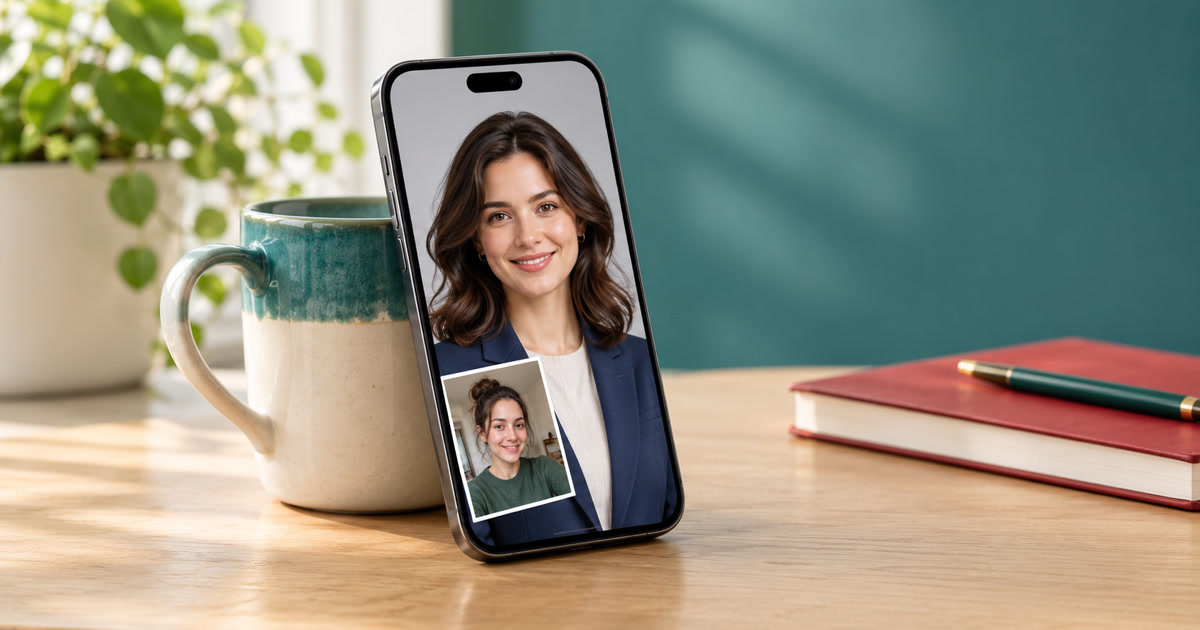
- You can get a professional headshot without a photographer. Upload three to five clear photos of yourself to an AI image model and use a structured prompt that names what to preserve (your face, skin texture, hairstyle) and what to change (framing, lighting, attire, backdrop, expression).
- GPT Image 2.5 often leads on likeness and instruction-following, Nano Banana is usually faster and often praised for realism, and Grok Imagine can look very natural but has stricter, shifting rules for editing real people’s photos.
- Best for profile photos and quick variations. Not a fit for official ID, and worth disclosing where a platform or employer asks for unedited or labeled images.
A studio headshot used to mean booking a photographer, finding a flattering shirt and spending an afternoon being told to relax. Today the same job can start with a few phone photos and one well-written prompt.
The catch is that the prompt does most of the work. “Make me a professional headshot” gives the model too much freedom, and it will happily invent a slightly different you. So the prompts come first. After them, we look at what the main image models are good and bad at, and where a template app fits in.
Why a good headshot prompt has six parts
A headshot prompt that works is mostly a list of decisions a photographer would make. Each part below does one job, and the colors match the prompts further down.
Preserve my exact facial structure, skin tone, hairstyle and natural skin texture; do not slim, smooth or beautify. Chest-up framing at eye level, 85mm portrait lens look, shallow depth of field. Soft key light from camera left with gentle fill. Navy blazer over a white shirt, no logos. Neutral light-grey studio backdrop. Relaxed, natural expression with a slight smile.
- IdentityTells the model what must not change. This is the sentence that protects your likeness.
- FramingCrop, camera height and lens look. Chest-up at eye level is the safest default.
- LightDirection and softness. “Soft key light from one side” beats “good lighting.”
- AttireOne outfit, plain, with “no logos” so you don’t get invented brand marks.
- BackdropA simple, uncluttered background keeps attention on your face.
- ExpressionA named, relaxed expression stops the stiff or over-bright smile.
Copy these headshot prompts
Four prompts, three looks, three fixes
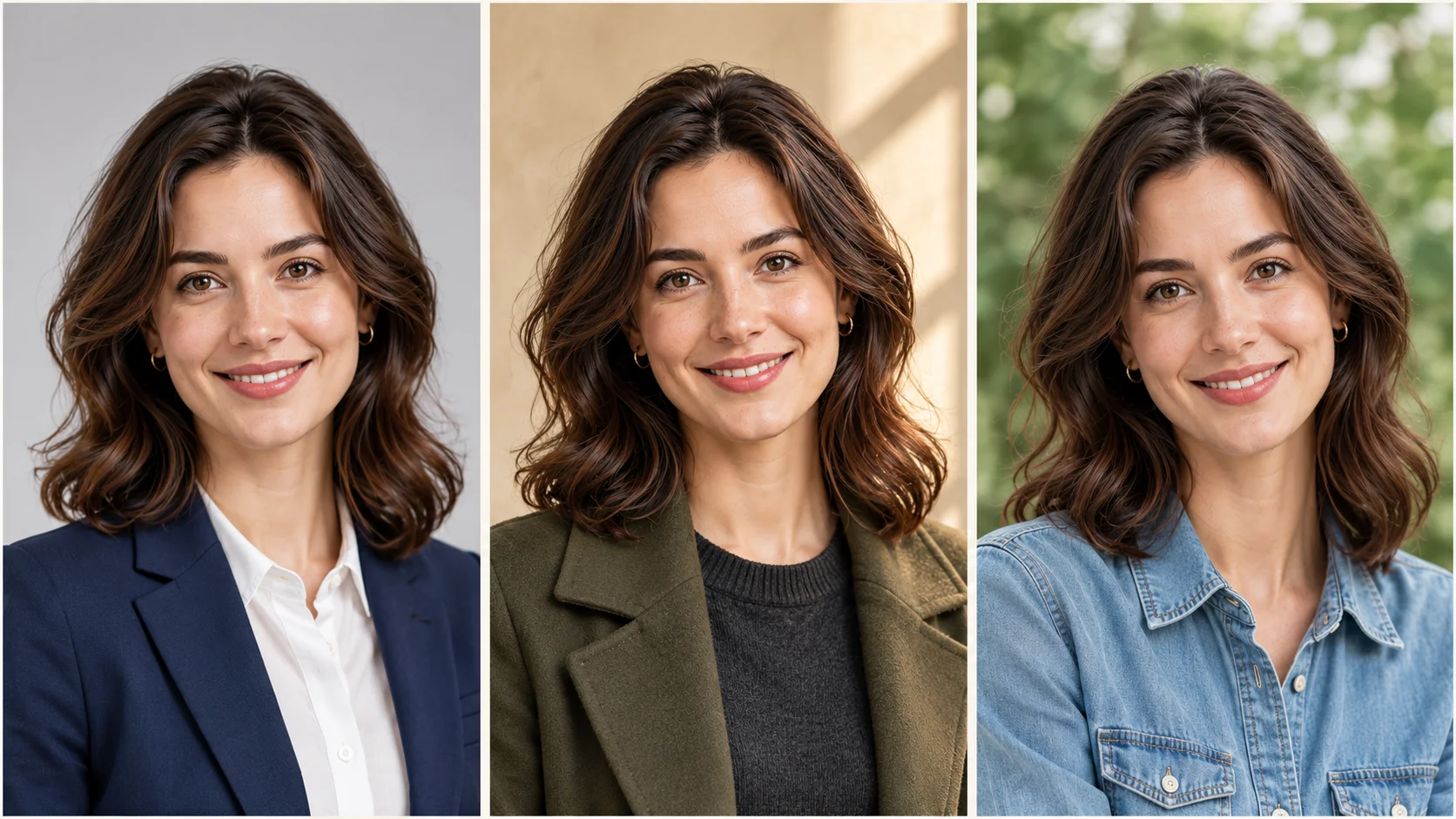
Paste a prompt into ChatGPT, Gemini or Grok together with three to five reference photos of yourself. Change only the attire and backdrop at first, so you can tell what caused each difference.
1. Corporate studio
For LinkedIn, résumés and company team pages.
2. Modern founder
For personal sites, speaker pages and press kits.
3. Warm and approachable
For About pages, coaches, creators and community roles.
4. Fix-it follow-ups
Send one of these as a reply instead of starting over. Change one thing at a time.
Which model should you run them on?
Three image models come up most often for this job: ChatGPT Images 2.5, Google’s Nano Banana family (Nano Banana 2.1 is the latest general release, with Nano Banana Pro above it) and Grok Imagine 2.0 from xAI. Our earlier headshot test roundup covers the first two in more depth. This time we add Grok and focus on what each one does to a face.
What the published tests say
The results disagree, which is itself the finding. In one 15-test comparison, GPT Image 2.5 won the portrait and anatomy round and held a lead on character consistency, while Nano Banana 2 was faster in drafting (a median of roughly 14.5 seconds versus 34.6 for GPT in that test series). One reviewer’s headshot-collage test went further: GPT Image 2.5 kept a mole next to the tester’s eyebrow, while Nano Banana’s results from the same reference photo didn’t look like them.
Other comparisons point the other way. Two reviews from sites that offer both models found Nano Banana 2 more realistic for studio and executive portraits, and a three-way test found Grok’s image the most natural-looking photoreal result even though it scored lowest overall. Treat these as tendencies, not verdicts: most tests used Nano Banana 2 rather than 2.1, several come from platforms that resell these models, and a single prompt can flip any ranking.
| For headshots | ChatGPT Images 2.5 | Nano Banana 2 / 2.1 | Grok Imagine 2.0 |
|---|---|---|---|
| Likeness from references | |||
| Natural skin | |||
| Follows detailed prompts | |||
| Speed | |||
| Stable rules for editing your own photo |
Our editorial read of the published tests, 5 is best. Not a lab benchmark; results shift with the prompt and the model version.
ChatGPT Images 2.5
The most literal of the three. If your prompt says “navy blazer, no logos, light-grey seamless backdrop,” it usually delivers exactly that, and it has the best track record in these tests for keeping small identifying details. It is also the one most likely to need a “don’t oversaturate” nudge, and editing regenerates the picture instead of changing only what you asked, so details outside your edit can still shift.
Strengths
- Follows long, specific prompts closely
- Strong likeness and portrait detail in several tests
- Conversational follow-ups like “now try navy”
Trade-offs
- Slower per image in recorded tests
- Colors can run saturated or over-processed
- Edits are regenerations, not pixel-exact changes
Pick it if you want tight control over the look and you already use ChatGPT.
Nano Banana 2 / 2.1 (Google Gemini)
The speed pick. It is quick enough to run three variations before you’ve finished your coffee, accepts several reference images at once, and often produces a clean, believable studio finish. Google pitches 2.1 on better editing and subject consistency, but the independent tests so far mostly cover version 2, and the likeness results vary between runs. Some testers found portraits over-smoothed, which the skin follow-up prompt above is built for.
Strengths
- Fast, so iteration is cheap
- Handles multiple reference photos
- Often praised for studio and executive portrait realism
Trade-offs
- Likeness can vary from run to run
- Skin can look over-smoothed
- Outputs carry Google’s AI marking
Pick it if you want quick options and are happy to regenerate two or three times.
Grok Imagine 2.0 (xAI)
Fast and capable, and in one three-way test it produced the most natural-looking photoreal image. For headshots, the bigger issue is the rules. X restricted Grok’s image editing to paid subscribers after the January 2026 backlash over sexualized edits of real people, and xAI’s acceptable use policy (effective June 26, 2026) bans “nudifying” real persons and, according to a third-party summary, adds a non-removable watermark. One report says a Minnesota law that took effect on August 1, 2026 led xAI to withhold Grok Imagine’s editing feature from users there. Your own headshot is a legitimate use, but the filters can be blunt and have changed more than once.
Strengths
- Natural photoreal look in some tests
- Quick generation
- Image-to-video in the same app
Trade-offs
- Lowest overall score in the three-way test we found
- Rules for real-person edits keep changing
- Moderation can block harmless requests; editing access varies by plan and region
Pick it if you already subscribe and want a second opinion on the same prompt.
Which model for which job
| What you need | Start with | Why |
|---|---|---|
| A LinkedIn photo that still looks exactly like you | ChatGPT Images 2.5 | Strongest on small identifying details in the tests we found |
| Five quick options to choose from | Nano Banana 2.1 | Fast, so regenerating costs little |
| An exact outfit and backdrop from a long description | ChatGPT Images 2.5 | Most literal instruction-following |
| A second opinion on skin realism | Grok Imagine 2.0 | Looked very natural in one test; check the current rules first |
Check it before you publish
Whichever model you pick, spend a minute on quality control. Compare the result with a recent real photo, ideally by showing both to someone who knows you and asking “does this look like me?” before asking “does it look good?” Then zoom to 100% and inspect eyes, teeth, ears, collar edges, earrings, glasses arms and hair outlines, which is where AI portraits most often slip.
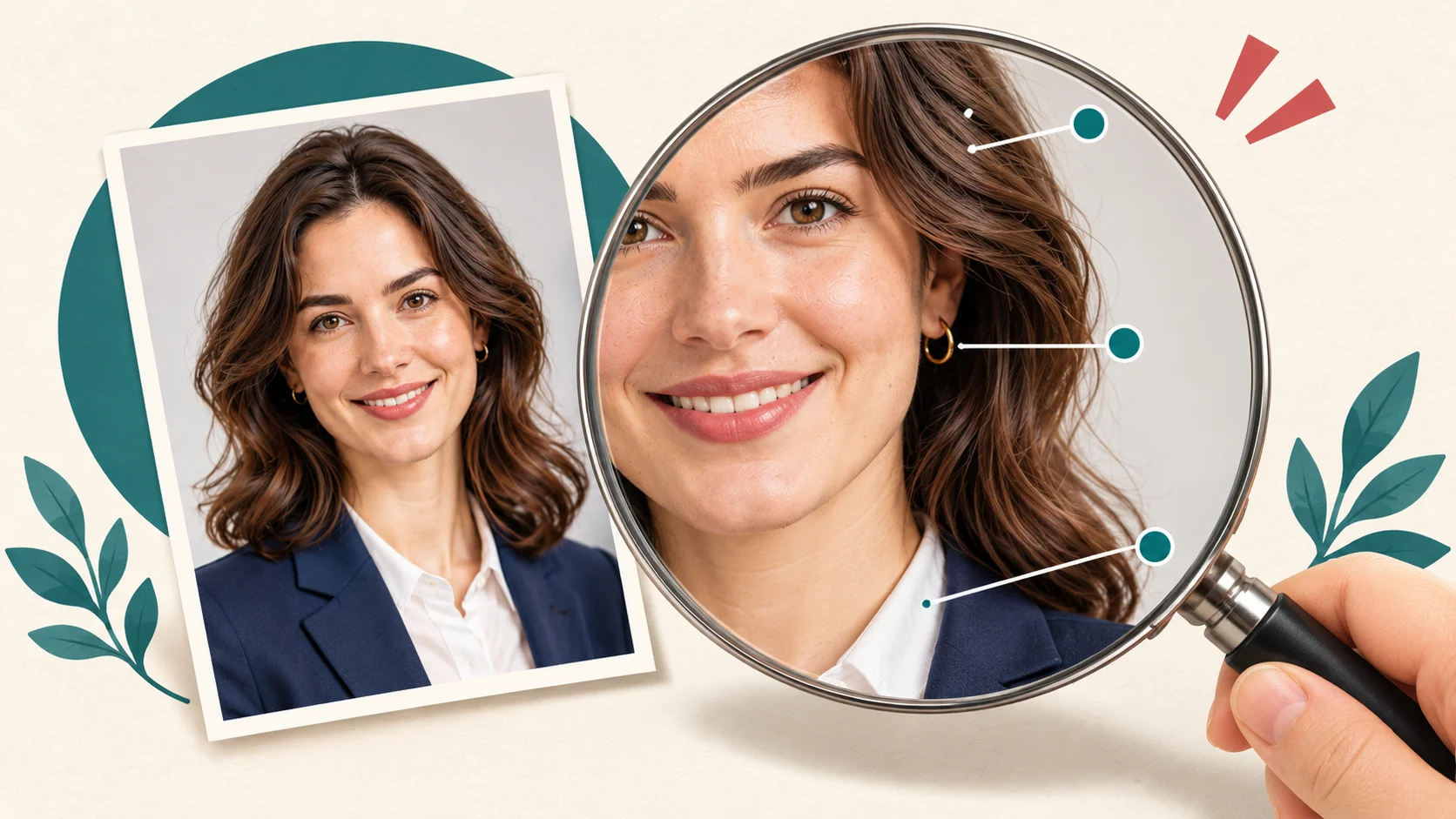
Also check the rules of wherever the photo will live. Official IDs and some platforms require unedited images, and some workplaces ask for AI-edited photos to be disclosed. A headshot should be a better-lit version of you, not a different person.
Prefer tapping to typing? Where Movcl fits
Full disclosure: this is the Movcl blog, and Movcl is our app. It does not replace the prompt workflow above, and it is not a studio-headshot generator. What it does well is a narrower job: you start with a photo you already like, pick a template and get a result without writing a prompt.
- Try the outfit first. Outfit Change swaps clothing styles, including templates like a classic black tuxedo, without changing the rest of your photo. It is a quick way to see yourself in a suit before you commit to one in a prompt.
- Restyle the finished headshot. Art Redraw turns the same photo into anime, watercolor or poster styles for profile avatars outside LinkedIn.
- Bring it to life. AI Video turns a still photo into a short clip, handy for a welcome message or a social intro.
The trade-offs are plain. You can only make what the templates offer, so “mustard overcoat, plaster wall, window light from the right” is a job for the prompts above. Movcl is a mobile app, most image generations take one to three minutes, and results made entirely with free gems carry a small Movcl watermark. Your photos are not used to train Movcl’s models; our guide to whether an app trains on your photos explains why that matters when you upload your face. For a wider look at the tools, see face swap and outfit change tools compared.
Got a headshot you like? Take it further.
Try new outfits on the same photo, restyle it, or bring it to life as a short AI video, right from your phone.
Try Movcl freeFrequently asked questions
- How do I get a professional headshot without a photographer?
- Upload three to five clear photos of yourself to an AI image model and use a structured prompt that names what to preserve (your face, skin texture, hairstyle) and what to change (framing, lighting, attire, backdrop, expression). Check the result against a real photo before you use it.
- Which AI model is best for professional headshots?
- There is no single winner. GPT Image 2.5 often leads on likeness and instruction-following, Nano Banana is faster and often praised for realism, and Grok Imagine can look very natural but has stricter, changing rules for editing real people’s photos. Run the same prompt on two models and compare each with your real face.
- How many reference photos should I upload?
- Three to five. Use clear, front-facing, evenly lit photos from different angles, with no sunglasses or filters. A single selfie gives the model too little to hold onto, and the face is more likely to drift.
- Is an AI headshot okay for LinkedIn?
- Usually, if it still looks like you. Avoid heavy retouching, and check the rules of any platform or employer that requires unedited or disclosed images. Don’t use AI-edited photos for official ID.
Sources
- Kingy.ai, “Grok Image 2 vs GPT Image 2 vs Nano Banana 2: 15 Real-World Tests” (portrait, consistency and speed results)
- AIFire, three-way comparison of GPT Image 2, Nano Banana 2 and Grok Image 2 (overall scores and photorealism)
- Pixverse and Pollo AI comparisons of GPT Image 2 and Nano Banana 2 (platforms that offer both models)
- Decrypt and TechSpot coverage of X’s January 2026 restrictions on Grok image editing of real people
- Atlas Cloud, “There’s No Face Swap Button in Grok” (xAI acceptable use policy summary, third-party)
- RoboRhythms, “Grok Blocks Images of Real People Because of Minnesota’s Law”
- Movcl Blog, earlier headshot roundup and face swap and outfit change comparison (model release dates and Nano Banana 2.1 background)