


Christmas Photos, Captions & Effect Templates: Turn One Photo into a Holiday Clip (2026)
Better Christmas photos, a few AI templates that make them move, and twelve captions you can copy straight into your next post.
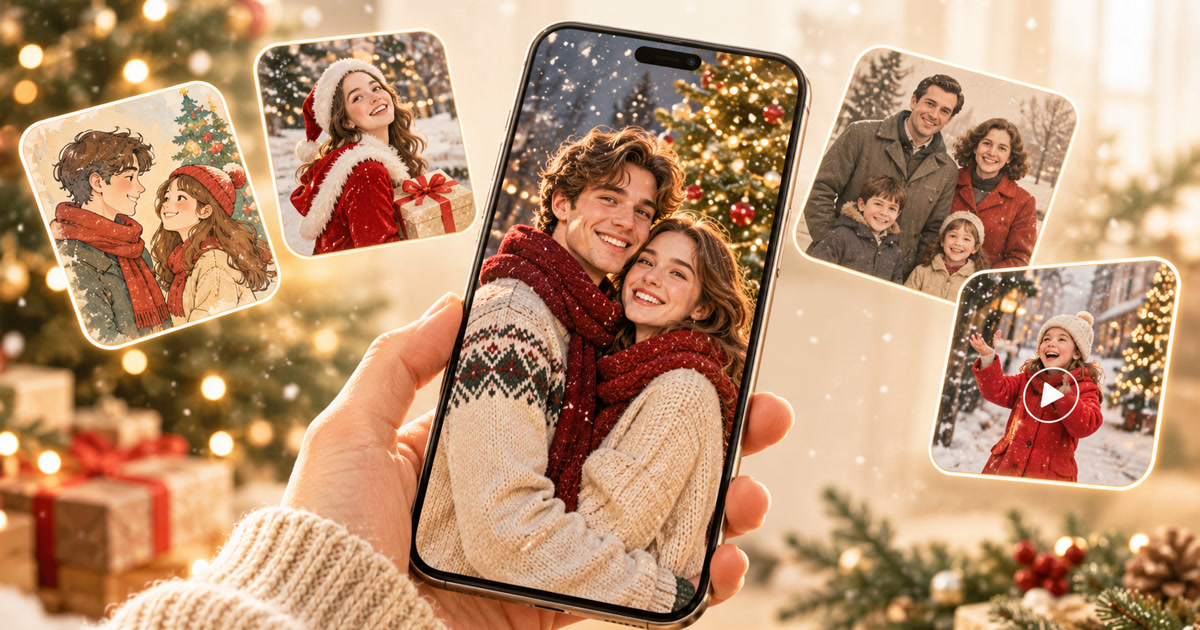
One photo, a few warm lights, and the right line underneath — most of a good Christmas post.
Key takeaways
- The best Christmas photos rely on soft warm light, a clearly visible face, one focal point, and a small piece of holiday context such as a tree, string lights, or snow. Candid beats stiff.
- You do not need a holiday shoot to get festive results. A single everyday photo can be restyled, enhanced, or animated with ready-made Christmas effect templates.
- Movcl covers both sides: four image features (Art Redraw, Virtual Outfit, Face Swap, One-Click HD) and five video features (Memories, Spotlight, Movie Roles, Fun, Dream Places).
- Match the template to the goal: One-Click HD to rescue an old or blurry photo, Art Redraw for a card-style look, Virtual Outfit for a festive wardrobe, Memories for a nostalgic clip, Dream Places for a snowy-scene fantasy.
Every December the same thing happens: a camera roll full of tree-lit selfies and no idea what to write under them. Start with a Christmas caption like “Christmas is winter’s quiet letter, and you are the best surprise inside,” and half the job is already done. The other half is the photo itself, and that is where a few well-chosen Christmas effect templates can turn an ordinary picture into something people actually stop scrolling for.
This guide walks through what makes a good Christmas photo, how Movcl’s image and video templates fit into a holiday workflow, and how to finish with a caption that sounds like you meant it.
What makes a Christmas photo worth keeping
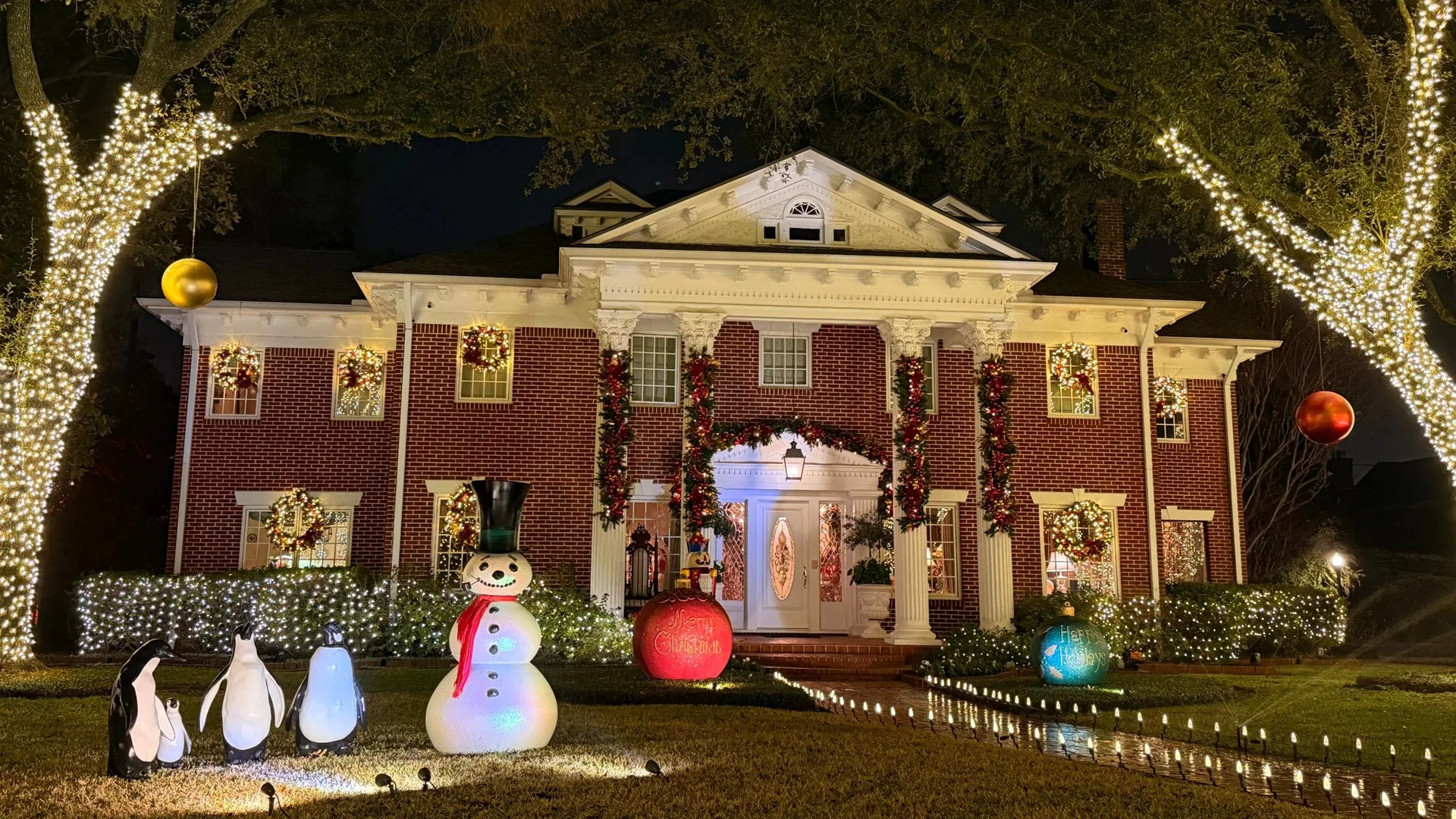
The photos people save and resend share a few quiet traits. None of them require a professional camera.
- Warm, soft light. Tree lights, a window at dusk, or a lamp beside the couch flatter faces far more than a harsh overhead bulb.
- One clear focal point. A face, a couple, a pet in a sweater. Let the tree and lights sit behind as context, not competition.
- A visible face. Eyes open, no heavy shadow, no sunglasses. This matters even more if you plan to use AI tools afterward.
- A small holiday detail. A mug, a ribbon, wrapping paper, a scarf. One detail says “Christmas” better than ten.
- A real moment. Mid-laugh beats mid-pose almost every time.
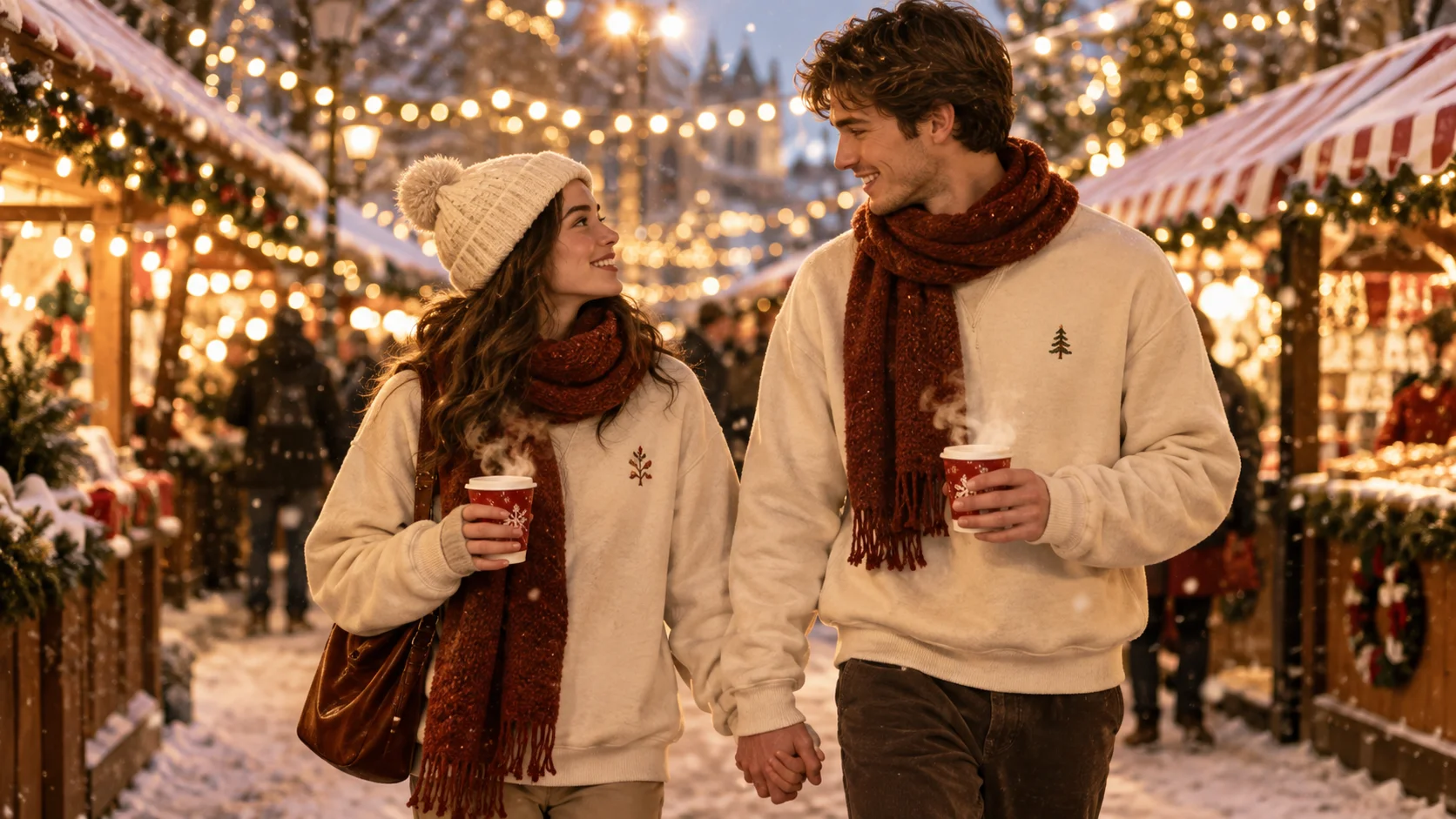
Having a perfect tree is not what Christmas is about. A photo works the same way: it only has to feel like the moment.
Christmas photo ideas that work well with AI templates
If you are not sure what to shoot, these five setups give AI tools clean material to work with:
- The tree-side portrait. Stand a step in front of the lights so your face is clearly lit and the glow sits behind you.
- The couple’s close-up. Heads together, soft smiles, simple background.
- The cozy-sweater shot. Plain wall, good light, and whatever you are wearing that day.
- The family-table moment. A candid frame during dinner or gift opening, with at least one face turned toward the camera.
- The “old photo” rescue. A scanned or screenshot-quality family picture you have been meaning to bring back to life.
Christmas photo templates: the four image features
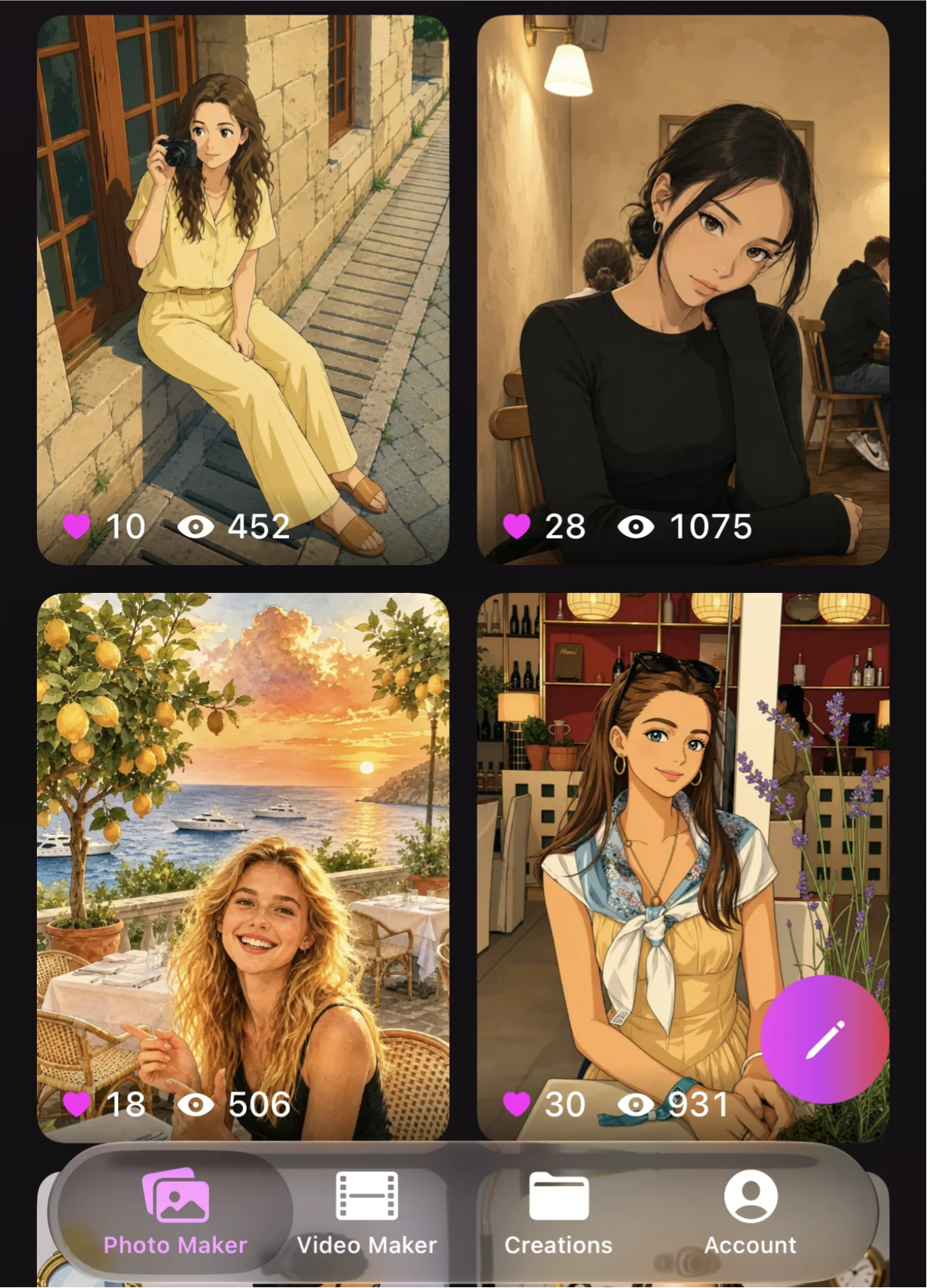
Image templates are the quickest route from “nice photo” to “holiday-ready photo.” In Movcl they live in four features, each doing a different job.
Art Redraw Image
Art Redraw restyles a photo into an illustrated or painted look. For Christmas, it is the feature to try when you want a card-style portrait or a storybook version of a family photo, something that feels like a printed holiday greeting rather than a phone snapshot.
Virtual Outfit Image
Virtual Outfit lets you try a different look on the same photo. Around the holidays, that means experimenting with festive clothing, such as a cozy knit or a classic red-and-white outfit, without owning it or matching everyone in the group first.
Face Swap Image
Face Swap is the playful one. It works best for lighthearted greetings, such as dropping a friend into a Christmas scene or building a joke card for the group chat. As a rule, only use it with photos of people who have said yes.
One-Click HD Image
One-Click HD sharpens and enhances a photo in a single tap. It is the quiet hero of the holiday workflow: run an old, blurry, or heavily compressed family picture through it first, and every template you use afterward has better material to start from.
Christmas effect templates: five ways to make the photo move
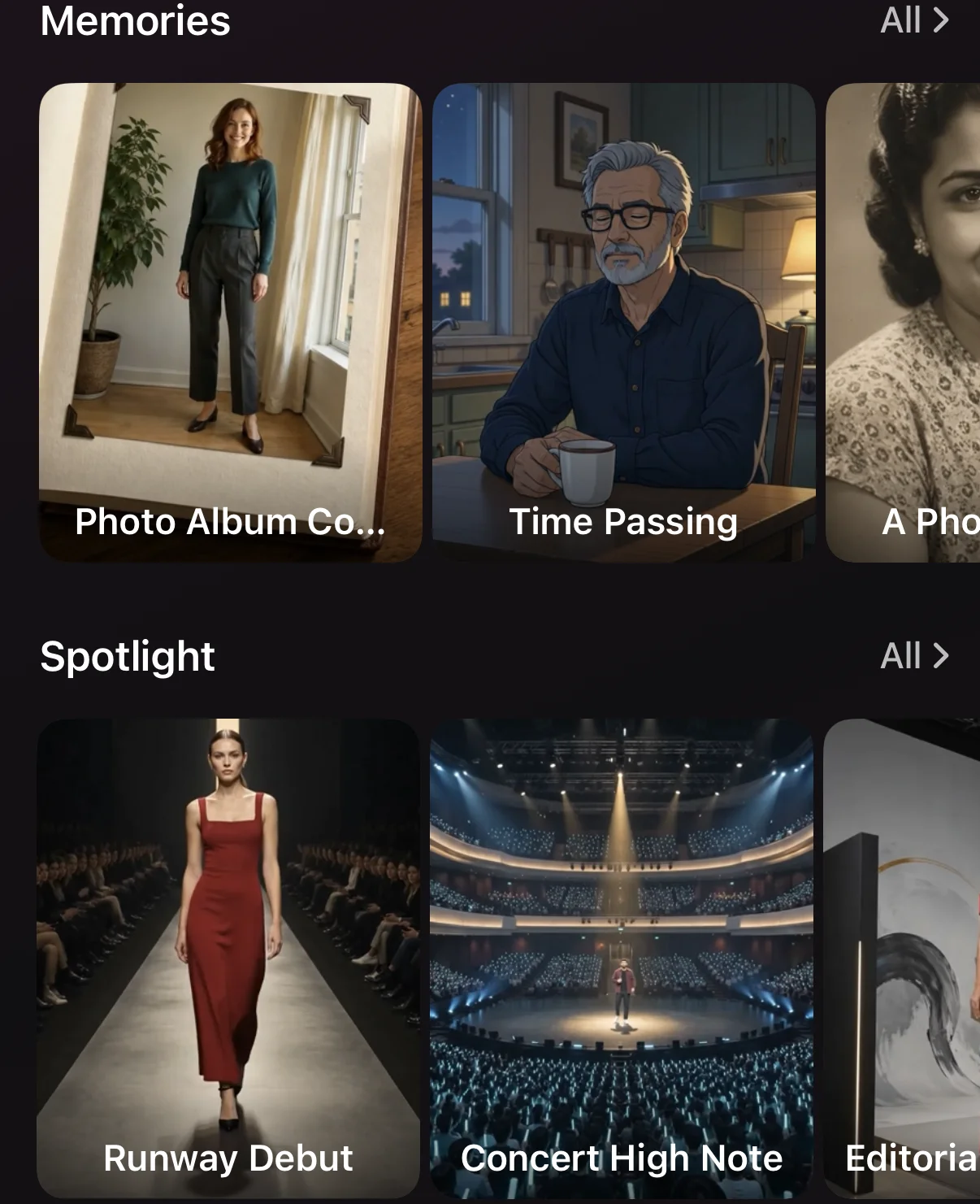
Static photos are lovely. A short moving clip is what tends to get replayed. Movcl’s video features turn one photo into a short clip through ready-made effect templates. No timelines, no prompts, no editing app.
Memories Video
Built for the photos that mean something. Choose a family picture, a couple’s portrait, or a shot of someone you miss this season, and let it become a gentle, nostalgic moving moment. It pairs especially well with the warmer, quieter captions below.
Spotlight Video
Spotlight puts the person in the photo at the center of the frame, like the main character of the holiday. It suits portraits and solo shots that already have a strong, clear face.
Movie Roles Video
Movie Roles casts you in a cinematic part. It is a fun route when you want your Christmas post to feel like a scene from a holiday film instead of a regular selfie.
Fun Video
The light, shareable category. Reach for it when the photo is silly, the group is big, or the goal is simply a laugh in the family chat.
Dream Places Video
Dream Places sets you somewhere you are not. For Christmas, that is the fantasy of a snowy escape, a glowing winter street, or a postcard-perfect view, even if you are celebrating on the couch.
Template names and available styles are updated from time to time, so browse each feature in the app to see what is currently on offer for the season.
Which Christmas template should you use?
| Your goal | Start with |
|---|---|
| Rescue an old or blurry holiday photo | One-Click HD |
| A card-style or illustrated Christmas portrait | Art Redraw |
| Try a festive outfit on a regular photo | Virtual Outfit |
| A funny greeting for the group chat | Face Swap (with permission) or Fun |
| A nostalgic clip of a treasured photo | Memories |
| A cinematic holiday moment starring you | Spotlight or Movie Roles |
| A snowy, dreamlike setting | Dream Places |
How to make a Christmas effect video in four steps
- Pick one sharp photo. Front-facing, evenly lit, face clearly visible. If it is soft or old, run it through One-Click HD first.
- Choose a feature and a template. Memories for sentiment, Spotlight or Movie Roles for drama, Fun for laughs, Dream Places for scenery.
- Generate and preview. Video results typically take around a minute. Keep the one where the face still looks like you.
- Add your caption and share. Pick a line from the list below, paste it in, and post.
Want a deeper look at how Movcl’s AI Video keeps faces recognizable from one photo? That feature page is the best place to start.
12 Christmas captions to copy and paste
A good Christmas caption is short, warm, and sounds like something you would actually say. Here are twelve you can use as they are. Tap Copy on any card, or copy the whole set.
Every Xmas bell rings for our unending love.
CopyHaving a perfect tree is not what Christmas is about. It’s about being with loved ones.
CopyChristmas is winter’s quiet letter, and you are the best surprise inside.
CopyWaiting for snowflakes, Christmas lights, New Year fireworks… and a better us.
CopyChristmas bells ring three times: once for warmth, twice for sweetness, and always for a life filled with love.
CopySnow falls on my shoulders. You fall into my heart. Merry Christmas, my forever.
CopyEvery snowflake at Christmas feels like a soft letter from winter.
CopyJingle bells, and the worries fade. Tonight the whole world is telling you to be happy.
CopyHang the reindeer on the tree. Keep you right here in my heart.
CopyChristmas was never really about the gifts. It’s a reminder not to forget how to love and be loved.
CopyOn the cute list 💌💕
CopySomewhere a fire is still burning for the ones who’ve been waiting a long time.
CopyPairing a caption with the right photo
- Couple shots and Spotlight clips: captions 1, 3, 4, and 6 lean romantic and sit well under a close-up.
- Family photos and Memories clips: captions 2, 5, 10, and 12 carry the warm, grateful tone those pictures tend to have.
- Snowy scenes and Dream Places clips: captions 3 and 7 fit the “letter from winter” mood.
- Funny, cute, or Fun-template posts: captions 8, 9, and 11 keep it light.
A quick glossary
- Christmas effect template
- A ready-made style or motion preset that applies a festive look to a photo automatically, producing a styled image or a short video from a single upload.
- Photo-to-video
- Tools that turn one still photo into a short animated clip while keeping the subject’s face recognizable.
- Face Swap
- A feature that places one person’s face onto another photo or scene. Best used for fun, and only with permission.
- Image enhancement
- Sharpening and cleaning up a low-quality photo so it holds up better in edits, prints, and AI templates.
Frequently asked questions
What makes a good Christmas photo?
Warm, soft light; a clearly visible face; one focal point; and a small piece of holiday context such as a tree, string lights, a mug, or snow. Candid moments usually beat stiff poses, and a sharp, front-facing photo also gives AI tools the best starting point.
What are Christmas effect templates?
Christmas effect templates are ready-made styles that apply a look or motion to your photo automatically. In an app like Movcl you upload one photo, pick a template, and get a styled image or a short video without editing skills.
How do I turn a Christmas photo into a video with AI?
Choose a clear photo, open an AI video feature such as Memories, Spotlight, Movie Roles, Fun, or Dream Places in Movcl, pick a template, and generate. Video results typically take around a minute, and you can add a caption before sharing.
How can I improve an old or blurry Christmas photo?
Run it through an enhancement tool such as One-Click HD before using it elsewhere. A sharper source photo also tends to produce cleaner results when you later turn it into a stylized image or a video.
What should I write in a Christmas photo caption?
Keep it short and match the mood of the photo: romantic lines for couple shots, warm lines for family photos, and playful lines for silly or pet photos. This article includes 12 Christmas captions you can copy as they are.