


What Is Ukiyo-e Style? Turn Your Photo Into Japanese Woodblock Art
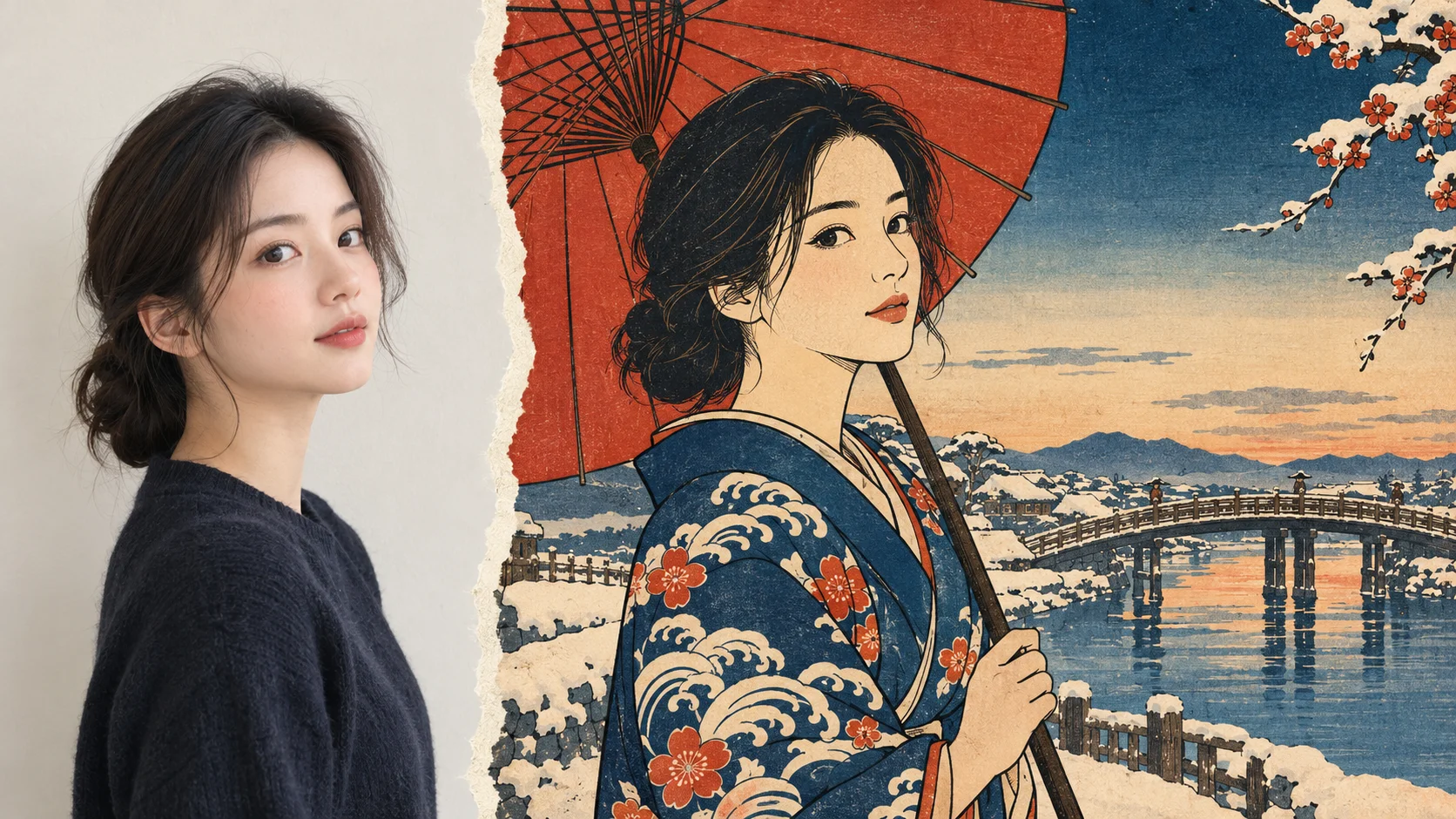
You’ve seen The Great Wave on a mug, a tote bag, and probably a phone case. Here’s what actually makes that look tick, and how to get your own face into a print that feels like it came out of 1830s Edo.
The short version
- Ukiyo-e means “pictures of the floating world.” It’s the popular Japanese woodblock-print art of the Edo period (1603–1868).
- The look comes from how prints were made: carved outlines, flat blocks of color, almost no shading, and bold, cropped compositions.
- AI can recreate that look from a single photo. A clear portrait at a three-quarter or side angle with a simple background gives the best results.
- Call the result “ukiyo-e style,” not a woodblock print. That’s both accurate and respectful to the craft.
A few weeks ago my friend Dana dropped a picture into our group chat: her, holding a paper umbrella, drawn in thick black outlines against a sky that faded from deep blue to nothing. It looked like something you’d find in a museum gift shop. Within an hour, three of us had tried to make our own. Mine came out looking less “Hokusai” and more “manga cover with a sepia filter.”
Ukiyo-e has a very specific visual grammar, and once you know it, you can tell instantly why one AI result feels right and another feels off. So let’s do the history first (quickly, I promise), then the actual how-to.
What “ukiyo-e” actually means
The word breaks down into ukiyo (“floating world”) and e (“picture”). Originally, ukiyo was a Buddhist term for the sad, impermanent world. By the 1600s, people in Edo (today’s Tokyo) had flipped it into something closer to “live for the moment.” The floating world was the city’s entertainment culture: kabuki theater, teahouses, fashion, celebrity actors, sumo wrestlers, and, later, travel.
Ukiyo-e prints were the pop media of that world. Think posters, celebrity photos, and travel postcards rolled into one. Because they were printed from wooden blocks rather than painted one at a time, they could be produced in large runs and sold cheaply, which is exactly why ordinary city people collected them.
The tradition ran from the late 1600s to the late 1800s, and it changed a lot along the way. Early prints were black ink only, sometimes colored by hand. Around 1765, full-color printing (called nishiki-e, or “brocade pictures”) took off, and that’s the version most of us picture today.
How a woodblock print was made
This part matters more than it sounds, because nearly every visual trait of ukiyo-e is a side effect of the production process. A print was a team effort between four people:
- The publisher picks the subject. Publishers decided what would sell (a hit kabuki actor, a famous beauty, a scenic route) and financed the whole run.
- The artist draws the design. The designer, the name we remember today, drew the image in ink on thin paper.
- The carver cuts the blocks. The drawing was pasted face-down onto a block of cherry wood, and the carver cut away everything except the lines. This “key block” printed the black outlines. Then a separate block was carved for each color.
- The printer lays down each color. Using registration notches called kentō to line up the paper, the printer brushed pigment onto one block at a time and pressed the paper by hand with a flat pad called a baren. A rich print could take a dozen or more passes.
So when you see crisp outlines, it’s because they were literally carved. When you see flat, unshaded color, it’s because each color lived on its own block. Keep that in mind and the style stops being a vague “Japanese vibe” and becomes a set of rules you can check against.
The 7 visual traits that make something look ukiyo-e
This is the checklist I now run every AI result through. If a result hits five or more of these, it reads as ukiyo-e. If it hits two, it’s just an illustration with a kimono in it.
| Trait | What it looks like | Why it exists | Common AI miss |
|---|---|---|---|
| Carved outlines | Confident black lines that define every shape, including hair strands and fabric folds | The key block carried all the line work | Lines that fade in and out like a pencil sketch |
| Flat color fields | Solid areas of color with no 3D modeling on faces or bodies | One block per color, so no blended shading | Soft anime-style cheek shading and highlights |
| Bokashi gradients | Skies or water that fade smoothly from one color into paper, usually at the top or bottom edge | Printers wiped the block to grade the pigment by hand | Airbrushed, glossy gradients across the whole image |
| Limited palette | A handful of muted colors: indigo, Prussian blue, red, ochre, and lots of bare paper | Each extra color meant another block and another pass | Saturated digital rainbow colors |
| Stylized faces | Long oval faces, narrow eyes drawn in a few strokes, tiny mouths, little expression | Faces followed artistic convention more than likeness | Big anime eyes, or the opposite: a near-photo face pasted onto a drawn body |
| Bold, cropped composition | Off-center subjects, objects cut off by the frame, dramatic diagonals, high viewpoints | Artists competed for attention on a crowded print stall | Subject dead-center like a passport photo |
| Pattern and paper | Detailed textile patterns, visible paper grain, a title cartouche and signature block | Fabric patterns were a selling point; signatures identified artist and publisher | Gibberish “Japanese” text inside the cartouche |
Swipe the table sideways to see all columns.
The colors, roughly
Original pigments were mineral and plant-based, and they’ve faded over two centuries, so any digital version is an approximation. These are the tones I keep coming back to when I judge whether a result “feels” right:
Approximate digital equivalents, not historical measurements.
Fun detail: that intense blue in The Great Wave is Prussian blue, a synthetic pigment imported from Europe. It became affordable in Japan around the late 1820s, and landscape artists went wild with it. So one of the most “Japanese-looking” colors in art history was actually a European import.
The artists worth knowing
You don’t need to memorize names, but knowing a few helps a lot when you’re choosing a style direction. Each of these artists had a recognizable look you can aim for with your own photo.
| Artist | Active | Known for | Borrow this for your photo |
|---|---|---|---|
| Suzuki Harunobu | 1760s | Pioneered full-color prints; delicate, doll-like young couples | Soft pastel palette, gentle romantic scenes |
| Kitagawa Utamaro | 1790s–1800s | Portraits of beautiful women, often close-up “large head” compositions | Tight head-and-shoulders crop, elegant hair detail |
| Tōshūsai Sharaku | 1794–95 | Exaggerated, almost cartoonish kabuki actor portraits | Dramatic expression, strong pose, dark mica-style background |
| Katsushika Hokusai | c. 1780s–1849 | Thirty-six Views of Mount Fuji, including The Great Wave | Big landscape behind a small figure, bold Prussian blue |
| Utagawa Hiroshige | c. 1830s–1858 | Travel scenes along the Tōkaidō road; rain, snow, and moonlight | Weather and mood: rain lines, snow, dusk gradients |
| Utagawa Kuniyoshi | c. 1820s–1861 | Warrior prints packed with action, tattoos, and monsters | Action pose, busy pattern, high drama |
Swipe the table sideways to see all columns.
Ukiyo-e also traveled. After Japan opened its ports in the 1850s, prints flooded into Europe, and artists like Monet, Degas, and Van Gogh collected and studied them. Van Gogh even painted his own copies of two Hiroshige prints in 1887. The craze got its own name: Japonisme.
Ukiyo-e vs. anime vs. a “Japanese filter”
This is where my first attempt went wrong. A lot of apps lump everything Japanese-looking into one bucket, but these are very different styles, and mixing them up is the fastest route to a muddy result.
| Style | Line | Color | Faces | Overall feel |
|---|---|---|---|---|
| Ukiyo-e | Carved, even, black | Flat, muted, few colors | Long ovals, minimal features | Printed, paper-textured, poised |
| Anime / manga | Clean digital, thin to thick | Bright, cel-shaded with highlights | Large eyes, expressive | Glossy, energetic, screen-native |
| Sumi-e ink painting | Loose brushstrokes | Mostly black ink washes | Often barely suggested | Spontaneous, airy, lots of empty space |
| Generic “Japanese filter” | Whatever the photo had | Sepia or red tint added on top | Unchanged photo face | A photo wearing a costume |
Swipe the table sideways to see all columns.
If you want the anime version instead, I wrote about why everyone’s feed is full of AI anime photos, and Marcus has a deeper explainer on how AI “fills in” stylized detail from a regular photo. The same mechanics apply here, just with a very different target style.
How to turn your photo into ukiyo-e art
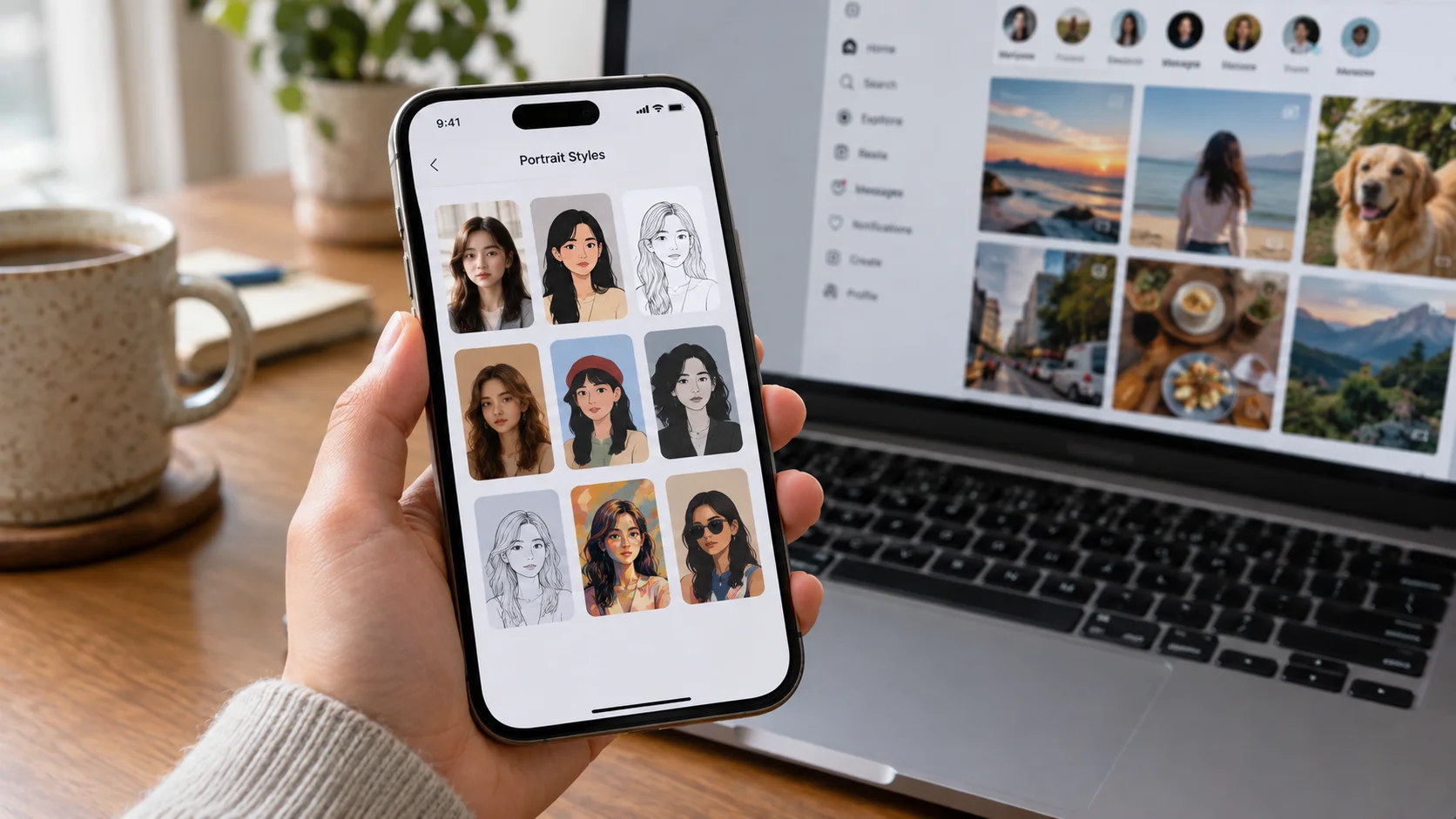
Here’s the process I landed on after a lot of trial and error. I used Movcl, since that’s the app I use for most of my photo experiments, but the photo-picking advice applies to any AI tool.
Pick the right photo first
Honestly, the photo matters more than the app. Classic ukiyo-e portraits were almost never straight-on, smiling, flash-lit shots, so a photo that already leans toward that composition gives the AI much less to fight against.
| Works well | Struggles | |
|---|---|---|
| Angle | Three-quarter view or clean profile | Straight-on selfie with the camera close to your face |
| Expression | Calm, neutral, or one strong dramatic look | Big toothy grin (ukiyo-e mouths are tiny) |
| Lighting | Soft, even daylight | Harsh shadows, which the AI may turn into odd dark patches |
| Background | Plain wall, sky, water, or trees | Busy street with signs and text |
| Clothing | Solid colors or bold simple patterns | Logos and small busy prints |
| Framing | Head and shoulders, or full figure with space around it | Group shots and heavily cropped faces |
Swipe the table sideways to see all columns.
Then run it
- Upload one clear photo. Open Movcl, go to AI Redraw, and upload a single photo that matches the “works well” column above.
- Choose a woodblock or Japanese-print style. Browse the art-style templates and pick the one closest to ukiyo-e. If you see several Japanese-themed options, use the trait table above to pick the one with flat color and strong outlines rather than glossy shading.
- Generate two or three versions. AI results vary from run to run. I usually generate a few and keep the one with the cleanest outlines and the most believable face.
- Check it against the 7 traits. Look closely at the face, the hands, and any text. If the outlines are wobbly or the face looks like a photo pasted on a drawing, try a different photo before trying a different template.
- Optional: change the outfit or animate it. Movcl’s outfit change can put you in more period-appropriate clothing before you redraw, and AI short video can add gentle motion, like drifting snow or falling petals, which works surprisingly well with Hiroshige-style scenes.
What about privacy? You’re uploading a clear photo of your face, so it’s fair to ask where it goes. Movcl doesn’t use your photos to train its models. If you want to check that for any app, here’s how to find out whether an app trains on your photos.
What AI gets right, and what it still gets wrong
I want to be straight with you here, because the marketing images for every AI art app look flawless and real results don’t always.
Where AI does well: bold outlines, flat color, paper texture, and bokashi-style sky gradients. Landscapes and backgrounds especially come out convincing, because they’re forgiving. A slightly wrong wave still reads as a wave.
Where it still stumbles:
- Text. Real prints had a title cartouche and the artist’s signature in Japanese characters. AI often fills these with shapes that look like kanji but aren’t real words. If you plan to print or post the image, crop or cover that area, especially if you have Japanese-speaking followers.
- Faces drifting toward anime. Many models were trained on far more anime than Edo prints, so faces can slide toward big eyes and soft shading. A three-quarter-angle photo reduces this a lot.
- Hands. Ukiyo-e hands are small and elegant. AI hands can be extra-fingered or oddly stiff. Photos with hands out of frame or holding an object (a fan, an umbrella, a cup) help.
- The Great Wave cliché. Some styles slap a giant wave behind every subject. It’s fun once. Try a snowy street, a bridge in the rain, or a plain paper background for something that looks less like a souvenir.
A quick note on doing this respectfully
Ukiyo-e is a historical art form, and the classic works are in the public domain, so borrowing the visual style for a personal portrait is completely normal. Artists have been doing it since the 1800s. A few habits keep it on the right side of things:
- Call it what it is. “Ukiyo-e style portrait” or “woodblock-inspired” is accurate. Don’t describe an AI image as a woodblock print, and never sell one as a hand-made print.
- Get the kimono right if you wear one. If you dress yourself in a kimono, the left side should cross over the right. Right-over-left is how kimono are wrapped for funerals, and it’s an easy detail for AI to flip. Check it before you post.
- Support the real thing. Workshops in Japan still carve and print woodblocks by hand today. If you fall for the style, a real print is a lovely thing to own.
Try your own ukiyo-e portrait
Upload one photo, pick an art style, and see yourself as an Edo-era print. New users can start with a free trial.
Get MovclFAQ
Is ukiyo-e Japanese or Chinese?
Japanese. Woodblock printing reached Japan from China centuries earlier, but ukiyo-e as a genre, with its subjects, publishers, and visual style, developed in Edo-period Japan between the 17th and 19th centuries.
Is The Great Wave the same thing as ukiyo-e?
The Great Wave off Kanagawa is one ukiyo-e print, by Hokusai, from his series Thirty-six Views of Mount Fuji. It’s the most famous example, but ukiyo-e also includes thousands of portraits, actor prints, travel scenes, and bird-and-flower prints.
Is an AI ukiyo-e portrait a real woodblock print?
No. AI can imitate the look of a print, such as outlines, flat color, and paper texture, but a real print is carved into wood and printed by hand, one color at a time. Describe your image as “ukiyo-e style.”
What kind of photo works best?
A clear, well-lit portrait with one subject, a simple background, and a three-quarter or side angle. Those angles match how classic portrait prints were composed, so the AI has less to reinvent.
Can I print my ukiyo-e portrait?
Yes, for personal use. Save the highest-resolution version you can, and print on matte or textured paper rather than glossy photo paper. It makes the woodblock look far more convincing. For commercial use, check the app’s terms first.