


AI Image Generator, Editor & Clothes Changer: Do You Need Another Subscription? (2026)
Every month brings a new model and another monthly bill. Here is how one photo-based app covers five everyday jobs — generating, editing, outfit changes, avatars and enhancing — and what that really costs.
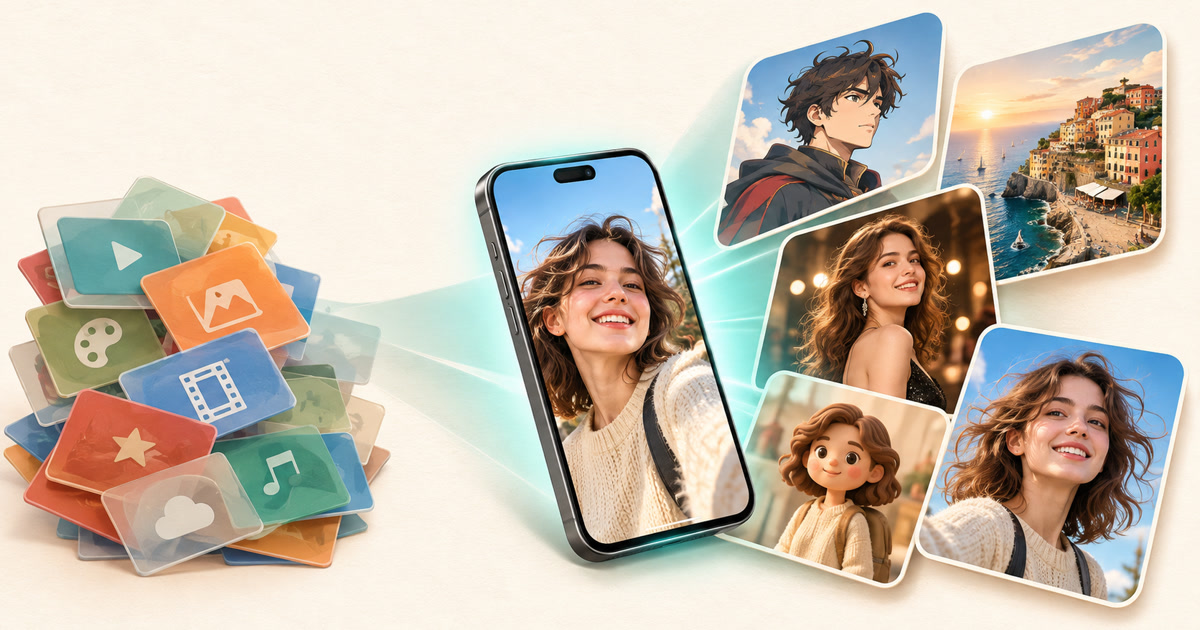
Five jobs, one photo, one app — instead of five separate subscriptions.
Key takeaways
- Most people only need five things from AI imagery: an AI image generator, an AI image editor, an AI clothes changer, an AI avatar generator and an AI image enhancer. All five can be done from a single photo.
- Movcl maps to those jobs with Art Redraw (15 styles), Face Swap, Virtual Outfit and One-Click HD; avatars come from Art Redraw and Face Swap templates.
- Movcl also turns the same photo into video with five modes: Memories, Spotlight, Movie Roles, Fun and Dream Places.
- Free starter gems let you test templates first. Results made with free gems carry a small watermark; paid gems produce watermark-free results.
It is hard to keep up. A new flagship image model lands, then a bigger video model, then a “limited-time” plan that is somehow another monthly charge. Many people now pay for two or three AI subscriptions and use a fraction of each. The conversation online has quietly shifted from “which model is best?” to “which one is worth the money?”
That is the right question. The honest answer starts with a smaller one: what are you actually trying to do with your photos this week?

Start with the job, not the model
Strip away the branding and everyday AI photo use falls into five jobs. Matching each to the right tool avoids paying for capabilities you never touch.
| The job | What people search for | Movcl feature |
|---|---|---|
| Turn a photo into a new visual style | AI image generator | Art Redraw |
| Change a scene or poster around your face | AI image editor | Face Swap |
| Try different outfits | AI clothes changer | Virtual Outfit |
| Make a cartoon, figurine or hero version of you | AI avatar generator | Art Redraw + Face Swap |
| Sharpen a soft or low-resolution photo | AI image enhancer | One-Click HD |
The five image tools, one by one
Art Redraw: your photo, in 15 art styles
Art Redraw is a photo-based AI image generator. Instead of writing a long prompt, you upload one picture and pick a style such as Hero Anime, Cozy Watercolor, Art Deco Poster or Clay Figurine. The result keeps your composition and recognizable features while changing the entire visual language.
- Best for:
- profile art, gifts, posters and “what if this were anime?” experiments.
- Photo tip:
- a clear, evenly lit shot with a simple background restyles most cleanly.
- Keep in mind:
- it restyles an existing photo; it is not a blank-prompt generator.
Face Swap: edit the scene, keep the person
Most people do not need pixel-level retouching. They want to drop themselves into a movie-poster scene, a constellation portrait, a Bobblehead Figure or a cinematic getaway shot. Face Swap works as a template-driven AI image editor: pick the scene, upload your face, and the app blends you in. If the blending is believable, the result looks like it was shot that way. Our explainer on how AI face swap actually works covers why one photo is enough.
- Best for:
- poster-style portraits, costume looks and shareable “me as…” images.
- Photo tip:
- a sharp, front-facing selfie with the full face visible.
- Keep in mind:
- use your own face or faces of people who have said yes.
Virtual Outfit: try the look before you buy it
An AI clothes changer swaps what you are wearing while leaving your face, pose and background alone. Virtual Outfit includes templates such as a Silver Lamé One-Shoulder Gown, Ruby Draped Cocktail and Classic Black Tuxedo, which makes it useful for event planning, style experiments and content ideas. For shoppers comparing product-photo tools with selfie tools, see AI Outfit Change vs. Virtual Try-On.
- Best for:
- formalwear ideas, seasonal outfits and quick style tests.
- Photo tip:
- upload a half- or full-body photo where your current outfit and arms are clearly visible.
- Keep in mind:
- it shows a style direction, not exact fit or fabric.
Avatars: from selfie to character
An AI avatar generator turns a real photo into a stylized stand-in for you: an anime hero, a clay figurine, a big-head cartoon or a bobblehead. Movcl does this by combining two features. Art Redraw handles the illustrated styles, and Face Swap supplies character-style templates. One upload can produce several avatar directions to compare.
- Best for:
- social profile pictures, gaming handles, team badges and gifts.
- Photo tip:
- no sunglasses or heavy filters; a neutral expression gives the most flexible results.
- Keep in mind:
- generate two or three styles and pick the one that still feels like you.
One-Click HD: the finishing step
An AI image enhancer sharpens detail and raises resolution so a photo holds up on a bigger screen or in print. One-Click HD is the quick version: no sliders, no settings. It is the step people forget, and it is often what makes a generated image look finished rather than “nearly there.”
- Best for:
- older photos, small screenshots and finished images you plan to share or print.
- Keep in mind:
- enhancement cannot recover detail that was never captured, so extreme blur will stay soft.
Beyond stills: five ways to animate the same photo
Once a photo looks right, Movcl can set it in motion. The five video modes are built for the same one-photo workflow, and videos take about a minute to generate.
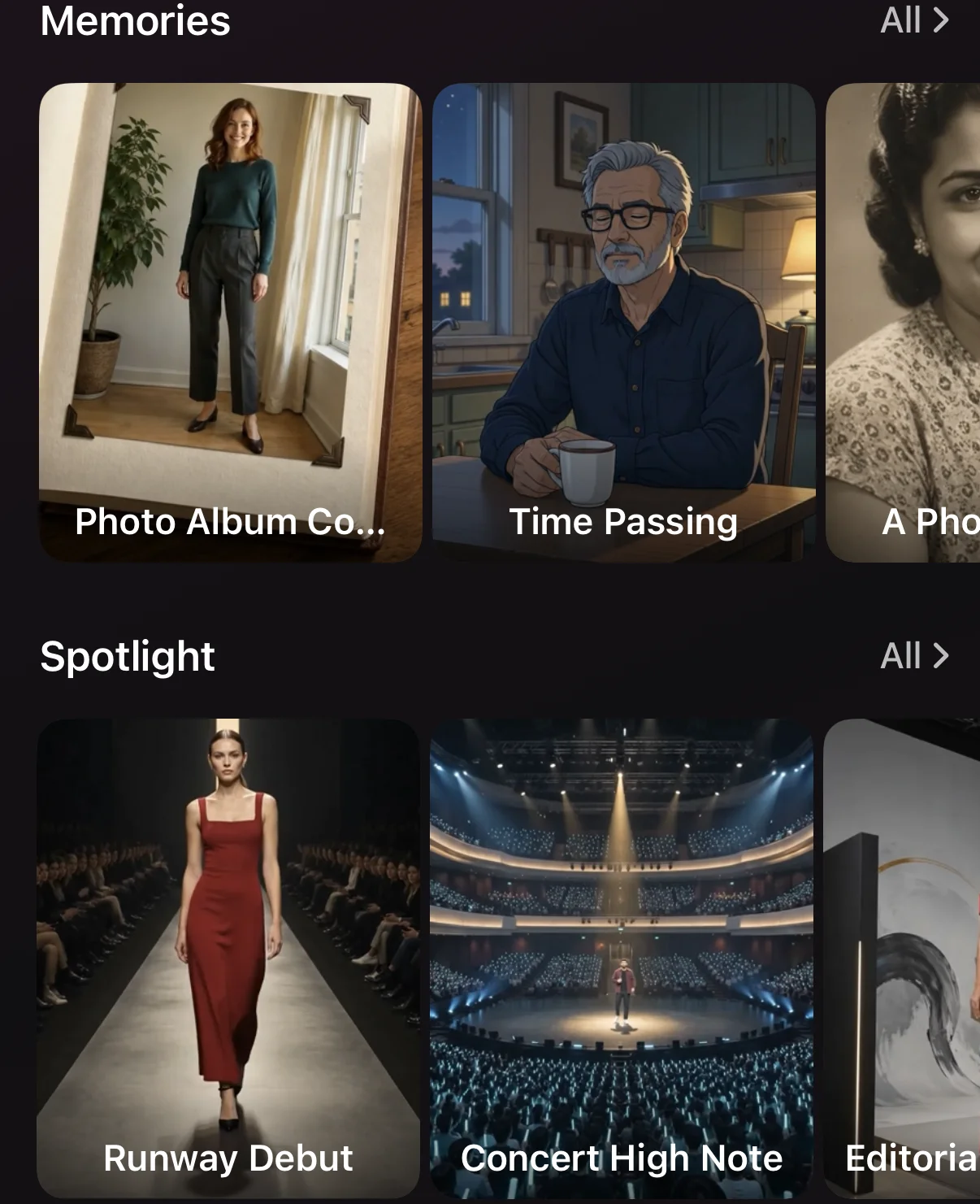
For a deeper comparison with general-purpose video tools, see 2026 Photo-to-Video Tools Compared.
The subscription math, in plain numbers
Movcl uses gems, an in-app currency spent on each generation. The cost shown in-app before you confirm is what you pay, so there is no guessing. Here is what 1,000 gems costs across the options (shorter bar = cheaper):
| If you… | Consider | Why |
|---|---|---|
| Just want to see it work | Free starter gems | No card needed; results are watermarked. |
| Need clean results for one occasion | 7-Day Pass, $2.99 | 940 gems, no auto-renewal. |
| Create most weeks | Weekly Pro, $4.99/week | 1,750 gems a week, all Pro content, lowest cost per gem. |
| Create in bursts (holidays, trips) | Large or XL gem pack | Near-best pricing; packs never expire. |
The point is not that Movcl is the cheapest tool for every job. It is that a short, predictable spend can cover five jobs at once. You can compare every option in our gems value breakdown.
The best AI subscription is the one you use every week. For everyone else, a pass you can walk away from beats a plan you forget to cancel.
A simple photo pipeline that uses all five tools
Here is a workflow that chains the features, so one upload does the work of several apps:
- Pick your source photo. Choose a sharp, front-facing, well-lit image. Everything downstream inherits its quality.
- Choose the look. Try Virtual Outfit for a new style, Art Redraw for an illustrated version, or Face Swap for a themed scene.
- Make an avatar variant. Run an avatar-style template to get a profile picture that matches your new look.
- Finish with One-Click HD. Enhance your favorite result so it holds up on any screen.
- Animate it. Send the final image to Memories, Spotlight, Movie Roles, Fun or Dream Places for a short clip.
When you should not use Movcl
A template-based app is not the answer to everything. If you need to generate an original image from nothing but a text prompt, compose a complex multi-subject scene, or control every detail through prompting, a general AI model is the better tool. Movcl is built for the other, much more common case: you already have a photo, and you want a good result quickly without learning prompt engineering.
Quick glossary
- AI image generator
- A tool that creates or restyles images with AI. Some work from text prompts; photo-based ones, like Art Redraw, start from your own picture.
- AI image editor
- A tool that changes part of an image, such as the scene, background or subject, without redrawing everything.
- AI clothes changer
- A tool that replaces the clothing in a photo while preserving face, pose and background.
- AI avatar generator
- A tool that turns a real photo into a stylized character version of the person.
- AI image enhancer
- A tool that sharpens detail and increases resolution of an existing image.
- Gems
- Movcl’s in-app currency, spent on each generation.
Frequently asked questions
What is the best AI image generator if I don't want another subscription?
If your goal is to restyle your own photos rather than write prompts from scratch, a template-based app such as Movcl is usually the cheaper fit. Art Redraw turns one photo into 15 styles, you can start with free starter gems, and a one-time 7-Day Pass costs $2.99 with no auto-renewal.
Can an AI image editor change my outfit without changing my face?
Yes. An AI clothes changer such as Movcl’s Virtual Outfit swaps the clothing while keeping your face, pose and background. Results are best with a sharp, well-lit photo where your current outfit is clearly visible.
How do I make an AI avatar from a selfie?
Upload one clear, front-facing selfie and pick an avatar-style template: Art Redraw styles such as Hero Anime or Clay Figurine, or Face Swap templates such as Bobblehead Figure. Image generation usually takes one to three minutes.
Does an AI image enhancer really improve a blurry photo?
It improves soft, small or compressed photos by sharpening detail and raising resolution. It cannot recover information that was never captured, so severely blurred or tiny faces will still look soft.
Are Movcl results watermarked?
Only results made entirely with free gems carry a small Movcl watermark. Anything generated with subscription or purchased gems is watermark-free.
When should I use a general AI model instead of Movcl?
Choose a general model for text-to-image generation from a blank prompt, complex scene composition or heavy prompt control. Choose Movcl for fast, template-driven results from a real photo of yourself, a friend or a pet.
Try one photo, five ways
Start with free starter gems. No credit card required, and you can see the gem cost before every generation.
Download on the App Store Get it on Google Play