


ChatGPT Image Editing Prompts: Outfit Swaps, Background Changes & Style Transfers
A working cheat sheet: the four-part prompt formula, 30+ prompts you can copy straight into ChatGPT, and the follow-up lines that rescue an edit when your face stops looking like your face.
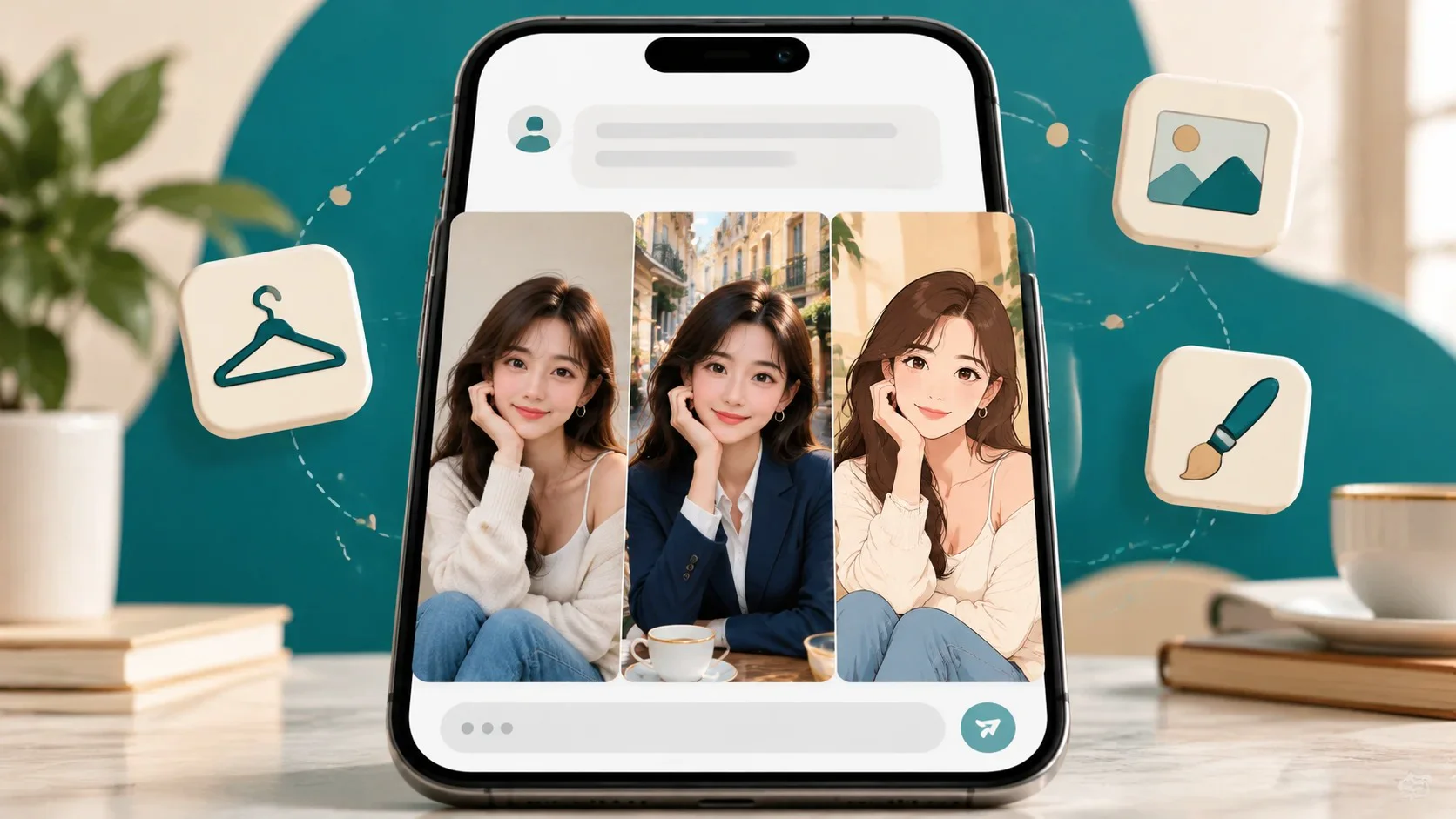
Key takeaways
- Say what to keep before you say what to change. ChatGPT tends to redraw the whole image, so anything you don't protect is up for grabs.
- One edit per message. Outfit first, then background, then style. Stacking all three in one prompt is the fastest way to lose your likeness.
- Describe, don't name. "Soft cel shading, clean line art" works more reliably than a studio or artist name, and avoids refusals.
- Go back to the original upload for each major edit instead of editing the edit. Small changes compound.
Before the prompts, one piece of background that explains about 80% of the frustration people have with ChatGPT photo edits.
Traditional editors like Photoshop change specific pixels and leave the rest alone. ChatGPT's image tool works differently: when you upload a photo and ask for a change, the model reads your image and your instructions together, then generates a new image that tries to satisfy both. It's closer to "redraw this, but with a blue jacket" than "recolor this jacket."
That's why a request to change your shirt can also nudge your jawline, shift your eye color slightly, or smooth your skin. The model wasn't told those things mattered, so it didn't hold them fixed. Every prompt in this guide is built around that one fact: you have to tell it what to protect.
Depending on your ChatGPT app version, you may also see a selection or brush tool on generated images that lets you highlight an area and describe a change for just that region. When it's available, use it for small, local fixes. For anything involving your own uploaded photo and a bigger change, the written prompt does most of the work.
The four-part prompt formula
Almost every reliable edit prompt follows the same order. Write it in this sequence and you'll avoid most failures before they happen.
| Part | What it does | Useful wording | Common mistake |
|---|---|---|---|
| Keep | Locks the parts of the image that define you | Keep my face, facial features, skin tone, expression, and hairstyle exactly the same. | Skipping it because "it's obvious." It isn't obvious to the model. |
| Change | Names a single edit, in concrete visual terms | Garment + color + fabric + fit, or place + time of day + weather | Vague adjectives like "nicer," "cooler," "more professional" |
| Match | Makes the new element look like it belongs in the original photo | Match the original lighting direction, color temperature, and camera angle. | Pasted-on look: wrong shadows, mismatched sharpness |
| Output | Controls format and stops unwanted extras | Keep the same portrait orientation and crop. Don't add text, logos, or extra people. | Getting a square crop of a vertical photo, or a random watermark-like scribble |
Here's the formula assembled into a template. Swap the bracketed parts and it works for most single edits.
Edit this photo. Keep my face, facial features, skin tone, expression, hairstyle, and pose exactly the same. Change only [the one thing you want to change, described specifically]. Match the original lighting, color temperature, and camera angle so the result looks like a real, unedited photo. Keep the same orientation and framing. Don't add text, logos, or additional people.
Outfit change prompts
Clothing is the edit people try first and the one that most often drags the face along with it, because the model has to redraw your shoulders, neck, and arms to fit new garments. The fix is specificity: name the garment, the color, the fabric, and how it fits. "A suit" leaves the model guessing; "a charcoal wool two-piece suit with a slim fit and a white open-collar shirt" doesn't.
If you're curious why fabric and fit words matter so much, we covered it in How AI Understands Clothing.
Wording that helps
| Describe this | Weak | Strong |
|---|---|---|
| Garment | a jacket | a cropped denim trucker jacket |
| Color | dark | deep navy, forest green, oatmeal beige |
| Fabric | nice material | chunky cable knit, crisp cotton poplin, satin, linen |
| Fit | stylish | relaxed oversized fit, tailored slim fit, high-waisted |
| Occasion cue | for an event | appropriate for a summer garden wedding |
Copy-paste outfit prompts
Keep my face, expression, hairstyle, and head position exactly the same. Change only my clothing to a tailored navy blazer over a plain white crew-neck T-shirt. Match the original lighting and camera angle. Keep the same background and crop. The result should look like a real professional headshot, not a render.
Change only the color of my sweater to forest green. Keep the exact same sweater style, knit texture, folds, and fit. Don't change my face, hair, pose, background, or anything else in the image.
The safest outfit edit there is. If you only need a different color, ask for just that.
Keep my face, hairstyle, body shape, and pose exactly as they are. Dress me in a dusty-blue midi dress with flutter sleeves and a soft chiffon fabric, appropriate for a summer garden wedding. Add simple gold stud earrings. Match the natural daylight in the original photo. Keep the same background and framing.
Keep my face, facial hair, expression, and pose identical. Change my outfit to a charcoal wool two-piece suit with a slim fit, a crisp white dress shirt, and a dark burgundy silk tie. Make sure the suit fits naturally on my shoulders. Match the original lighting and shadows.
Keep my face, hair, and pose exactly the same. Change my outfit to a long camel wool overcoat over a cream turtleneck, with a soft gray knit scarf. Keep the background, but adjust nothing else. The lighting on the coat should match the light already on my face.
Keep my face, hairstyle, expression, and stance the same. Change my clothes to an oversized washed-black hoodie, light-wash baggy jeans, and white low-top sneakers. No visible logos or brand names. Match the original camera angle and lighting.
Keep my face and expression exactly as they are, with no face paint or makeup changes. Dress me in a classic vampire costume: a black high-collared cape with a red satin lining, a black waistcoat, and a white ruffled shirt. Keep the original background and lighting.
Stick to generic costumes. Recognizable characters from films or games may be refused or come out off-model.
I've uploaded two images. Image 1 is me. Image 2 shows an outfit. Dress the person in image 1 in the outfit from image 2, matching its colors, fabric, and details as closely as possible. Keep my face, hairstyle, expression, pose, and the background from image 1 exactly the same.
Upload both images in the same message and refer to them by number. The model can mix them up otherwise.
Background change prompts
Backgrounds are more forgiving than outfits, because the model doesn't need to redraw your body. The usual failure is the "cutout" look: you're sharply lit from the left, the new beach is lit from the right, and your edges look pasted on. The Match step in the formula carries most of the weight here.
If your photo was taken indoors under warm lamps, a midday beach will always look wrong. Choose a scene whose light already resembles yours, or ask ChatGPT to relight you to match, which carries more risk to your face.
Keep me exactly as I am: face, hair, clothing, pose, and lighting on my face unchanged. Replace only the background with a smooth light-gray seamless studio backdrop with a soft, even gradient. Keep natural edges around my hair. Same crop and orientation.
Remove the background and place me on a pure white background. Keep my face, hair, and clothing completely unchanged, with clean, natural edges and no halo around my hair. Add a very soft shadow under me so I don't look like I'm floating.
Keep my face, expression, hair, outfit, and pose exactly the same. Change the background to a narrow European street with a small café, outdoor tables, and string lights, during golden hour. Shift the lighting on me slightly warmer to match the sunset, but don't change my features. Add a gentle natural background blur like a portrait lens.
Keep me unchanged: same face, hair, clothes, and pose. Replace the background with a calm sandy beach with turquoise water and a clear sky, in bright late-morning daylight. Match the shadows on me to sunlight coming from the same direction as in my original photo. Make it look like a real vacation photo taken on a phone.
Keep my face, hairstyle, outfit, and pose exactly as they are. Change the background to a bright modern office with large windows, light wood desks, and some green plants, softly out of focus. Match the soft daylight on my face. Keep the same crop for use as a LinkedIn photo.
Keep me exactly the same. Replace the background with a cozy living room decorated for the holidays: a lit Christmas tree with warm white lights, a fireplace, and a knit throw on a sofa, all slightly blurred. Add warm, soft light on my face to match the room, without changing my features.
Don't change the background content. Keep everything the same but add a strong, natural-looking background blur, as if shot on a portrait lens at a wide aperture. Keep me fully sharp with clean edges around my hair.
Style transfer prompts
Style transfer is where ChatGPT shines, and it's also the edit where you can relax your expectations around strict likeness. When you turn a photo into a watercolor, some simplification of your features is the point. What you want to protect is the stuff that makes it read as you: hairstyle, outfit colors, pose, and composition.
Prompts that ask for the style of a specific living artist may be declined, and naming a film studio often produces an inconsistent imitation anyway. Describing visual traits (line quality, shading, palette, texture) gets more predictable results.
| Style | Traits to describe | What to keep |
|---|---|---|
| Anime film still | Cel shading, clean line art, painted background, soft natural light | Hairstyle, outfit colors, pose |
| Watercolor | Soft washes, visible paper texture, bleeding edges, light palette | Composition, main colors |
| Oil portrait | Visible brushstrokes, rich shadows, canvas texture, classical lighting | Facial structure, expression |
| 3D animated movie | Stylized proportions, soft subsurface skin, smooth rendering | Hair, clothes, expression |
| Pencil sketch | Graphite shading, cross-hatching, white paper, loose construction lines | Likeness, pose |
| Vintage film photo | 1970s film grain, faded warm tones, slight light leak | Everything except color grade |
| Comic book | Bold ink outlines, halftone dots, flat saturated color | Pose, outfit |
Redraw this photo as a hand-drawn anime film still. Use soft cel shading, clean line art, warm natural light, and a detailed painted background based on the original setting. Keep my hairstyle, outfit and its colors, pose, and the overall composition the same, and keep my face recognizable.
Turn this photo into a delicate watercolor painting on textured paper. Use soft washes of color, gentle bleeding edges, and lots of white space around the subject. Keep the composition, my pose, and the main colors of my outfit.
Repaint this photo as a classical oil portrait with visible brushstrokes, canvas texture, a dark warm background, and soft dramatic side lighting. Keep my facial features, expression, and hairstyle faithful to the original so it still clearly looks like me.
Transform me into a 3D animated movie character with slightly stylized proportions, large expressive eyes, smooth soft skin rendering, and bright cinematic lighting. Keep my hairstyle, hair color, outfit, and smile, so friends would recognize me instantly.
Convert this photo into a realistic graphite pencil sketch on white paper, with careful shading, light cross-hatching, and a few loose construction lines at the edges. Keep my likeness and pose accurate. No color.
Keep the photo's content exactly the same, including my face, outfit, and background. Only change the look so it resembles a 1970s film photograph: visible film grain, faded warm tones, slightly lifted blacks, and a subtle light leak in one corner.
Redraw this photo as a comic book panel with bold black ink outlines, halftone dot shading, and flat saturated colors. Keep my pose, outfit, and hairstyle. Don't add speech bubbles or any text.
Fix-it prompts for when edits go wrong
Even with a good prompt, the first result is often 80% right. Don't start over; reply with a targeted correction. These are the follow-ups I use most.
| Problem | Reply with this |
|---|---|
| My face changed | The face no longer looks like me. Redo the edit starting from my original photo. Keep the face identical to the original: same eyes, nose, mouth, jawline, skin tone, and expression. Change only the [outfit/background]. |
| Skin looks plastic or airbrushed | Restore natural skin texture from the original photo, including pores and small imperfections. No smoothing or beauty filter. |
| Looks pasted on | I look cut out and pasted in. Match the lighting direction, shadow softness, and color temperature on me to the new background, and blend the edges naturally. |
| Crop or orientation changed | Keep the original vertical portrait orientation and the same framing as my uploaded photo. Don't crop my head or shoulders. |
| Hands look wrong | Fix the hands so each has five natural-looking fingers in a relaxed position. Change nothing else. |
| It changed more than I asked | Only the [item] should be different. Go back to my original photo and change only that, leaving every other detail exactly as it was. |
| Random text or logos appeared | Remove all text, letters, and logos from the image. Keep everything else the same. |
| Body shape changed | Keep my body shape and proportions exactly as in the original photo. Only the clothing should change. |
A multi-step workflow that holds up
If you want a new outfit, a new location, and a new style on the same photo, sequence it. Each step uses the formula, and each one gives you a checkpoint to catch drift before it compounds.
- Start with a good source photo. Face clearly visible, even lighting, no heavy filters, reasonably high resolution. A blurry source gives the model less to preserve.
- Make the outfit change first. It's the edit most likely to disturb your face, so do it while the image is closest to the original. Compare the result to your upload before moving on.
- Change the background second, using the approved outfit image as your new base, and include the Match instructions.
- Apply style last, if at all. Stylizing is the loosest edit, so it's fine to do it on top of the others.
- If drift appears, go back a step, not forward. Re-upload the last good version and repeat the edit with a stronger Keep clause.
Where ChatGPT struggles, honestly
ChatGPT is a genuinely capable photo editor, and for one-off creative edits it's hard to beat. But it's a general-purpose tool, and a few limitations show up repeatedly in portrait work.
- Identity drift is reduced, not solved. Strong prompts help a lot. They don't guarantee your face comes back unchanged, especially across several edits.
- Every result is a fresh roll. Running the same prompt twice can give noticeably different outputs, which makes consistent sets (say, five photos in matching outfits) tedious.
- Usage limits apply. Free accounts get a limited number of image generations, and OpenAI adjusts those limits over time. Iterating on one photo can use them up quickly.
- Content rules. ChatGPT may decline edits involving public figures, sexualized changes, or certain styles. That's reasonable policy, but it can surprise you mid-workflow.
- Privacy settings are on you. For consumer accounts, chats can be used to improve OpenAI's models unless you turn that off in Data Controls. Worth checking before you upload personal photos.
When a template app is the faster route
Writing prompts gives you maximum flexibility. If you want the same handful of edits (an outfit change, a face swap into a scene, an anime redraw) and you'd rather tap than type, a template-based app like Movcl covers that ground with less trial and error. Here's how the two approaches compare for portrait editing specifically.
| ChatGPT | Movcl | |
|---|---|---|
| How you edit | Write and refine text prompts | Upload one photo, pick a template |
| Flexibility | Almost anything you can describe | Limited to the template library |
| Effort per edit | Varies; often several follow-up prompts | Low; the template carries the instructions |
| Built for | General-purpose chat, writing, and images | Face swap, outfit change, AI redraw, AI short video |
| Photo to video | Not the core use case in ChatGPT itself | AI short video from a single photo |
| Your photos and training | Opt out via Data Controls | Photos aren't used to train models |
| Cost to start | Free tier with limits; paid plans available | Free trial; gems or subscription after |
Plenty of people use both: ChatGPT for the one-off creative idea that no template covers, and an app like Movcl for the everyday edits they repeat.
FAQ
Why does ChatGPT change my face when I edit a photo?
It usually regenerates the whole image rather than editing pixels in place, so features can drift. Listing exactly what must stay identical, making one change per message, and starting each major edit from your original upload all reduce drift. None of them eliminate it completely.
Can I change my outfit in ChatGPT without changing my face?
Often, yes. Lead with the Keep clause ("Keep my face, hairstyle, expression, and pose exactly the same") and then describe the new clothing by garment, color, fabric, and fit. If the face shifts, use the correction prompt from the fix-it table above.
Is ChatGPT image editing free?
Free accounts can edit images, with tighter limits that OpenAI changes from time to time. Paid plans raise those limits. Check OpenAI's plan page for current numbers.
Does ChatGPT use my uploaded photos for training?
For consumer accounts, conversations can be used to improve OpenAI's models unless you turn that off in Data Controls. Review the setting before uploading personal photos.
What's the best prompt for turning a photo into anime style?
Describe traits instead of naming a studio: "Redraw this photo as a hand-drawn anime film still with soft cel shading, clean line art, warm natural light, and a painted background. Keep my hairstyle, outfit colors, and pose."
Should I write prompts in one long paragraph or several short messages?
One edit per message works best. Within that message, a single clear paragraph following Keep, Change, Match, Output is usually more reliable than a bulleted list of requirements.
Skip the prompt writing
Movcl turns one photo into outfit changes, face swaps, anime redraws, and short videos using ready-made templates. Your photos aren't used to train models, and you can start with a free trial.
Try Movcl free