


Personalized Christmas Gifts You Can Make From Family Photos
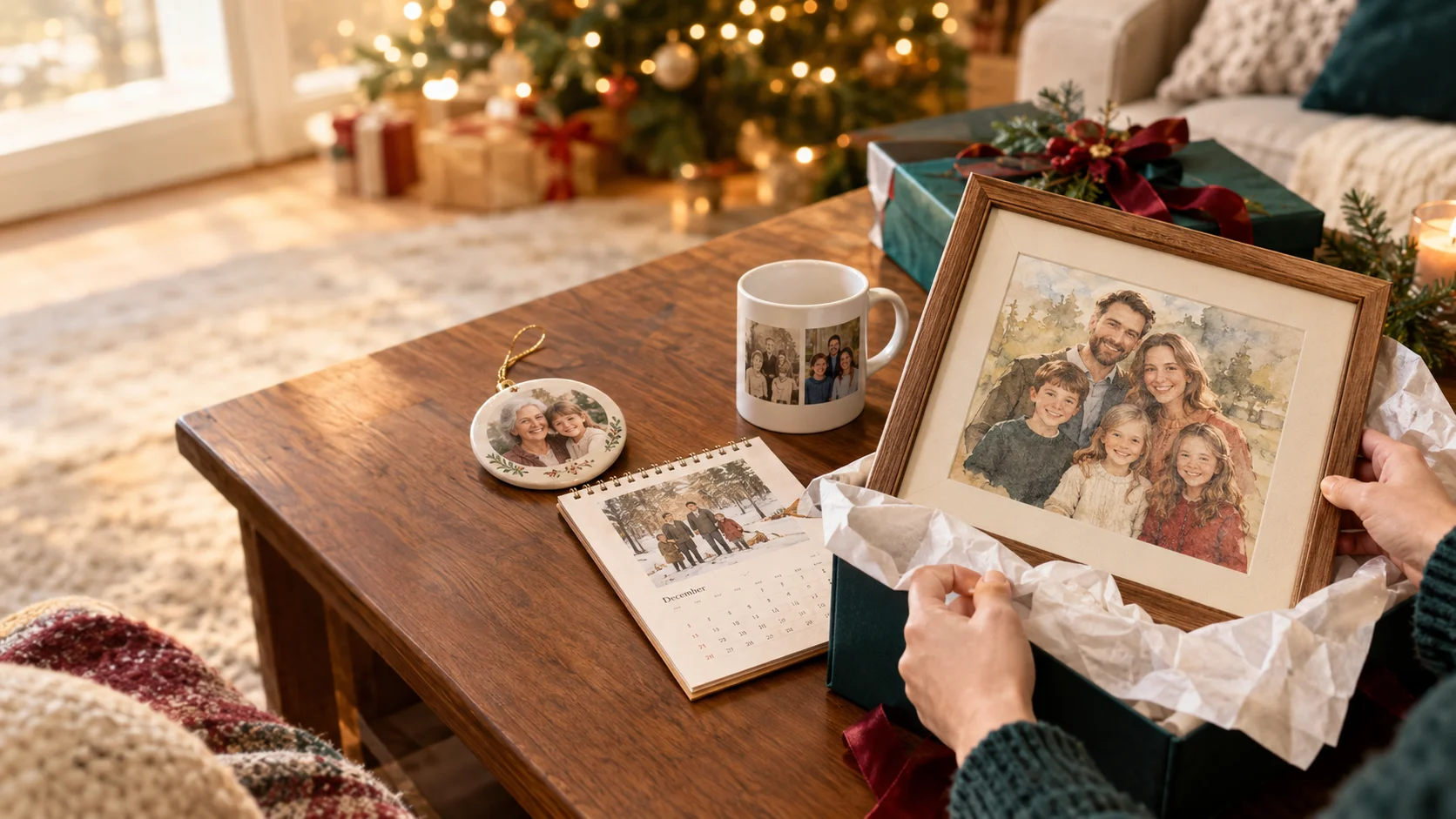
Nine ideas that turn the photos already sitting in your camera roll into gifts people actually keep — plus the print-size and timing mistakes I made so you don’t have to.
Have you decided on your Christmas gifts yet? Chocolate? Perfume? Electronics products?
Would you like to join me in trying out a personalized gift?
AI photo tools make the editing part fast.Let’s taking the ordinary pictures you already love (the slightly blurry birthday shot, the faded print of your grandparents, the one where the dog is actually looking at the camera) and giving them a second life.
| Gift | Best for | What you do with the photo | Final format | Effort |
|---|---|---|---|---|
| Matching-outfit holiday card | The whole family list | Outfit change | Printed cards or digital card | Low |
| Restored heirloom print | Grandparents, parents | Restore an old photo | Framed print | Low |
| Painted-portrait ornament | Anyone with a tree | AI art redraw | Photo ornament | Low |
| 2027 family calendar | Grandparents, aunts and uncles | Redraw in 12 styles | Wall calendar | Medium |
| “Moving photo” video | Family who live far away | Photo-to-short-video | Video file (text, TV, digital frame) | Low |
| Holiday movie poster | Siblings, cousins, teens | Face swap into a template | Poster or digital | Low |
| “Then and now” mug or pillow | Parents | Restore old + pair with new | Mug, pillow, tote | Medium |
| Preloaded digital frame | Grandparents | Mix of all of the above | Digital photo frame | Medium |
| Painted-portrait puzzle | Puzzle families, kids | AI art redraw | Jigsaw puzzle | Low |
Gifts built around one great photo
The family Christmas card nobody had to dress up for
Outfit changeGetting five people into coordinated sweaters, in good light, with everyone’s eyes open, is a December miracle I have never witnessed. So I cheated. I picked a group photo from a summer barbecue where everyone looked genuinely happy and used an outfit-change template to put us all in holiday knits.
It works best when the original photo shows people from roughly the waist up, facing the camera, without heavy overlap between bodies. If you’re curious why some outfits look natural and others look pasted on, I broke that down in How AI Understands Clothing.
My tip: try two or three outfit styles before you commit. A cozy knit and a classic plaid read very differently on a card, and seeing them side by side makes the choice easy.
A restored heirloom print for the grandparents
Photo restorationThis is the gift that made my grandmother go quiet for a full minute. Take that scratched, faded wedding or baby photo from a shoebox, scan it (or just photograph it flat, in daylight, without glare), clean it up, and print it at the size they’d actually hang.
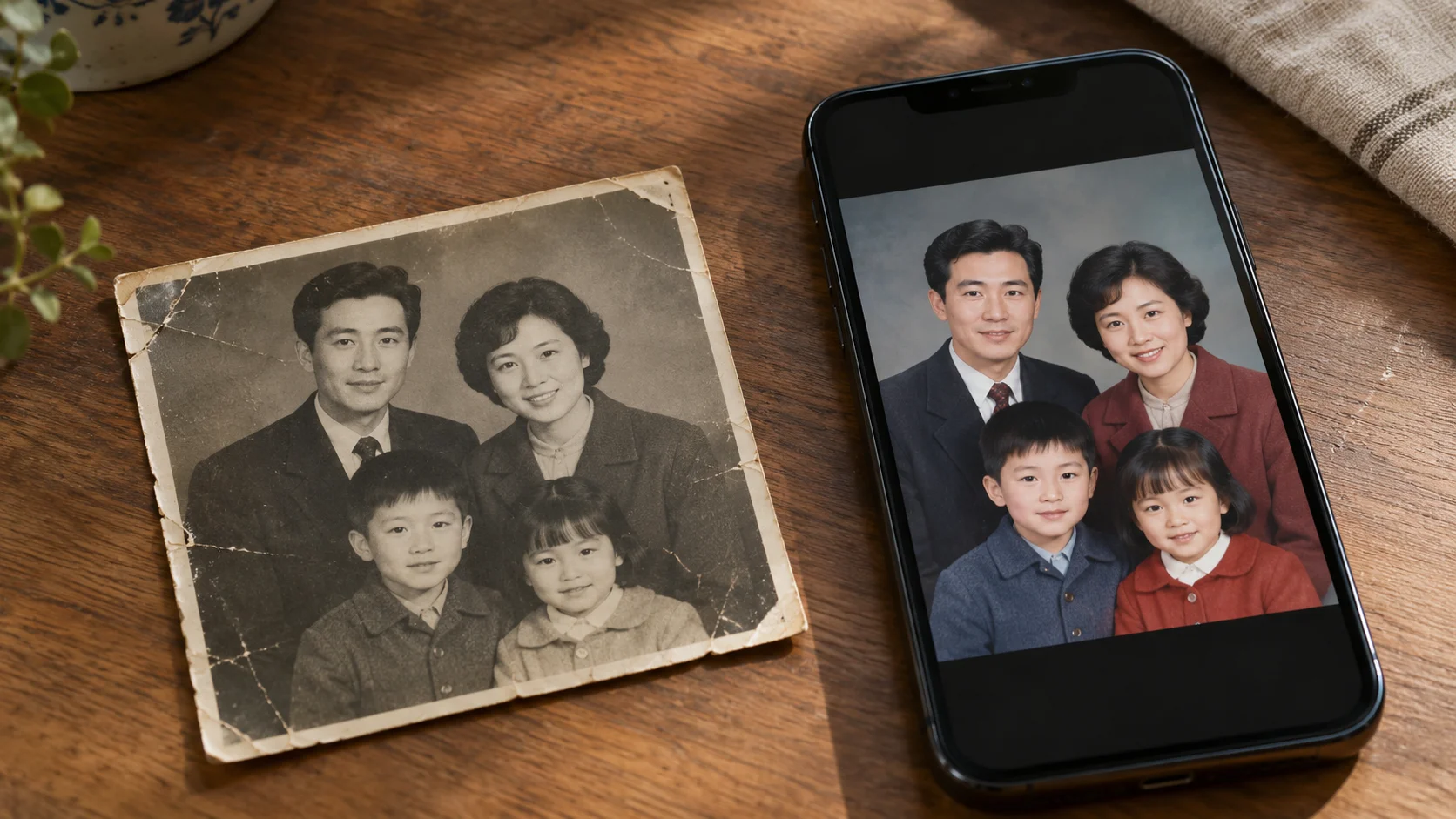
I wrote about my first try at this, including what didn’t go perfectly, in I Used AI to Restore an Old Photo of My Grandparents. The short version: go gentle. A restored photo should still look like it’s from 1962.
A portrait ornament in a painted style
AI art redrawPhoto ornaments are a classic, but a straight photo shrunk down to three inches can look a little flat. Redrawing the portrait in a watercolor, oil-painting or storybook style turns it into something that feels handmade. Small formats are also very forgiving on image resolution, which makes ornaments one of the safest first projects.
A painted-portrait jigsaw puzzle
AI art redrawSame idea, bigger payoff on Christmas afternoon. Puzzles work best from images with lots of color variation and detail, which painted styles naturally add. A plain photo with a big beige wall behind everyone becomes the most frustrating 300 pieces of your life.
Gifts that take a little more planning
A 2027 family calendar with a different look every month
AI art redraw + outfit changeTwelve months, twelve styles. January as a vintage postcard, July in beach clothes, October as an anime still, December back in the holiday knits. You can reuse the same handful of family photos across months and the styles keep it from feeling repetitive. This is my most-requested gift from aunts and uncles every year now.
My tip: keep all your exports in one album named “Calendar 2027” as you go. Hunting through your camera roll for month nine at 11 p.m. is not festive.
A “then and now” mug or pillow
Restoration + current photoPut a restored childhood photo of your mom next to a current photo of her, recreated in the same pose. Or pair your dad’s first-day-of-school photo with your kid’s. Side-by-side layouts on mugs, throw pillows and totes are easy to set up on most print-on-demand sites, and the contrast does all the emotional work.
A preloaded digital photo frame
Mix of everythingIf your grandparents already have a digital frame, or you’re gifting one, fill it with a mix of restored old photos, painted portraits and a few short video clips. Set it up before you wrap it so they can just plug it in. Grandparents should never have to find the settings menu on Christmas morning.
Gifts that don’t need a printer at all
A “moving photo” for family who live far away
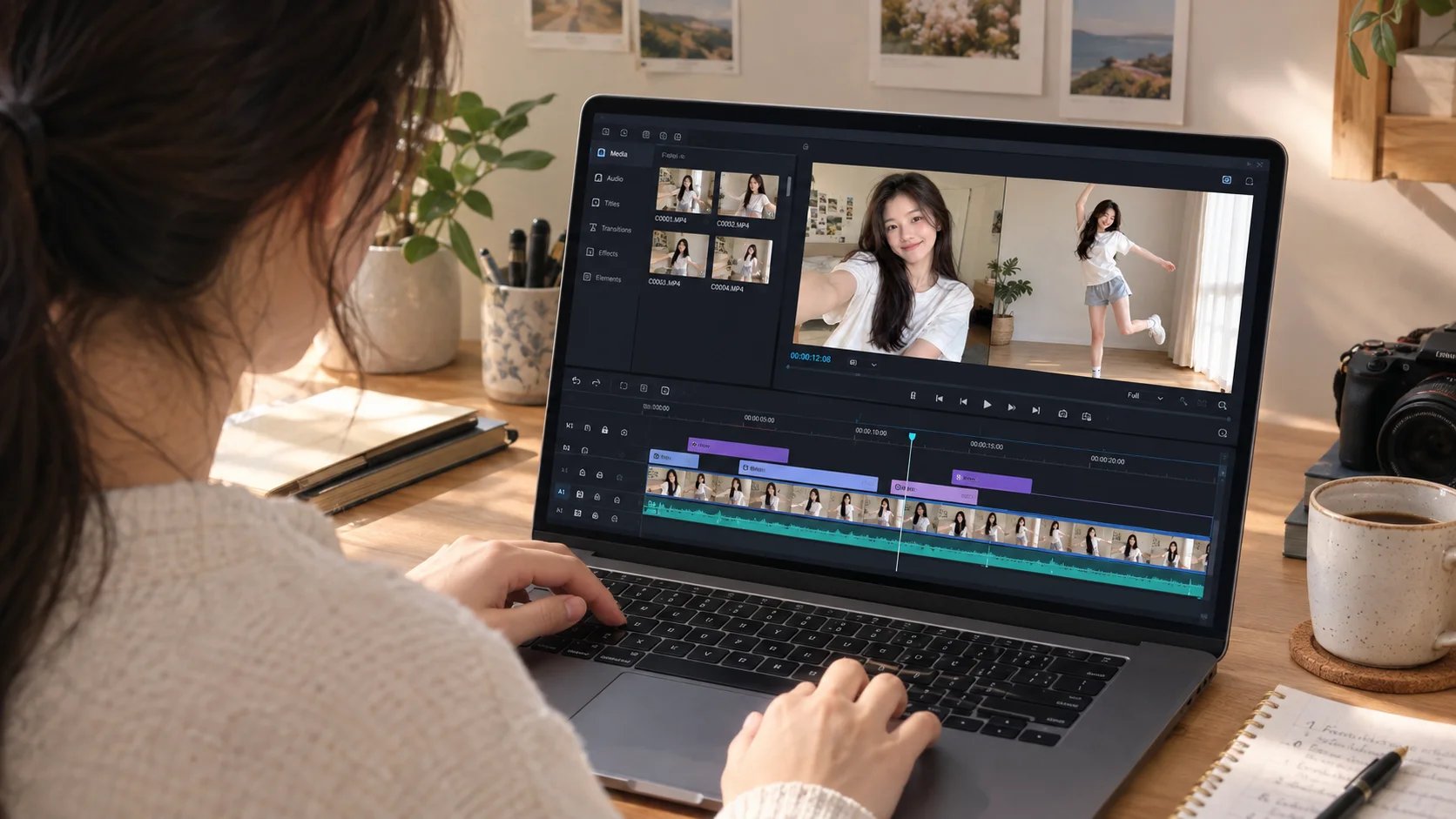
Photo to short videoFor the relatives you won’t see in person, a short video made from a single still photo can land harder than anything that comes in a box. A few seconds of the kids waving in a snowy scene, sent with a voice note, played on their TV. It’s also the only gift on this list you can make on December 24th without panic. If you want to understand how one photo becomes a few seconds of motion, I explain it in From One Photo to a Full Video.
A family holiday movie poster
Face swapFor teens, siblings and cousins with a sense of humor: drop everyone’s faces into a holiday-movie-style scene and print it as a poster, or just send it to the family chat. It’s the most laugh-out-loud option on this list. It’s also the one where you need to ask first — more on that below. If it’s your first time trying face swap, skim 5 Mistakes First-Time Users Make With AI Face Swap Apps so your uncle doesn’t end up with three eyebrows.
Before you print: check your pixels
This is where I messed up last year. I ordered an 11x14 canvas from an image that looked perfect on my phone and arrived soft and fuzzy. Your phone screen is small and hides a lot. Printers don’t.
Before ordering, check the pixel dimensions of the image you exported (on most phones, swipe up on the photo or tap the info icon). Then compare it to the size you want to print:
| Print size | Ideal pixels (about 300 ppi) | Usually acceptable | Forgiving? |
|---|---|---|---|
| 3" round ornament | 900 × 900 | 600 × 600 | Very |
| Mug wrap (about 8.5" × 3.5") | 2550 × 1050 | 1700 × 700 | Very |
| 4 × 6 / 5 × 7 card | 1200 × 1800 / 1500 × 2100 | 800 × 1200 / 1000 × 1400 | Yes |
| 8 × 10 print | 2400 × 3000 | 1600 × 2000 | Somewhat |
| 11 × 14 canvas or larger | 3300 × 4200 | 1650 × 2100 (viewed from a distance) | Least |
The honest rule: if your file is below the “usually acceptable” column, pick a smaller product. Ornaments, mugs and cards look great from files that would disappoint on a canvas. And when a print site shows a low-resolution warning, believe it.
Work backward from December 25
Print services post their own holiday shipping cutoffs and they change every year, so check yours. But this rough plan has kept me out of trouble:
- Early NovemberPick your photos. Text siblings for the good ones from their phones. Find and scan the shoebox prints.
- Mid to late NovemberDo all the editing. Try a few styles per photo, export your favorites at the highest quality available, and check pixel sizes.
- First week of DecemberOrder everything physical: cards, ornaments, calendars, puzzles, canvases. Earlier is better for anything custom.
- Mid-DecemberLoad the digital frame, address the cards, and wrap what has arrived.
- Any time up to Christmas EveMake and send short videos. These are your safety net if a package goes sideways.
Ask first, especially with faces and kids
A photo gift is personal by definition, and that cuts both ways. A few ground rules I follow:
- Get a yes before face-swapping someone into a costume or funny scene, even family. Most people love it. Nobody loves being surprised by it in a 40-person group chat.
- Keep kids’ photos in the family. A puzzle for Grandma is lovely; posting the same image publicly is a different decision.
- Know where your photos go. Before uploading family pictures to any app, check whether it uses your photos to train its models. Movcl doesn’t, and I walk through how to check any app in Does This App Train on Your Photos?
Questions people ask me every December
Can AI-edited photos be printed at large sizes like canvas or posters?
Sometimes. It depends on the pixel dimensions of the file you export, not on whether AI touched it. Use the table above: around 300 pixels per inch for small prints you hold in your hand, and 150 to 200 can be fine for big canvases viewed from across a room.
When should I order photo gifts to arrive before Christmas?
Finish editing in November and order physical gifts by the first week of December. Every service sets its own cutoff, so check yours. Videos and digital cards can be done last minute.
Is it okay to face swap family members for a gift?
Yes, with their okay. Ask before putting anyone into a funny or costume scene, and keep children’s images private unless their parents agree otherwise.
Do I need design skills to make these?
No. The editing is template-based: upload a photo, pick a style or outfit, export. The skill that matters most is choosing a clear, well-lit original where faces are easy to see.
Start with one photo tonight
Movcl turns a single photo into holiday outfits, painted portraits and short videos. Your photos are never used to train our models, and you can try it free.
Try Movcl freeThe best photo gifts I’ve given weren’t the most polished ones. They were the ones where someone looked at a mug or an ornament and said, “I forgot this day happened.” Start with one photo you love and build from there.
— Jenna