


Autumn Portrait Styles: Turning One Photo Into 6 Kinds of Fall Art
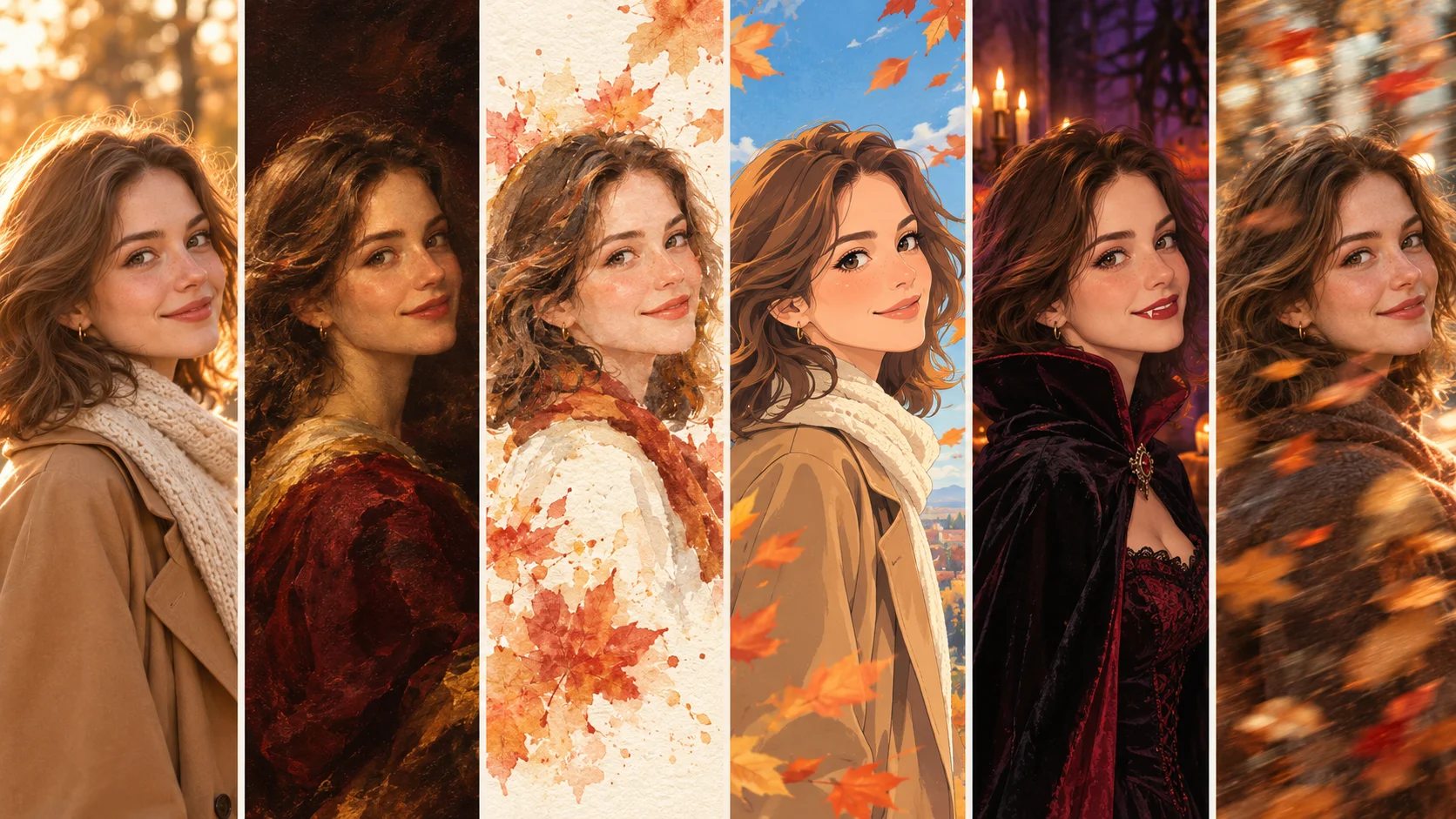
I took one ordinary selfie and turned it into a cozy editorial shot, an oil painting, a watercolor, an anime still, a Halloween costume, and a little falling-leaves video. Here’s what each style looks like, how I made it, and where it actually earns a spot in your feed.
Every October I tell myself I’m going to do a proper fall photoshoot. Pumpkin patch, the good camel coat, someone with a real camera who knows what “golden hour” means. And every October it rains, or the leaves turn and drop in the same week, or I simply don’t get around to it.
This year I tried something different. I picked one photo of myself, a plain, well-lit selfie from my kitchen window, and ran it through six different autumn styles using AI. No coat, no pumpkins, no photographer. The goal wasn’t to fake a photoshoot that never happened. It was to see how many genuinely different kinds of fall art one decent picture can turn into.
Short answer: a lot. Longer answer below, including which styles worked best, which ones needed a second try, and what I’d actually use each one for.
The six styles at a glance
If you just want the cheat sheet, here it is. Details for each one follow.
| Style | Movcl feature | Mood | Best for |
|---|---|---|---|
| Golden-hour editorial | Outfit change | Warm, polished, “magazine fall” | Profile pictures, LinkedIn-adjacent socials |
| Oil painting portrait | AI redraw | Rich, classic, a little dramatic | Prints, Thanksgiving cards, gifts |
| Watercolor & leaves | AI redraw | Soft, airy, handmade | Invitations, journal pages, phone wallpapers |
| Anime autumn | AI redraw | Nostalgic, storybook, cozy | Avatars, group chats, Instagram carousels |
| Halloween costume | Outfit change / face swap templates | Playful, spooky-cute | October posts, party invites, costume “tryouts” |
| Falling-leaves motion clip | AI short video | Gentle, cinematic | Stories, Reels, TikTok |
Before you start: choosing the one photo
Everything downstream depends on this, so it’s worth five minutes. I tested a few candidates before settling on my kitchen-window selfie, and the difference between a “meh” source photo and a good one was bigger than the difference between any two styles.
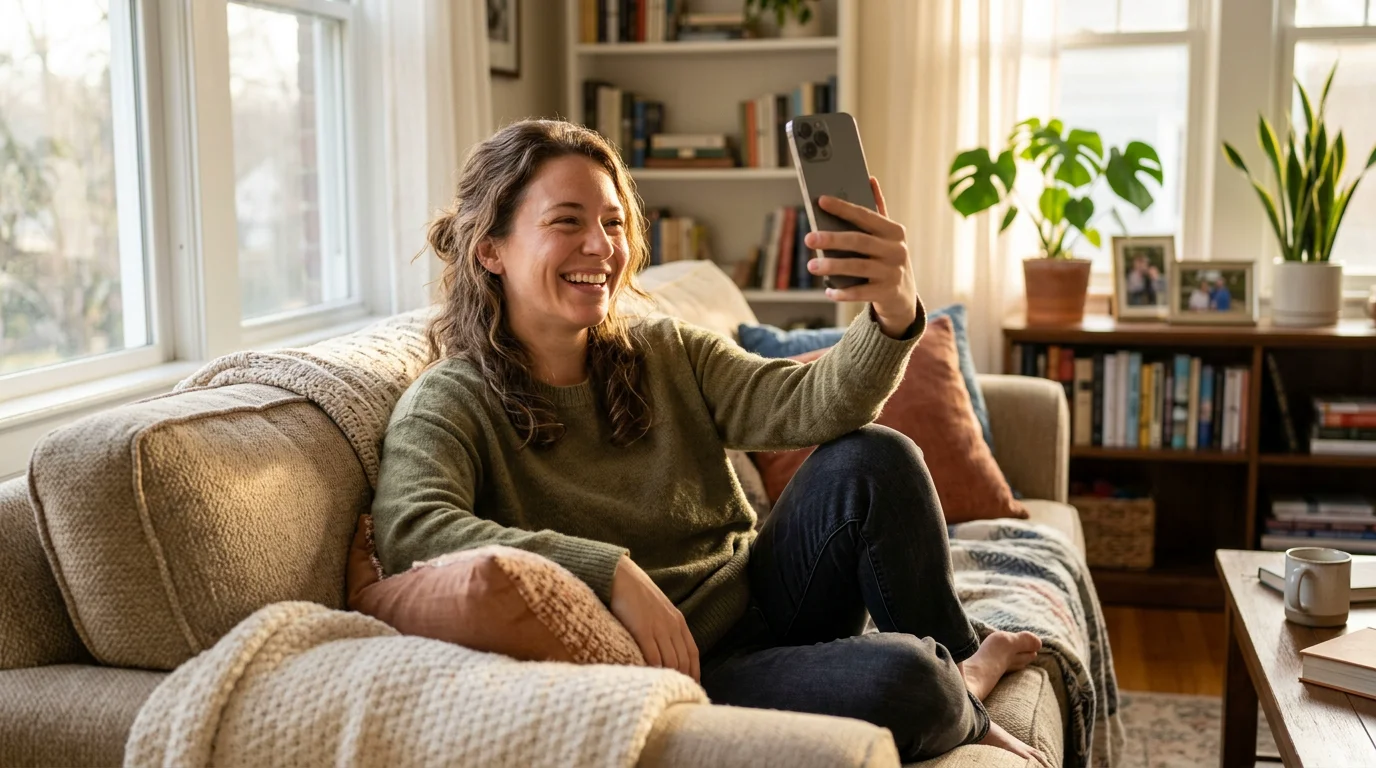
- Soft, even light. Window light on a cloudy day is ideal. Harsh overhead light leaves shadows under your eyes that some styles exaggerate.
- Face fully visible. No sunglasses, no hand on your chin, no hair across one eye. Every style here needs to “read” your face clearly.
- Shoulders-up framing. Tight enough that your face has detail, loose enough that an outfit change has something to replace.
- No heavy beauty filter. Smoothing filters erase the texture AI uses to keep you looking like you. Start from the real photo.
- Plain background. Most styles replace or repaint it anyway, and busy backgrounds can bleed into the result.
I made almost every classic beginner mistake on my first try with AI photo apps, so I wrote them all down in 5 Mistakes First-Time Users Make With AI Face Swap Apps. The photo-choice section there applies here too.
1. Golden-hour editorial
Camel, cream, burnt orange, olive, espresso
This is the “I did a real fall photoshoot” look: knit sweater or trench coat, warm backlight, maybe a scarf. It’s the most realistic of the six, and the one I expected to be least impressive. It ended up being the one I used first.
How it went
Outfit change keeps your face and pose and swaps what you’re wearing. My first result put me in a chunky cream turtleneck that genuinely looked like something I’d own. The second, a camel trench, was even better because the coat’s collar framed my face the way a real stylist would.
The one thing that gave it away on the first try was lighting: the new outfit was lit warmer than my face. Picking a template with a similar light direction to my original photo fixed it. If you’re curious why AI sometimes gets fabric and fit so right and lighting slightly wrong, How AI Understands Clothing explains it well.
2. Oil painting portrait
Deep burgundy, ochre, umber, forest green, candlelight gold
Think museum portrait: dark background, visible brushstrokes, light falling across one side of your face. Autumn palettes and oil painting were made for each other, and this was the style that made my mom text back “wait, who painted this?”
How it went
AI redraw re-renders the whole image in a new style rather than just filtering it, so it changes texture, background, and lighting together. That’s exactly what an oil portrait needs. My favorite result kept my face shape and expression but gave everything a slightly heavier, more formal feel.
One honest note: painterly styles take some artistic license with your features. Mine looked like “me, painted,” not a photograph of me. If you want exact likeness, editorial is the safer pick. If you want something to hang on a wall, this is the one.
3. Watercolor & pressed leaves
Maple red wash, pale apricot, sage, dusty plum, paper white
Where the oil painting is heavy and formal, watercolor is light and loose: soft edges, color bleeding into white paper, and the feeling that someone sketched you in a café. Add a few leaves in the background and it reads instantly as fall.
How it went
This was the most forgiving style of the six. Small flaws in my source photo, like a slightly blown-out cheek from the window light, just disappeared into the wash. It’s a great choice if your best photo isn’t technically perfect.
I’d recommend this one for anything you plan to put text on. The light background leaves plenty of room for “You’re invited” or a date and address without fighting the image.
4. Anime autumn
Persimmon, sky blue, amber, soft pink, ink navy
Big expressive eyes, clean line art, a sky that’s a little too blue, and leaves drifting past. It’s cozy in a way that’s hard to describe and very easy to recognize. If your group chat has a seasonal avatar tradition, this is your entry.
How it went
Anime styles have to invent a lot: shinier hair, larger eyes, simplified skin. The surprising part is how much of “you” survives anyway. My friends recognized me immediately, mostly from my hair part and the way I tilt my head.
There’s actual science behind how AI decides which details to keep and which to stylize. Marcus covers it in How AI “Fills In” Anime-Style Detail From a Regular Photo, and I wrote about why this look took over everyone’s feed in Why Everyone’s Feed Is Full of AI Anime Photos.
5. Halloween costume portrait
Pumpkin orange, midnight, witch purple, bone white, slime green
With Halloween twelve days out, this is the most timely of the six. Witch, vampire, pirate, something in a velvet cape: you get to try a costume on before buying (or sewing) anything.
How it went
I used this as a genuinely practical tool. I was torn between two costumes, tried both, and the vampire look was clearly better with my coloring. Decision made, no returns needed.
Outfit change keeps your real background and pose, so the result feels like “me, dressed up.” A full scene template with face swap goes further, putting you in a moody, candlelit set. I liked having both: the first for a casual post, the second for the party invite.
6. Falling-leaves motion clip
Maple red, harvest gold, fading green, overcast grey, bark brown
The last style isn’t a still image at all. AI short video turns your photo into a few seconds of motion: hair moving slightly, leaves drifting through the frame, a small smile or head turn. It’s the one that made people stop scrolling.
How it went
Subtle beats dramatic here. The templates with gentle movement looked natural; anything with big expressions started to drift away from my real face by the last second. My tip: pick a calm template and let the leaves do the work.
If you’ve ever wondered how a single still photo becomes video at all, From One Photo to a Full Video walks through the process without the jargon.
Turning six images into one set
On their own, each style is a nice post. Together, they’re a story. Here’s how I sequenced mine as a single Instagram carousel, and it got more comments than anything I’ve posted this year:
- Slide 1: the original photo, unedited. It sets up the “one photo” premise and makes every slide after it more fun.
- Slides 2–3: golden-hour editorial, then oil painting. Realistic to classical.
- Slides 4–5: watercolor, then anime. The style gets lighter and more playful.
- Slide 6: the Halloween costume, as the plot twist.
- Slide 7: the falling-leaves video to close.
Timing matters too. The Halloween portrait has a hard deadline of October 31. The oil painting and watercolor will still work for Thanksgiving on November 26, and the editorial and anime versions stay good as profile pictures all season.
Whose photo should you use?
Your own, or one you have clear permission to use. Turning a friend into a watercolor as a surprise gift is sweet. Turning a coworker into a vampire and posting it without asking is not. Fun fall art should stay fun for everyone in it.
A couple of other things I checked before uploading anything. Movcl’s policy is that uploaded photos aren’t used to train its models, which is the first thing I look for now. If you want to know what to look for in any app, Does This App Train on Your Photos? covers it. And while AI portraits are great for cards and social posts, they don’t belong anywhere an official, unedited photo is required, like a passport or ID.
Frequently asked questions
What kind of photo works best for AI autumn portraits?
A clear, front-facing photo with soft, even light, your whole face visible, no sunglasses, and no heavy beauty filter. Shoulders-up framing gives the AI the most to work with across every style.
Can I really make all six styles from the same photo?
Yes. Movcl is built around a single uploaded photo, so you can run the same picture through outfit change, AI redraw, and AI short video templates and get a set that clearly belongs together.
Which style looks most like me?
Golden-hour editorial, since outfit change keeps your real face and pose. Oil painting and anime take the most artistic license. Watercolor sits in the middle.
Can I use these for holiday cards?
For personal use like Thanksgiving cards, invitations, and social posts, absolutely. Just stick to your own photo or one you have permission to use.
Does Movcl use my photos to train its AI?
No. Movcl’s privacy-first policy states that uploaded photos are not used to train models.