


What Is Movcl? Features, Pricing, and How It Works
Movcl turns a single photo into face-swapped posters, new outfits, art-style portraits, and short AI videos. Here’s what each feature does, how gems and pricing work, and what the app isn’t built for.
A note before we start: this guide is written by the team that builds Movcl, so it isn’t an independent review. We’ve kept it to the facts, including prices, limits, and the things the app doesn’t do.
Movcl at a glance
- What it is
- An AI image and video app built around ready-made templates
- Platforms
- iOS (App Store) and Android (Google Play)
- Features
- Face Swap, Outfit Change, Art Redraw, and AI Video
- To get started
- Starter gems on signup, no credit card
- Paid options
- Weekly subscriptions from $2.99/week, a 7-Day Pro Pass, a one-time Pro Unlock, and gem packs from $2.99
- Wait time
- Most images take 1–3 minutes; videos take about a minute
- Made by
- Movcl Ltd.
What is Movcl?
Movcl is a mobile app that creates AI-generated images and short videos from your own photos. Instead of writing prompts, you pick a template — a movie-style poster, an evening gown, a watercolor look, a short video scene — and upload a photo. The app does the rest.
Everything runs on gems, Movcl’s in-app currency. Each generation costs a certain number of gems, and that number is shown before you confirm, so you always know what you’re spending. There are hundreds of templates across four features, and new ones are added regularly.
The four features
Face Swap
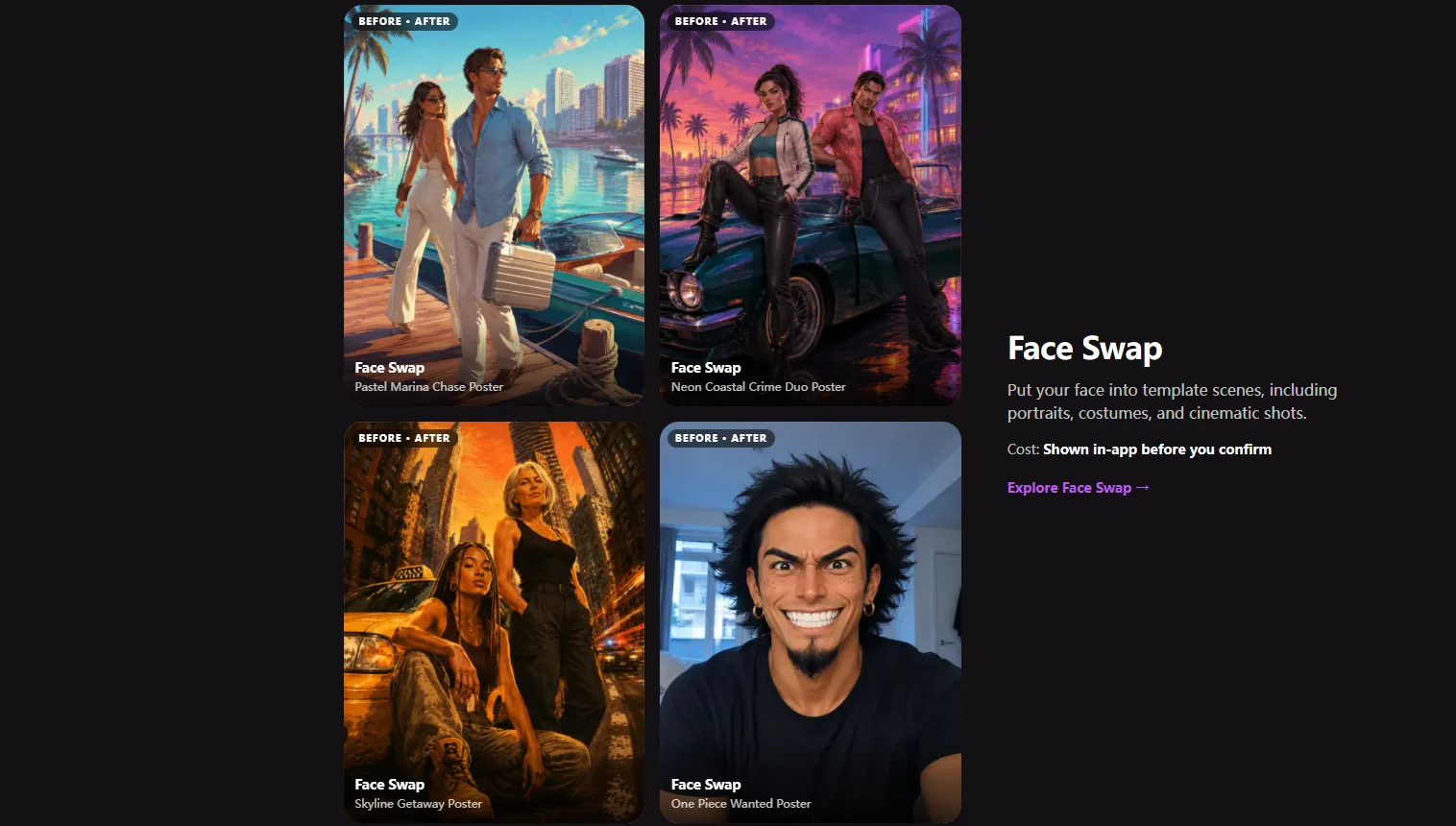
Put your face into template scenes: portraits, costumes, and cinematic shots. This is the feature most people start with, and it’s where you’ll find poster-style templates that look like a still from a film you never made.
Example templates: Pastel Marina Chase Poster, Neon Coastal Crime Duo Poster, Skyline Getaway Poster
Curious what’s happening under the hood? We broke it down in How Does AI Face Swap Actually Work?
Outfit Change
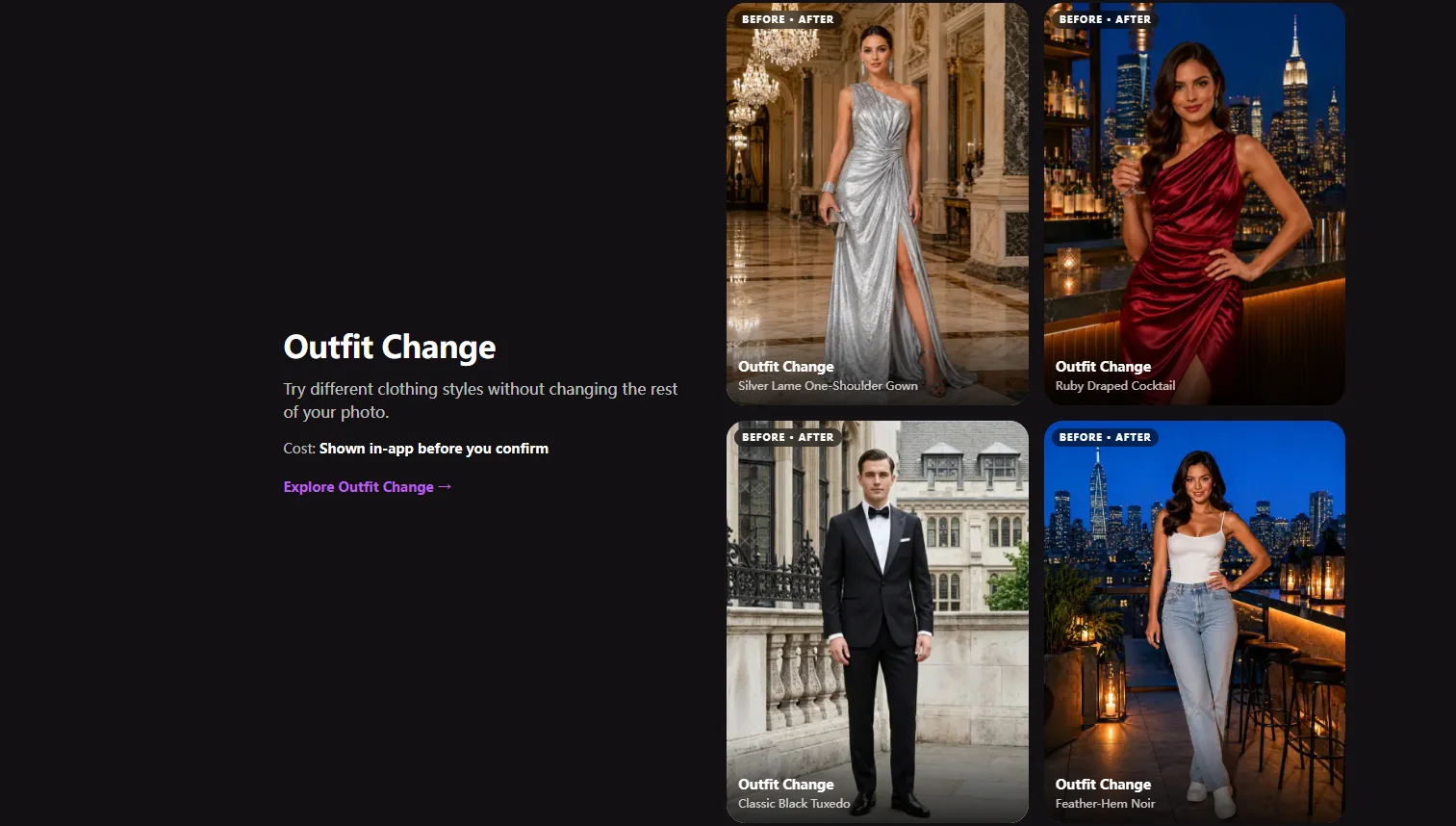
Try a different clothing style without changing the rest of your photo. Your face, pose, and background stay put; the outfit is what changes. It’s a quick way to see yourself in something formal, dramatic, or simply not in your closet.
Example templates: Silver Lamé One-Shoulder Gown, Ruby Draped Cocktail, Classic Black Tuxedo, Feather-Hem Noir
For why fabric, folds, and fit are harder for AI than faces, read How AI Understands Clothing.
Art Redraw
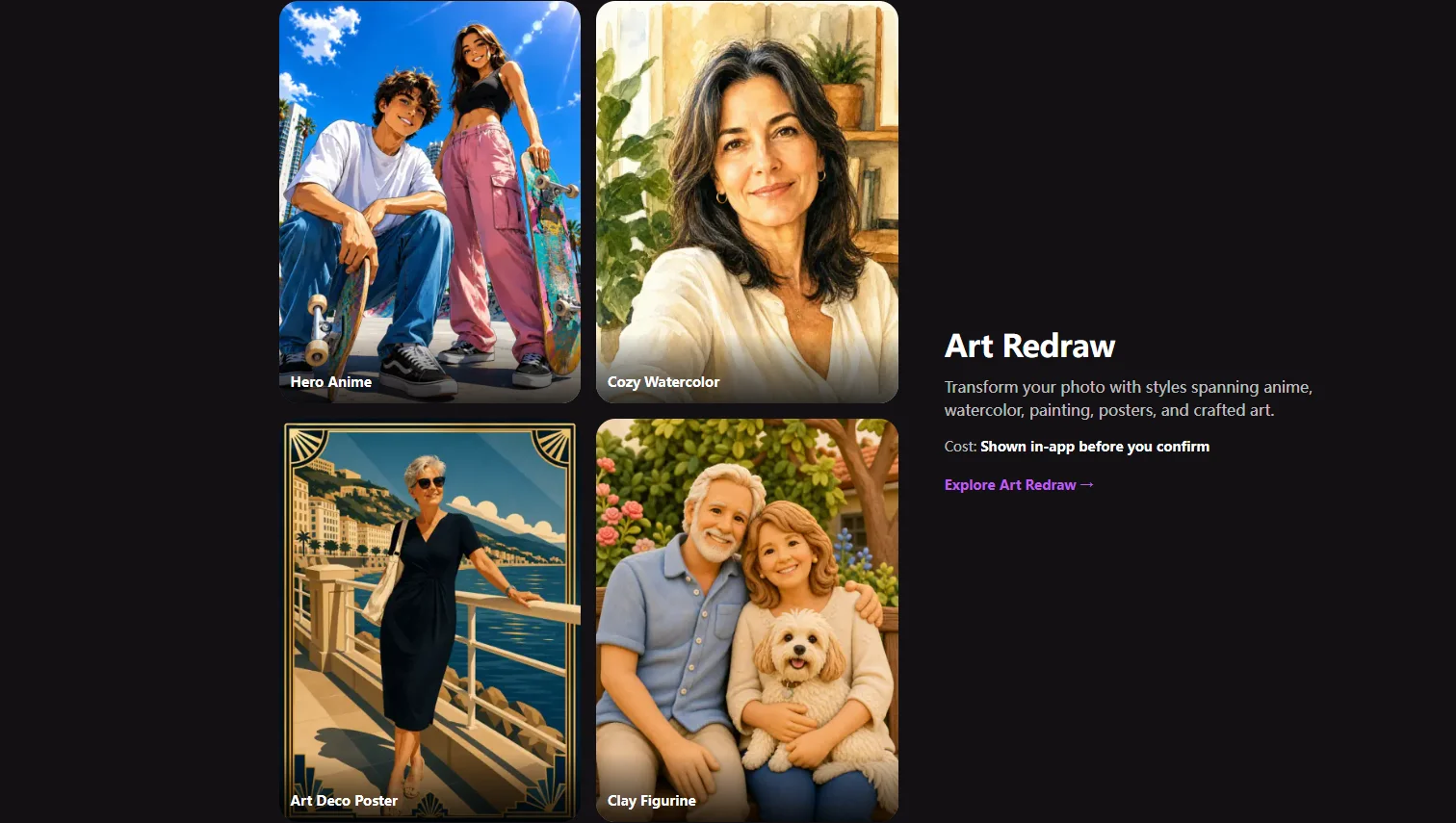
Re-create your photo in a different art style, from anime and watercolor to painting, posters, and handcrafted looks like clay figurines. Unlike Face Swap, the whole image is redrawn in the new style.
Example styles: Hero Anime, Cozy Watercolor, Art Deco Poster, Clay Figurine
See How AI “Fills In” Anime-Style Detail From a Regular Photo for how a style transfer decides what to keep and what to invent.
AI Video
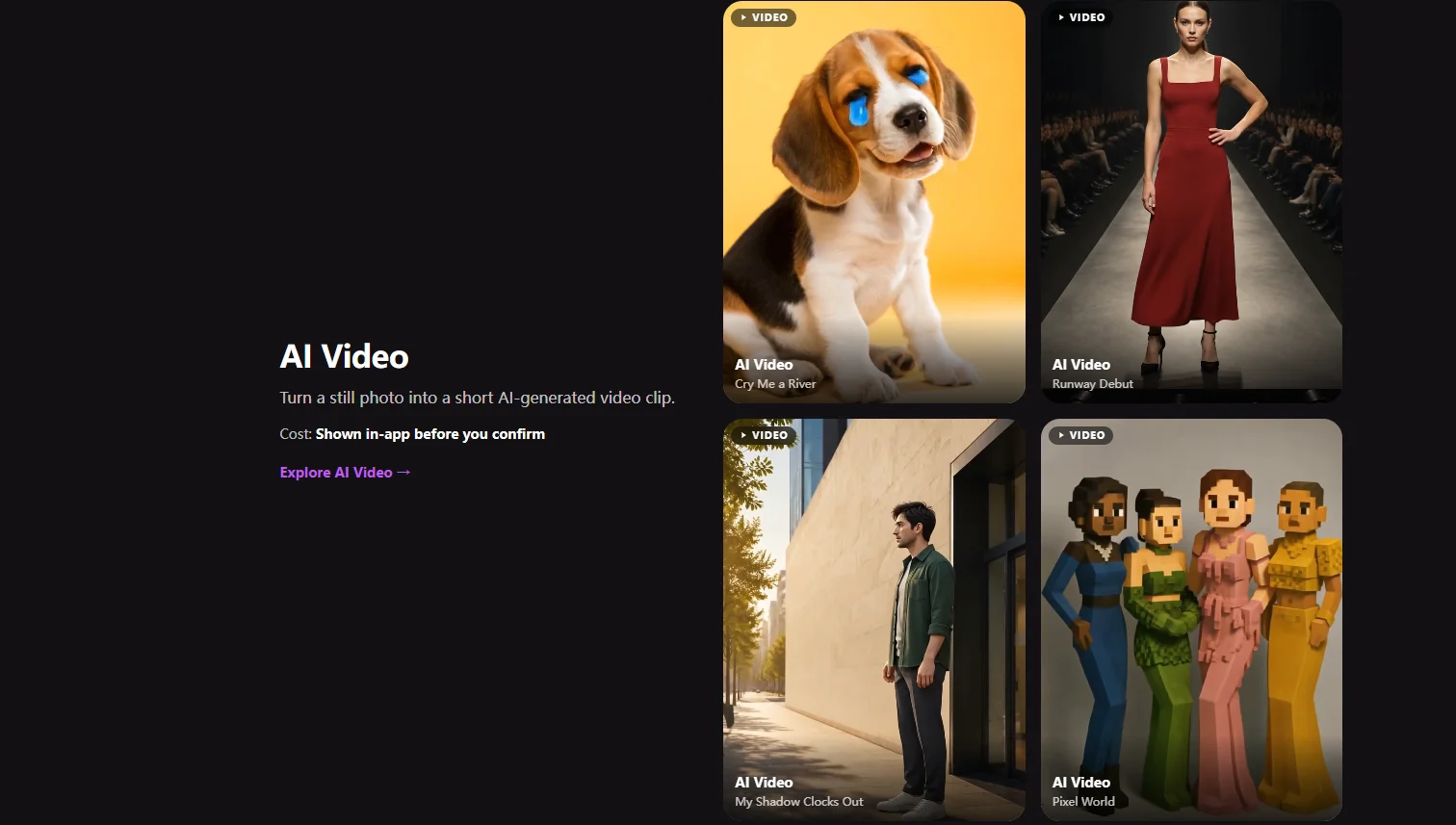
Turn a still photo into a short AI-generated video clip. Each template sets the scene and the motion, so a single portrait can become a runway walk or a moment in a pixel-art world.
Example templates: Cry Me a River, Runway Debut, My Shadow Clocks Out, Pixel World
We explain how one image becomes moving frames in From One Photo to a Full Video.
How it works
- Open the app and choose a feature: Face Swap, Outfit Change, Art Redraw, or AI Video.
- Pick a template or style.
- Upload your photo. A clear, well-lit, front-facing shot gives the best results.
- Check the gem cost shown on screen, then confirm.
- Wait for your result. Most images take 1–3 minutes, videos about a minute, and heavier styles a little longer.
If a generation fails on our side, the gems go back automatically to the same balance they came from.
How gems work
Gems are what you spend on generations. There are four ways to get them:
| Source | How you get them | Do they expire? |
|---|---|---|
| Starter gems | Given when you sign up | No |
| Rewarded ads | Earned by watching ads in the app | Free gems; results paid entirely with them carry a watermark |
| Subscription gems | Added each week with Weekly Basic or Weekly Pro | Yes, they reset at the end of each billing period |
| Pro Pass gems | Included with the 7-Day Pro Pass | Yes, they expire with the pass |
| Gem packs | One-time purchase | No |
The gem cost of each generation depends on the feature and template, and it’s always displayed before you confirm. We don’t list fixed per-generation prices here because templates vary and new ones are added often; the in-app number is the one to trust.
Pricing
All prices below are in USD. Local prices and taxes are set by the App Store or Google Play and may vary.
Weekly subscriptions
| Plan | Price | Gems | Best for |
|---|---|---|---|
| Weekly Basic | $2.99 / week | 940 / week | A smaller weekly commitment |
| Weekly Pro | $4.99 / week | 1,750 / week | People who create every week |
Subscriptions auto-renew until cancelled. Manage or cancel them in the App Store or Google Play.
Pro access
| Option | Price | Gems | What you get |
|---|---|---|---|
| 7-Day Pro Pass | $2.99 for 7 days | 940 (expire with the pass) | All Pro content, no ads, and no watermark for 7 days. Doesn’t auto-renew. |
| Pro Unlock | $4.99 one time | +200 once | Permanent access to Pro styles and templates. Ads and watermarks still apply. |
One-time gem packs
| Pack | Price | Gems | Gems per dollar |
|---|---|---|---|
| Small | $2.99 | 720 | ≈ 241 |
| Medium | $13.99 | 3,800 | ≈ 272 |
| Large | $28.99 | 8,800 | ≈ 304 |
| XL | $48.99 | 17,000 | ≈ 347 |
No subscription, no auto-renew, and pack gems never expire.
Which option fits you?
For comparison, Weekly Pro works out to about 351 gems per dollar and Weekly Basic about 314, but subscription gems reset every week, so that value only holds if you actually use them. A rough guide:
| If you… | Consider | Why |
|---|---|---|
| Just want to see what it does | Starter gems and rewarded ads | Free to try; results carry a small watermark |
| Need a few clean results for one occasion | 7-Day Pro Pass or Small pack | No ongoing commitment; the Pass also removes ads and watermarks for a week |
| Create something most weeks | Weekly Pro | The most gems per dollar, as long as you use them before they reset |
| Create in bursts and dislike subscriptions | Large or XL pack | Gems don’t expire, and larger packs cost less per gem |
| Mainly want permanent access to Pro templates | Pro Unlock | One payment, though ads and watermarks still apply |
Watermarks and ads
Results generated entirely with free gems carry a small Movcl watermark. Results paid for with subscription gems or purchased gem packs are watermark-free. The 7-Day Pro Pass also removes ads and watermarks for the length of the pass. Pro Unlock opens up Pro content permanently, but on its own it doesn’t remove ads or watermarks.
Cancelling and refunds
Subscriptions are handled by the store you subscribed through. Cancel in the App Store on iPhone or Google Play on Android; your access continues until the current billing period ends. The 7-Day Pro Pass and Pro Unlock never auto-renew, so there’s nothing to cancel.
Refunds are handled by Apple or Google under their own policies. If you need us to provide context for a refund request, email support@movcl.com. A real person reads every message.
Your photos and account
Photos you upload are used to generate your result. The details of what’s collected, how long it’s kept, and the choices you have are in Movcl’s Privacy Policy, and that document is the one to read before uploading anything you consider sensitive.
To delete your account, email support@movcl.com from the address associated with it.
If you want a checklist for reading any AI app’s privacy policy, Movcl’s included, start with AI Photo Apps and Your Privacy and Does This App Train on Your Photos?
What Movcl isn’t for
Movcl is for creative, playful images and clips of yourself. A few things it shouldn’t be used for:
- Official ID photos. AI-edited photos aren’t accepted for US passports. We tested the idea anyway in I Tried Using AI to Fix My Passport Photo.
- Other people’s faces without their consent. Using someone else’s likeness can cross legal and ethical lines. See Is It Legal to Use AI-Generated Photos of Yourself? and Can You Get in Trouble for Making AI Images?
- Passing AI images off as real. A face-swapped poster is fun; a fake “real” photo meant to mislead is something else. We explain the difference in Deepfakes vs. AI Face Swap Apps.
Frequently asked questions
Is Movcl free?
You can start free. New accounts get starter gems with no credit card, and you can earn more by watching rewarded ads. Results paid for entirely with free gems carry a small Movcl watermark.
How much does Movcl cost?
Weekly Basic is $2.99/week for 940 gems and Weekly Pro is $4.99/week for 1,750 gems. A 7-Day Pro Pass is $2.99, Pro Unlock is a one-time $4.99, and gem packs run from $2.99 (720 gems) to $48.99 (17,000 gems).
How many gems does a generation cost?
It depends on the feature and template. The exact cost is shown in the app before you confirm each generation.
Do Movcl gems expire?
Starter gems and one-time pack gems don’t expire. Subscription gems reset each billing period, and Pro Pass gems expire with the pass.
How long does Movcl take?
Most images take 1–3 minutes. Videos take about a minute. Heavier styles can take a little longer.
What happens if a generation fails?
If it fails on our side, the gems are automatically returned to the same balance they came from.
How do I cancel my subscription?
Cancel through the App Store on iPhone or Google Play on Android. Access continues until the current billing period ends. Refunds are handled by Apple or Google under their own policies.
How do I delete my account?
Email support@movcl.com from the address associated with your account.
Try Movcl free
Starter gems on signup. No credit card.
Prices shown in USD and current as of October 2026. Local prices and taxes are set by the App Store or Google Play and may vary. Apple and the Apple logo are trademarks of Apple Inc. Android, Google Play, and the Google Play logo are trademarks of Google LLC.